ⓒ2021 Matica Technologies Group. All rights reserved
22
Load Lower Cleaning Roller & Films
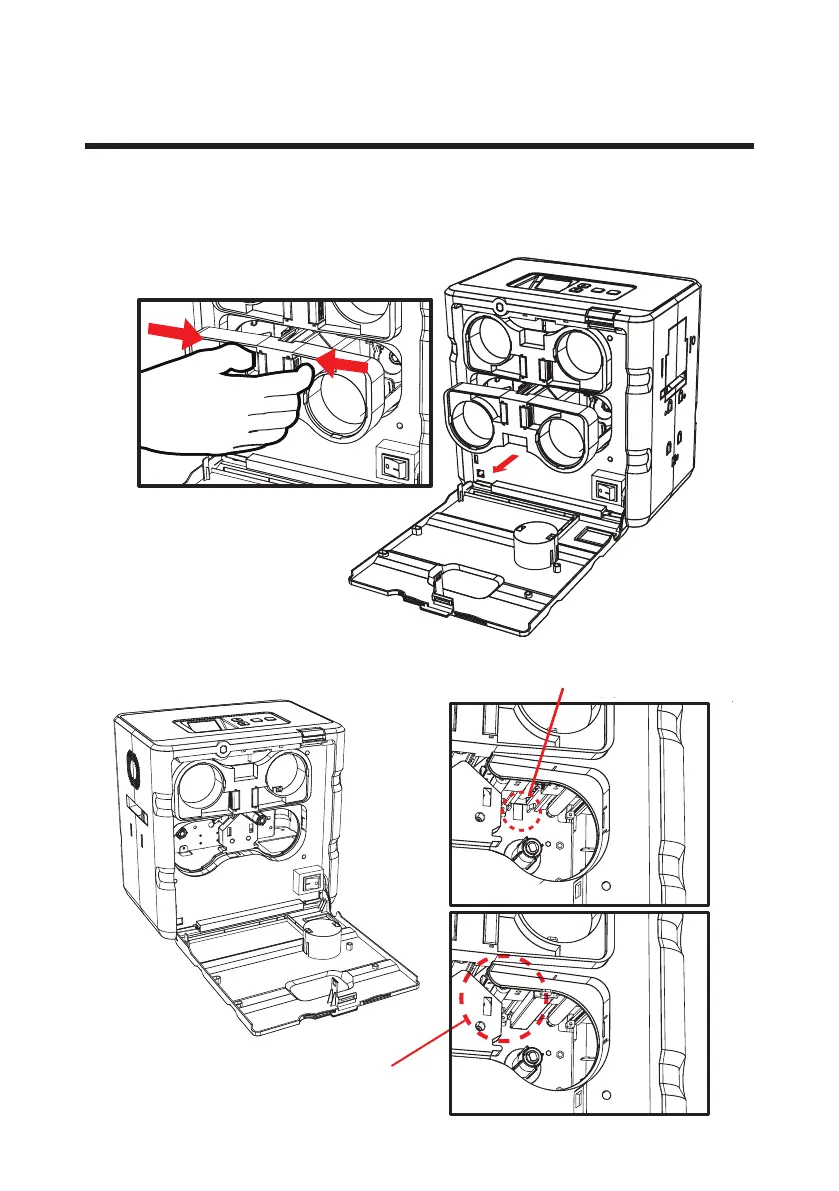
1. Pull the cartridge out while pressing the Cartridge Load/Eject Button to
remove it from the laminator as shown in the image below.
-Load Lower Cleaning Roller
2. Align the Cleaning Roller with its hole and push it up until it clicks.
After installation
of cleaning roller
Cleaning roller hole


 To Next Page