Matica Lamination Module MC-L2 User Manual
29
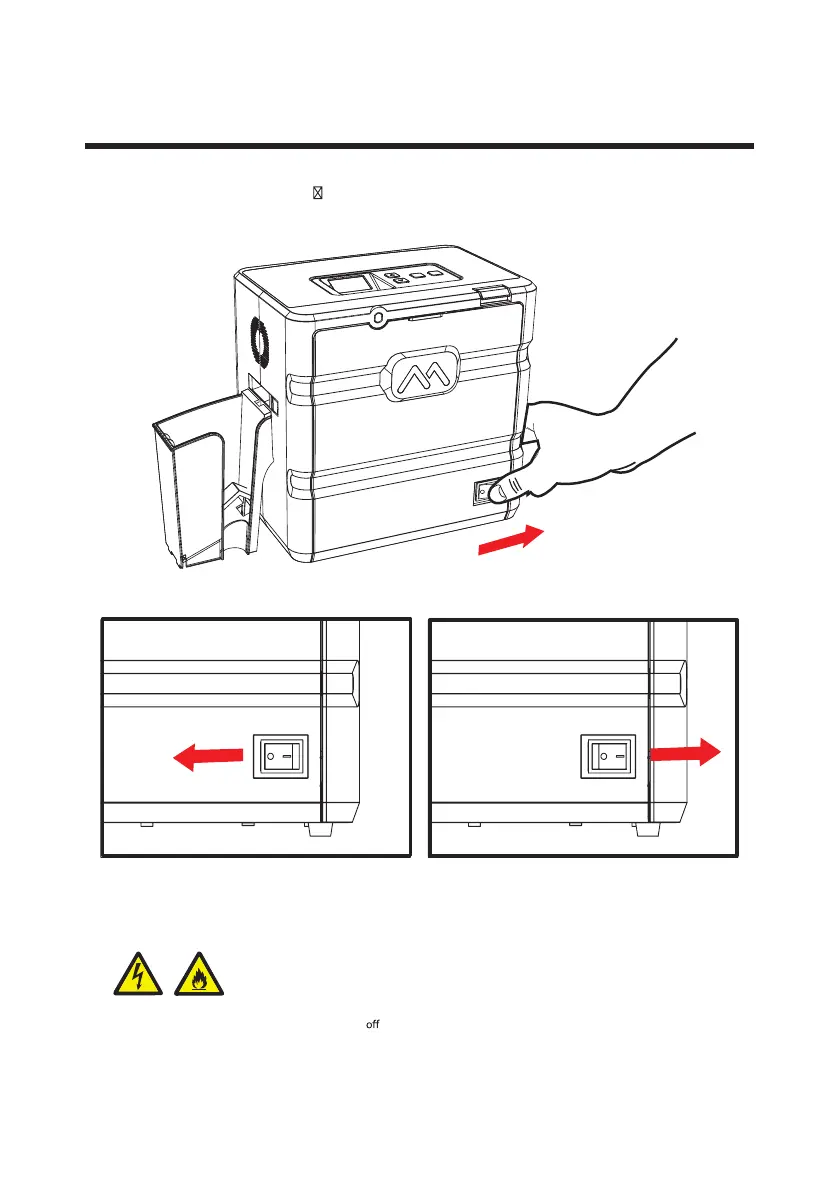
Power On
Press the Power Switch (‘ ’) to turn the laminator on.
Power ON -> OFF Power OFF -> ON
If the product is exposed to rain or liquid, please turn an d unplug the cable, and contact an authorized
service representative.
Electrical Hazard / Fire Hazard


 To Next Page