ⓒ2021 Matica Technologies Group. All rights reserved
46
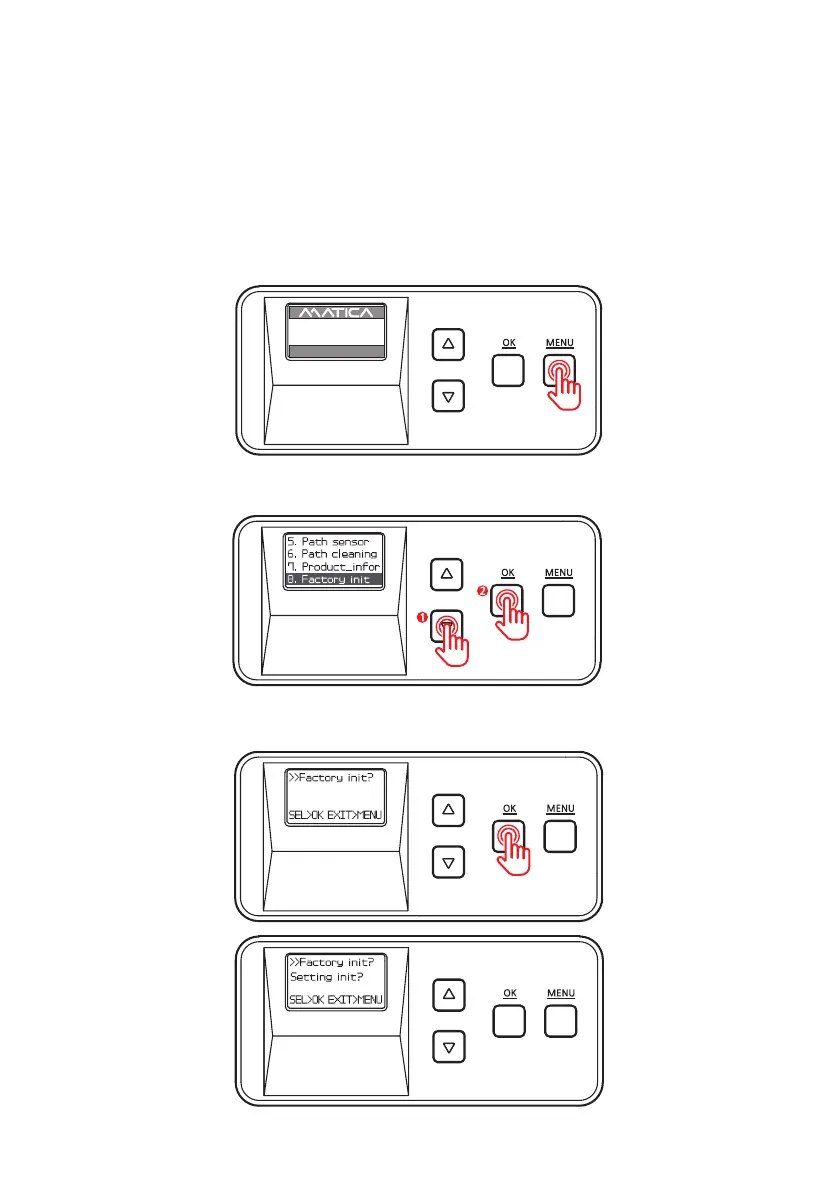
1. Press ‘MENU’ to enter the menu mode.
-Factory Reset (Factory init)
Function :
Reset the system to factory default settings.
Default Settings: Pass mode : Auto, Temper_set: 160(320),
Start_POS set : 0mm, Power_saving: 5min
2. Press the Menu Navigation Button to select ‘8. Factory init’ and press ‘OK’.
3. Press ‘OK’ and ‘Setting init?’ appears on the screen.
UP 500 / LO 500
W30 / READY
2019.07.29(V0XX)


 To Next Page