

EasyManua.ls Logo

Matica MC-L2 - User Manual

Matica MC-L2
65 pages
Print Icon
To Next Page IconTo Next Page
Loading...
MC-L2
Lamination Unit
User Manual
Question and Answer IconNeed help?

Do you have a question about the Matica MC-L2 and is the answer not in the manual?

Summary

Safety Precautions

Understanding Safety Symbols

Explains warning, caution, and other symbols used in the manual.

Getting Started

Product Overview

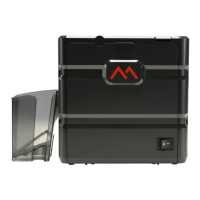
Provides a general description of the MC-L2 lamination module and its capabilities.

Whats Included: In the Box

Names of Parts: Dual-sided Laminate

Names of Parts: Upper Single-sided

Names of Parts: Lower Single-sided

How to Open the Front Cover

How to Close the Front Cover

Loading Upper Cleaning Roller & Films

Loading the Upper Cleaning Roller

Instructions for removing and installing the upper cleaning roller.

Loading Films to Upper Cartridge

Loading Lower Cleaning Roller & Films

Loading the Lower Cleaning Roller

Instructions for removing and installing the lower cleaning roller.

Loading Films to Lower Cartridge

Card Stacker: Loading and Unloading

Loading the Card Stacker

How to attach the card stacker to the laminator.

Removing Cards from Card Stacker

Procedures for removing cards from the stacker, with or without detachment.

Connecting Power & Communication Cables

Connecting the Power Cable

Steps to connect the AC power cable to the laminator.

Connecting the Communication Cable

How to connect the laminator to a PC via USB or RS232C.

Powering On the Laminator

Securing the Front Cover

Button Control and Menu Navigation

Control Panel Button Functions

Identifies the function of each button on the control panel.

Understanding LCD Status Messages

Explains the different status messages displayed on the LCD screen.

Setting Laminate Side (Pass Mode)

Setting Lamination Temperature

Setting Film Position (Start POS)

Configuring Power Saving Mode

Checking the Path Sensor

Viewing Serial Number (Product Information)

Performing a Factory Reset

Setting the Card Entry Count

Card Issuance and Cancellation

Maintenance Instructions

Supported Card Specifications

Details recommended card size, thickness, and types.

Cleaning the Laminator

Cleaning the Laminator Exterior

Instructions for cleaning the external surfaces of the laminator.

Cleaning Rollers with Cleaning Card

Procedure for cleaning the rollers using a cleaning card.

Cleaning the Blue Cleaning Roller

Troubleshooting

Error Messages and Solutions Guide

Lists common error messages and their corresponding solutions.

Removing Jammed Cards

Film Specifications

Lamination Film Types and Specifications

Lists available lamination film types and their specifications.

Laminator Specifications

Key Features

Highlights key features of the MC-L2 laminator.

Standard Specifications

Details the standard technical specifications of the laminator.

Optional Specifications

Detailed Laminator Specifications

Regulatory Information

FCC Compliance Statement

Details FCC compliance statements and warnings for the device.
EU Compliance (CE Marking)

RoHS Compliance Directives

UL Compliance Listing

Matica MC-L2 Specifications

General IconGeneral
BrandMatica
ModelMC-L2
CategoryLaminator
LanguageEnglish