ⓒ2021 Matica Technologies Group. All rights reserved
38
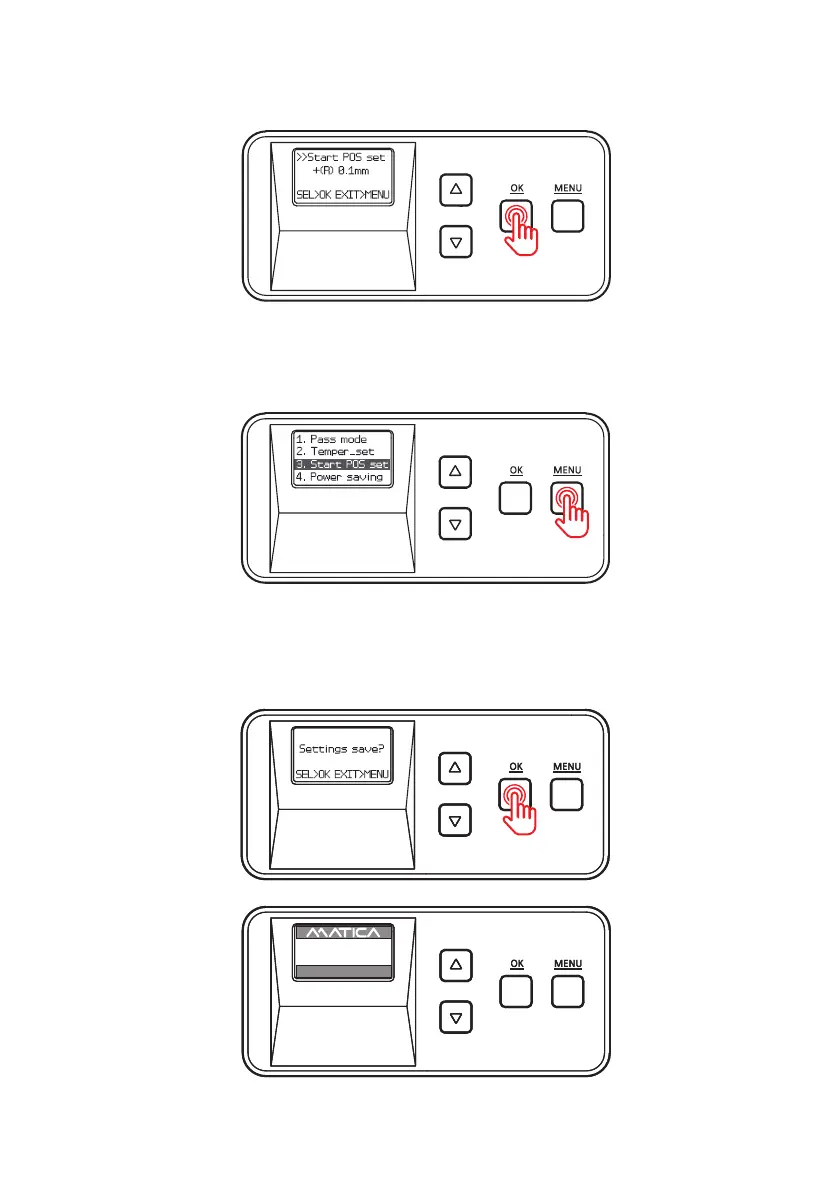
4. Press ‘OK’ to set the position and go back to the previous step.
5. Press ‘MENU’ to go into the standby mode.
6. If any changes have been made, you will be prompted to save the changes.
Press ‘OK’ to save the new settings or ‘MENU’ if you do not want to save them.
UP 500 / LO 500
W30 / READY
2019.07.29(V0XX)


 To Next Page