ⓒ2021 Matica Technologies Group. All rights reserved
28
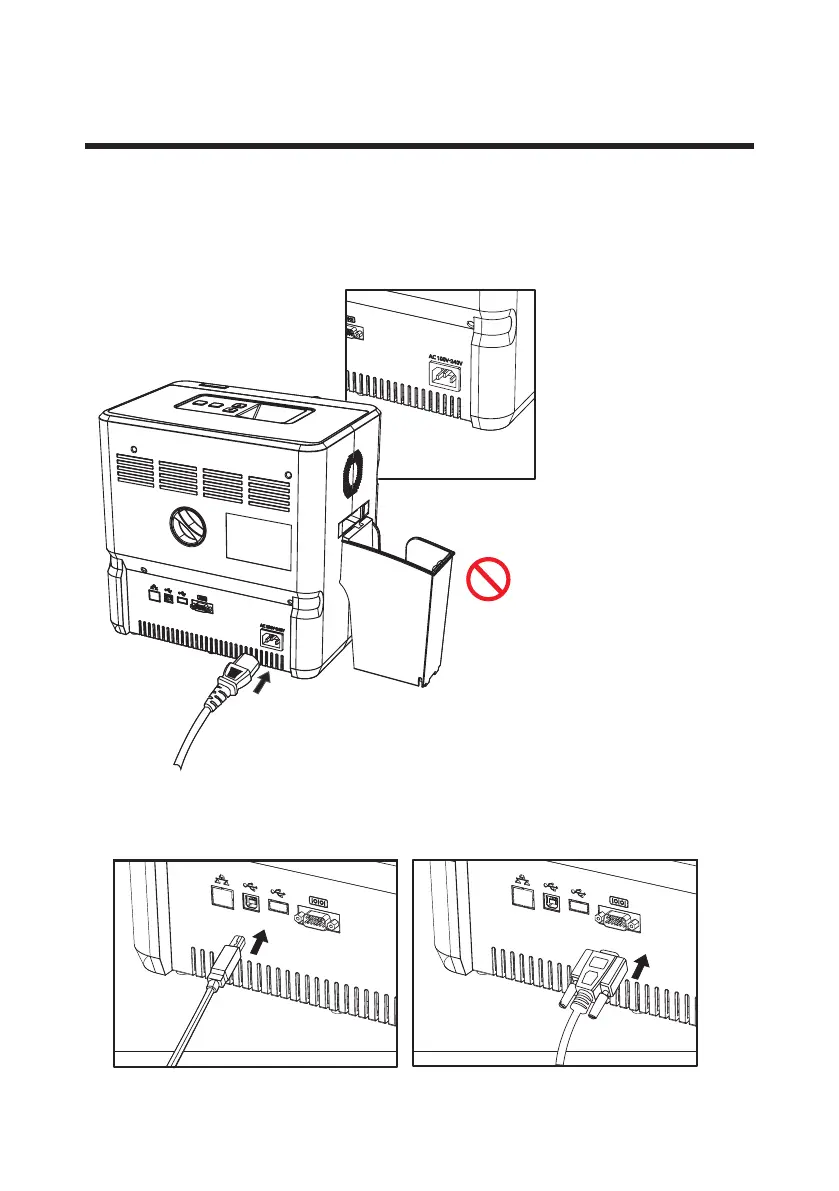
Make sure that the Power Switch is o and connect the AC Power Cable to
the Power Port on the back of the laminator.
-Connect Power Cable
Connect Power & Communication Cables
- The product must be used with AC power
with rated label.
- Check whether the Power Cable is
plugged in before use.
Prohibition
To download the rmware, connect the laminator to a PC using either
USB Port or RS232C.
-Connect Communication Cable
RS232C PortUSB Port


 To Next Page