MC310 USER GUIDE I 3-4
3.3 Card Feeding
The input Hopper (automatic card feeder) can hold a maximum of one hundred 0.76 mm thick cards. A label
inside the door gives the instructions for correctly positioning and orienting the card.
When the single card manual feeder option is present, it can be used without needing to empty the input
Hopper.
The card path can be selected via software to speed card processing:
Hopper
Reject bin
The output Hopper at the front of the printer can hold a maximum of thirty 0.76 mm thick cards.
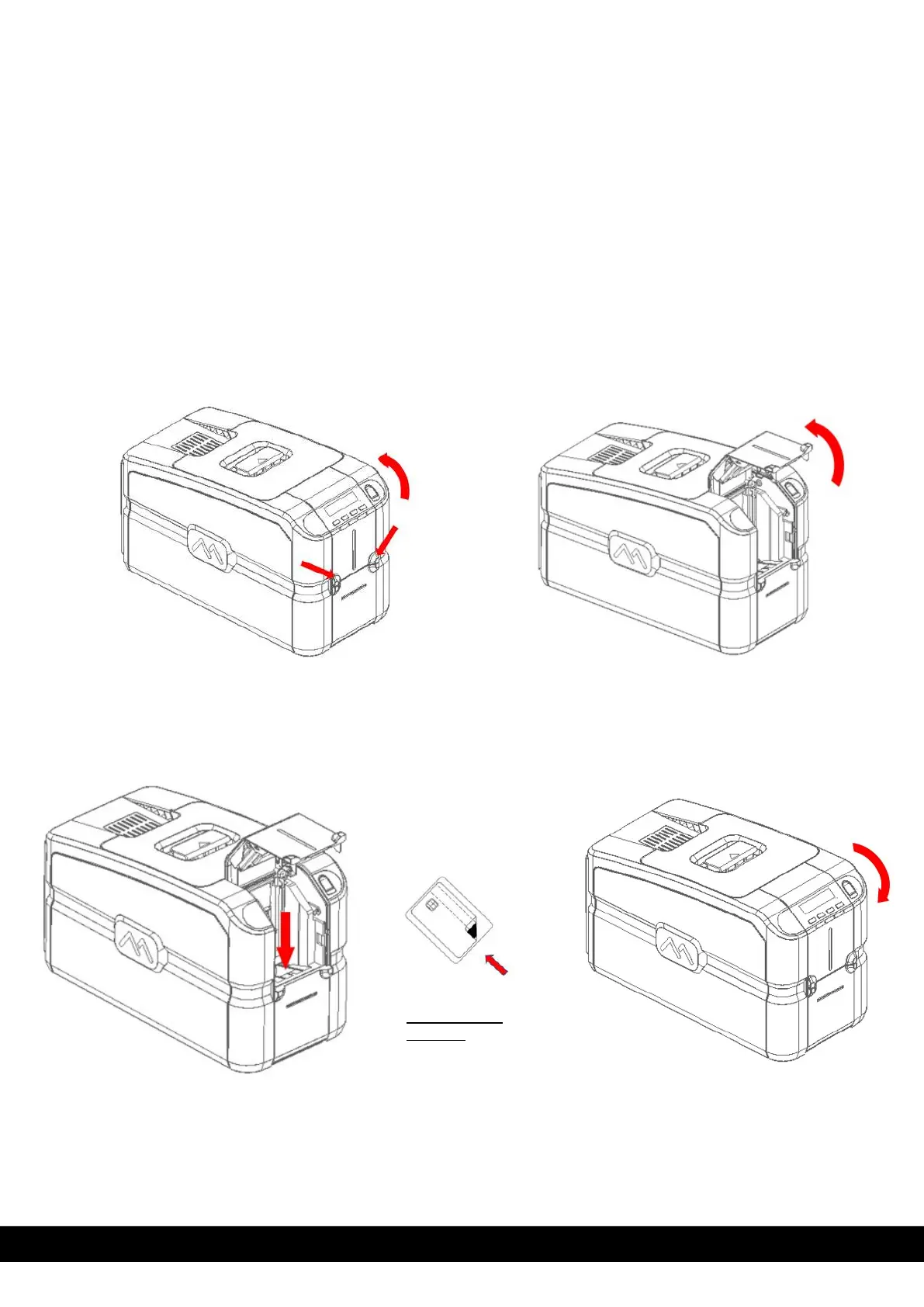
3.3.1 Input Hopper (Automatic Card Feeder)
1. Open Front door manually as shown below.
2. Load the cards in the Hopper and then close the door.
Card insertion
direction
For contact type
cards, chip will be
visible on the top.
Mag stripe will be
facing downwards
towards right.



 To Next Page