4-4
User Guide
MC310 USER GUIDE I 5-19
5.2 Color Settings
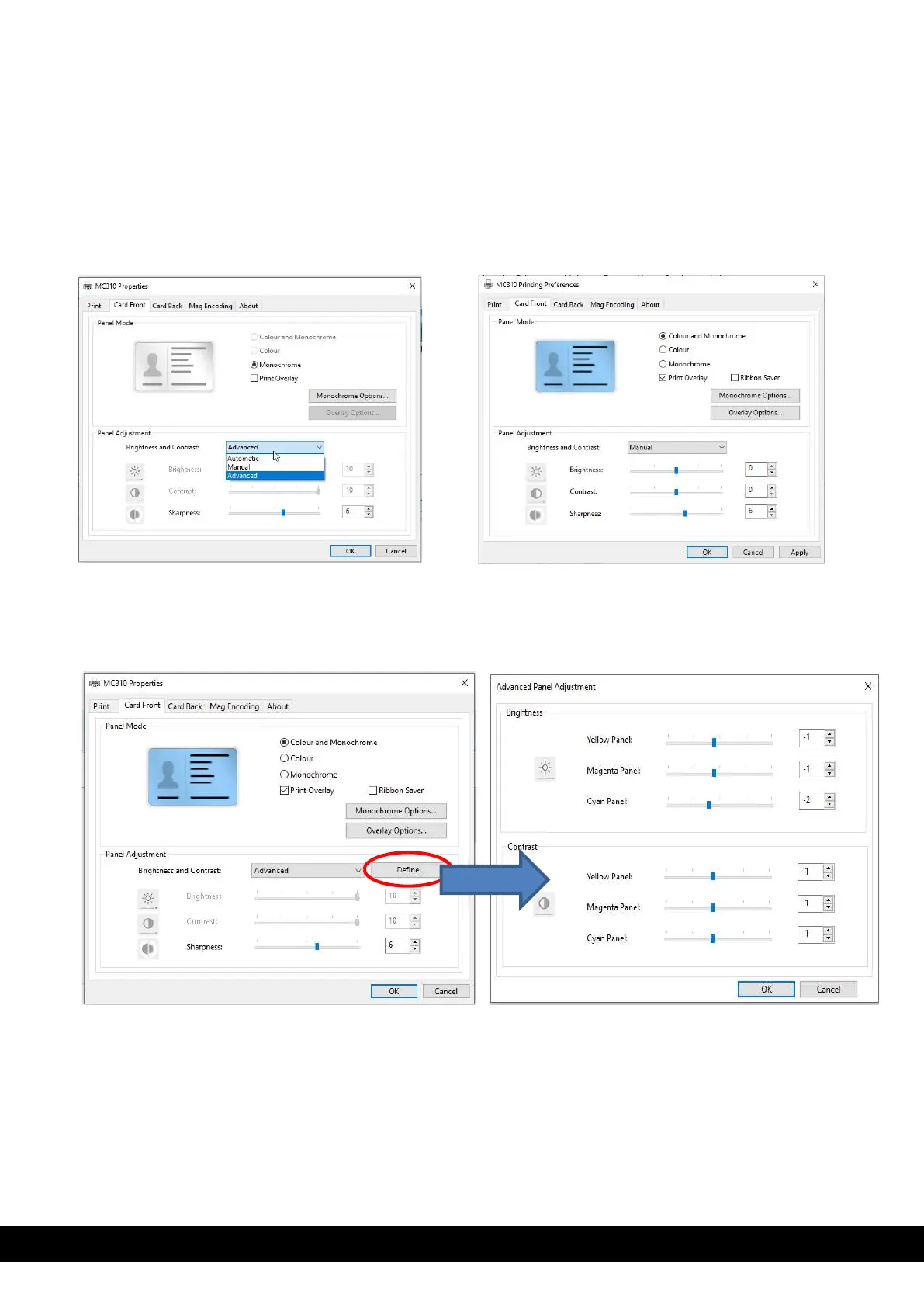
By default, the Brightness and Contrast setting in printer properties shown as Automatic.
To customize color printing, Click Printer Properties select tab Card front/card back panel adjustment
in Brightness and contrast select manual or advanced from drop down menu
If User select Manual option adjust the Brightness, contrast and sharpness based on requirement
click apply click OK.
The advance option allows the user to define different brightness & contrast value for YMC panel separately.
Once user define tab after selecting advance option in drop down menu, Advanced panel adjustment menu appears.
The user can adjust the required brightness & contrast value for each panel and click OK.



 To Next Page