MC310 USER GUIDE I 3-5
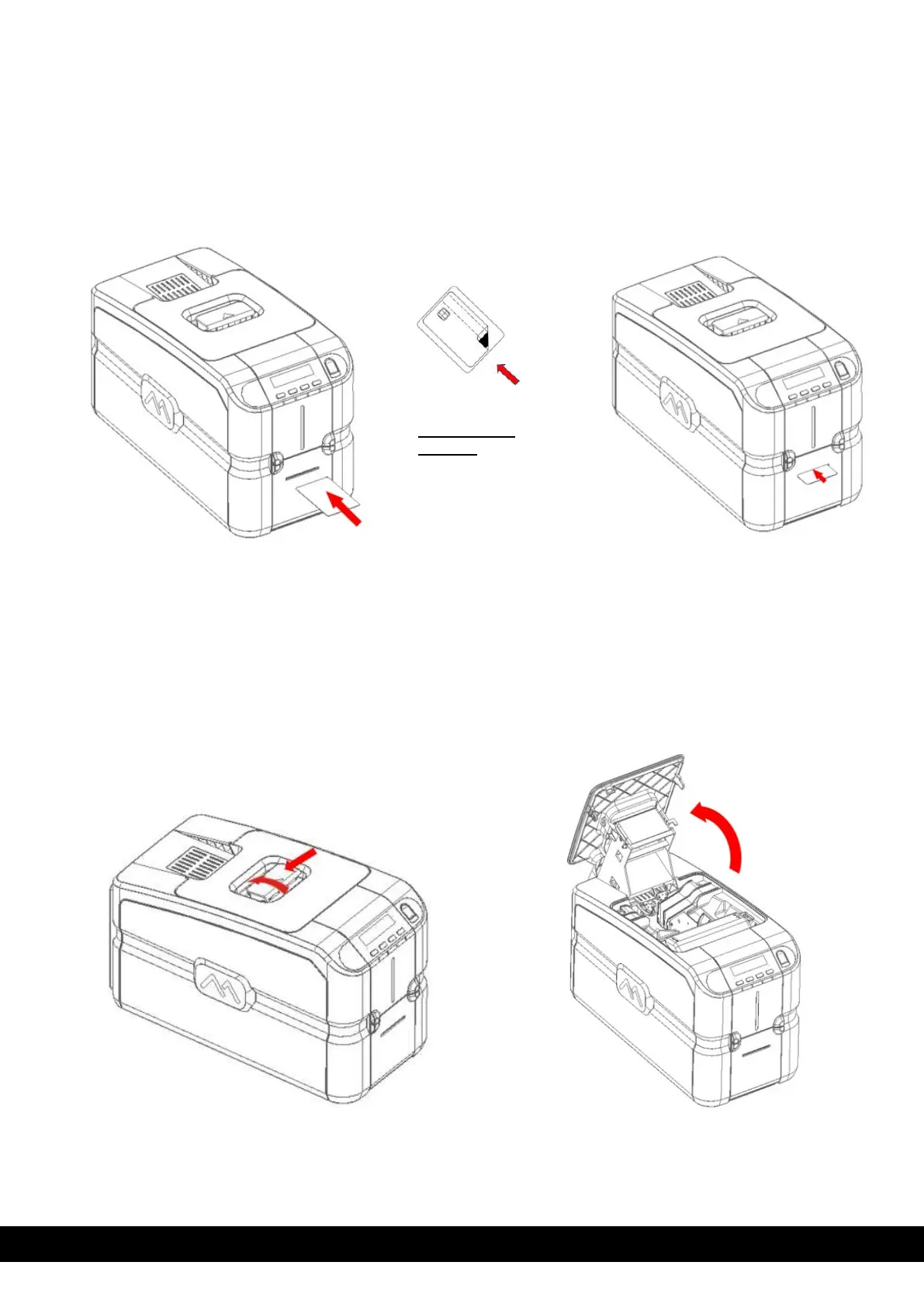
3.3.2 Front Slot (Manual Card Hopper)
The manual card feeder is always ready for use and is prioritized. It is suggested that it can be used when
the job requires a different card other than the ones loaded inside the input Hopper.
Insert the card inside the slot as per below illustration.
3.4 Adjusting the Card Thickness
The card thickness can be adjusted by sliding the Selection knob (A label is attached on the Encoder
cover to guide the selection knob) to the required thickness.
Cards with thicknesses ranging between 0.25 mm and 1.25 mm (10 - 50 mil) can be processed by the
printer. Proceed as follows to adjust the card thickness:
1) Open the printing module compartment cover as per below instructions.
Card insertion
direction
For contact type
cards, chip will be
visible on the top.
Mag stripe will be
facing downwards
towards right.



 To Next Page