User Guide
3-13
MC310 USER GUIDE I 4-11
4.2.1 Tools
In the Tools menu, User can manage different operations in the Printer like the following
Printer cleaning, Refer to Chapter 6.2 (Standard Cleaning)
Advanced printer cleaning, Refer to Chapter 6.3 (Card patch advanced Cleaning)
Activate Duplex printing, Refer to Chapter 7.3 (Duplex activation)
Update printer firmware
Update Printer LCD firmware
Perform PC/SC encoder check
Update Printer FONT firmware
Printhead replacement, Refer to Chapter 6.7 (Printhead replacement procedure)
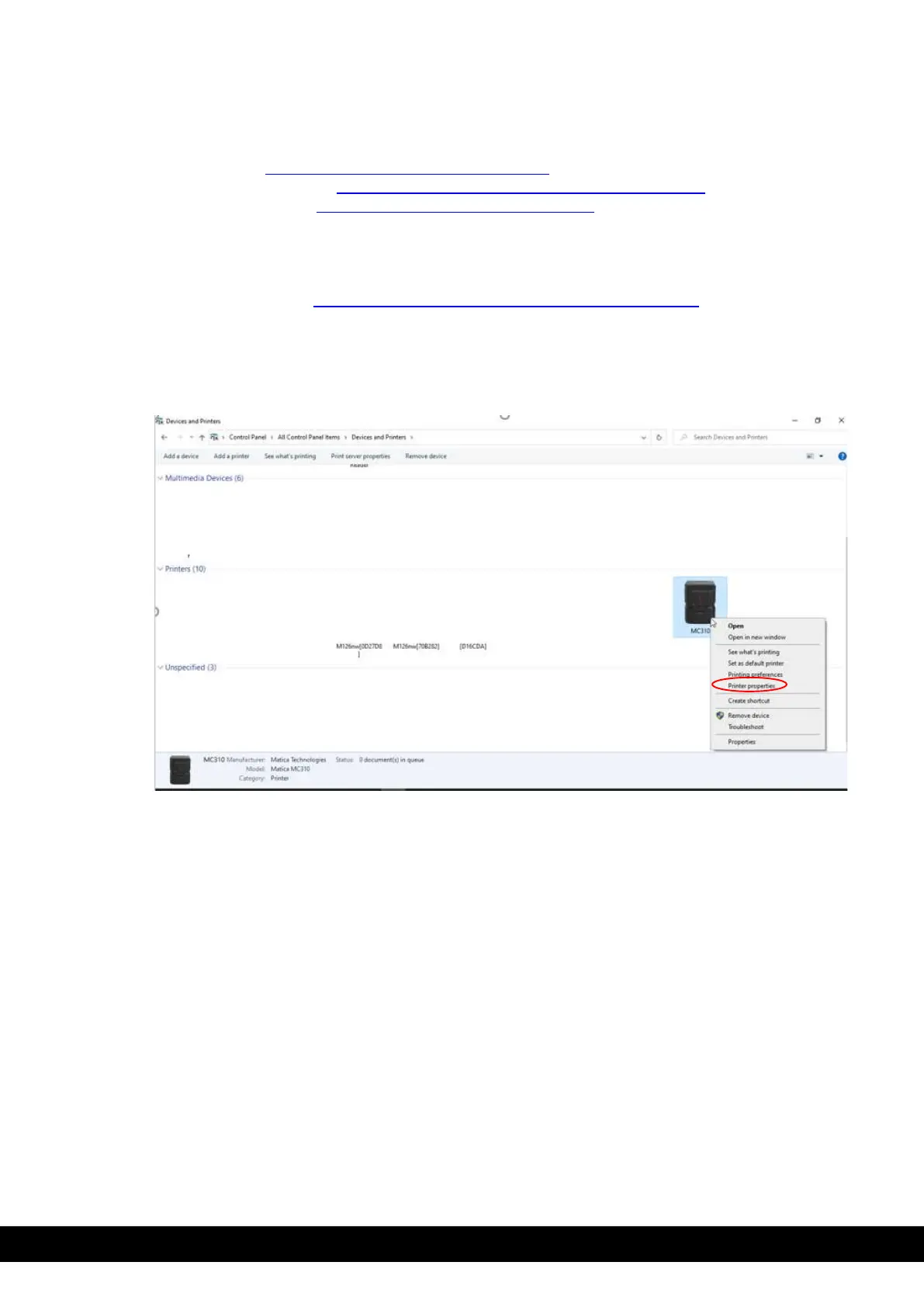
The user can access the tool menu in MC310 printer properties.
1)
Ensure that printer is connected to PC/Laptop through USB.
2)
In the PC/Laptop go to devices & printers and right click using mouse on MC310 printer icon
installed in the PC/Laptop. Select printer properties from drop down menu.



 To Next Page