5-4
User Guide
MC310 USER GUIDE I 6-4
6.3 Card Path Advanced Cleaning
The card path advanced cleaning procedure is required after performing five Standard cleaning
procedures:
.
After every 5000 prints, Printer will alert the user for ‘Advanced Cleaning’ in the Printer display with RED LED blink
Advanced cleaning is performed using the T-card as explained below.
The procedure involves cleaning the card path, removing the dust on the rollers and cleaning the
magnetic head.
The printer has an internal counter that stores the number of Standard cleaning procedures performed,
so as to notify when the Advanced Cleaning procedure is required (see the Printer Manager
Specifications).
A software-guided procedure will assist in carrying out the cleaning operations.
6.3.1 Advanced Cleaning Procedure
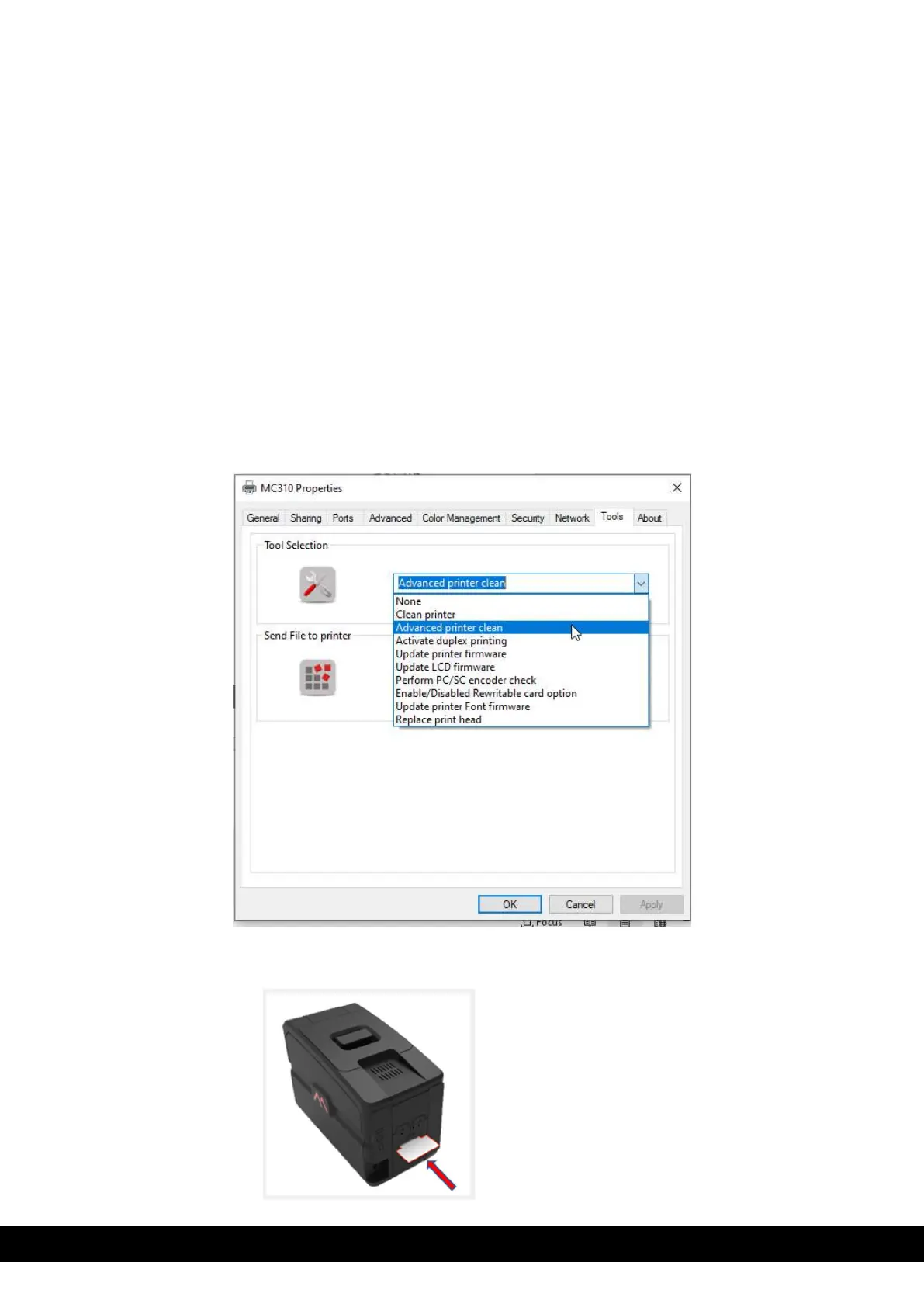
1. To perform the Advance printer clean, Select ‘Advance printer clean” wizard from drop down menu available in the
printer properties tool tab and follow the instruction in the wizard.
Note: a) Insert the T-card in the back slot of the printer
Insert the T-card in the Back slot



 To Next Page