MC310 USER GUIDE I 6-10
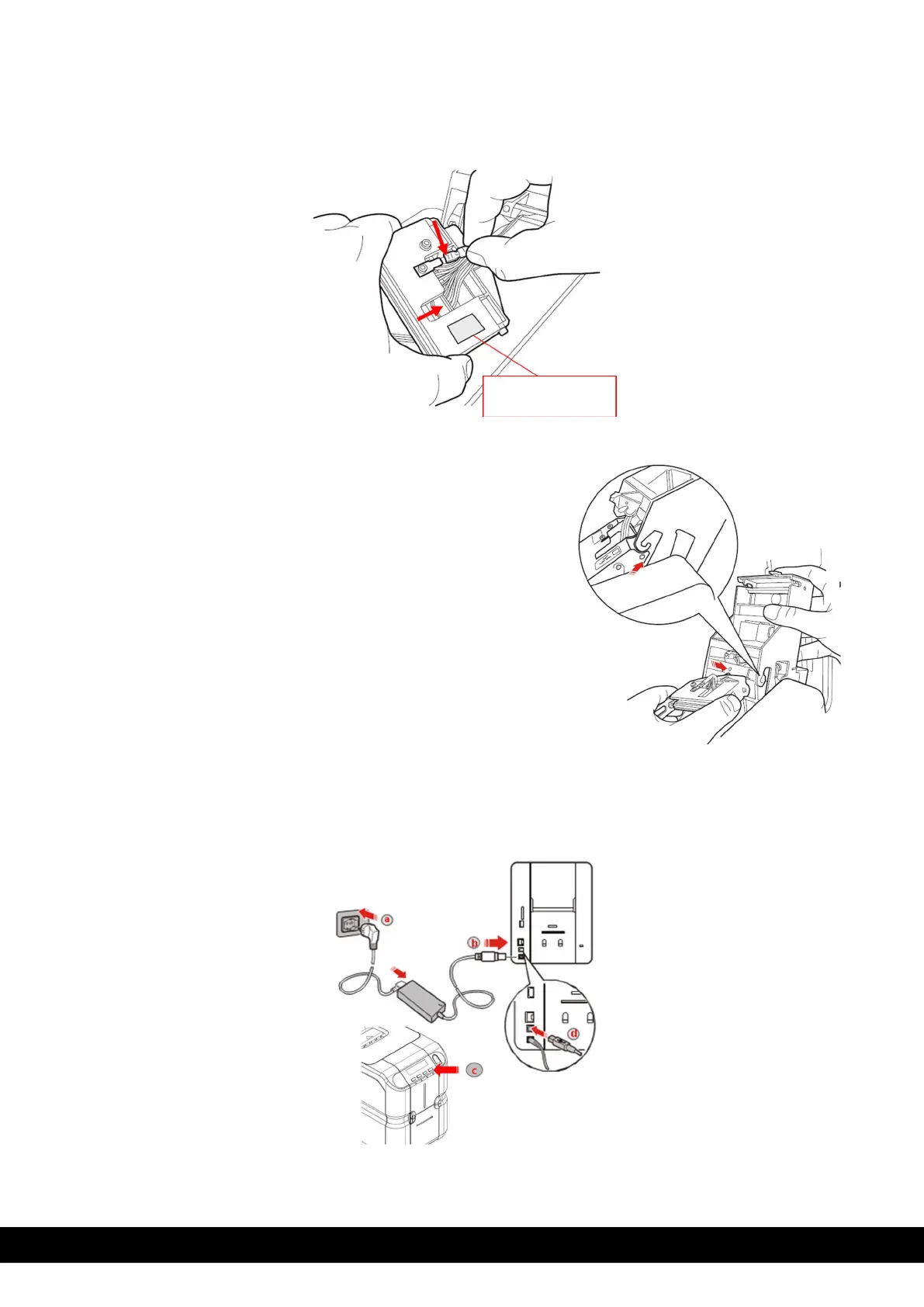
b) Remove the earth wire and the connector,
connect these to the new print head and make a note of the
Print Head Serial No. and
Click ‘Next’ to continue in the Printer Manager wizard
5. Insert the new print head.
During re-insertion, press with the sphere present in the tip of the
print head on the point indicated in the figure and rotate it slightly
in order to insert it in its housing and Close the top cover.
Click ‘Next’ to continue in the Printer Manager wizard
3) C
o
nne
c
t
the
pr
inte
r
to
the
pow
e
r su
pply
,
switch on and connect it to a computer with the USB cable
Click ‘Next’ to continue in the Printer Manager wizard
Print head Serial



 To Next Page