17.6 Working with trigger events 135
17.6 Working with trigger events
One or many trigger(s) can be used to control start of an acquisition, of a frame of an acquisition or each line of a
frame (for line scan devices). It can also be used to control the exposure duration at the beginning of a frame.
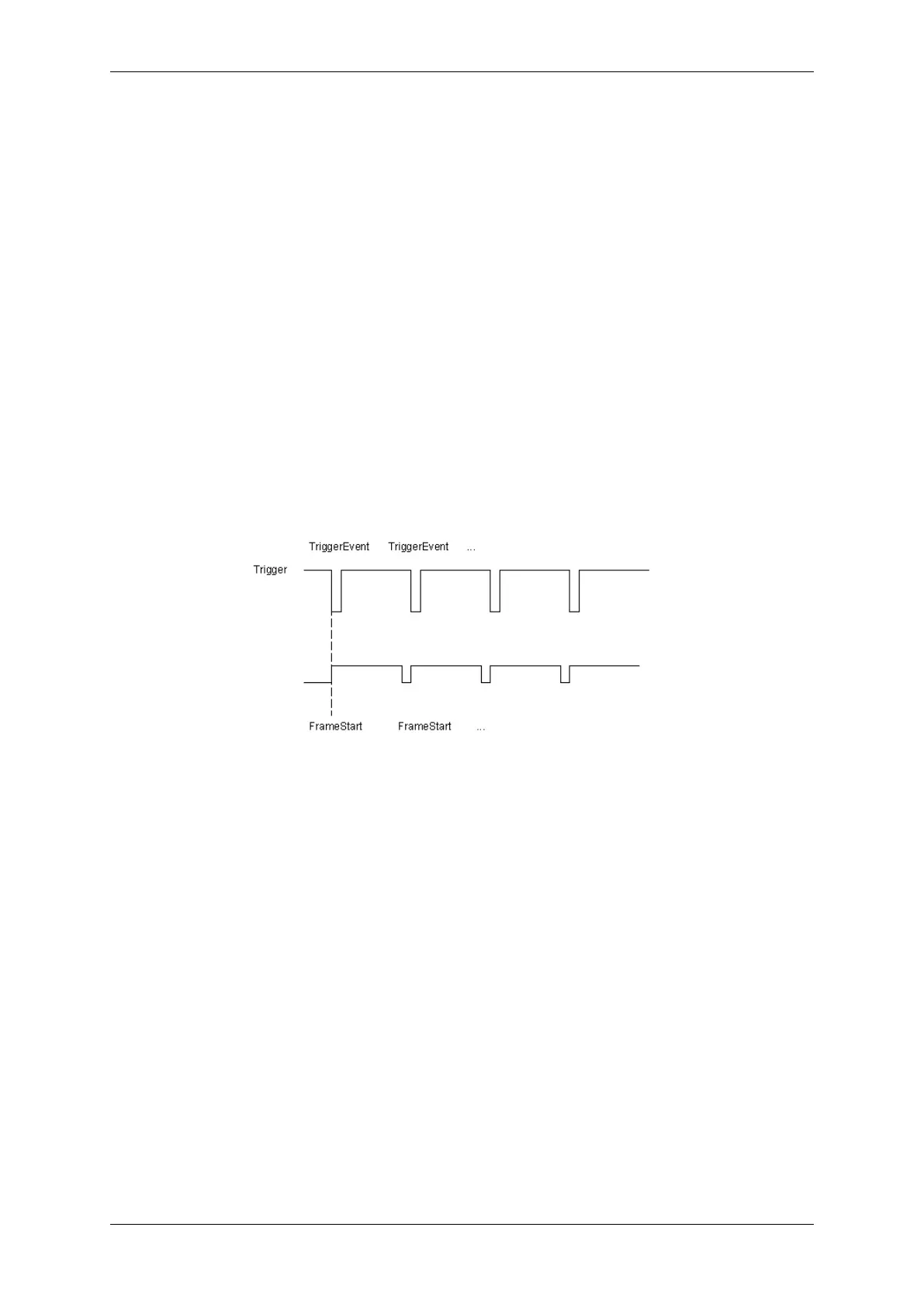
Typically, a trigger event has a
• falling edge and a
• rising edge.
A falling edge initializes the capture of a frame (see Figure 1).
Figure 1: Typical trigger events
There are three modes to use trigger events with mvHYPERION frame grabbers:
• FrameStart (p. 136)
• FrameStart + FrameStop (p. 137)
• FrameStart + FrameStop (with restart option using the same event) (p. 138)
The three modes will be described on the basis of a trigger event on J3.
Please open "Setting -> Base -> Camera -> TriggerControls", where you can manage the mentioned trigger
events.
MATRIX VISION GmbH


 To Next Page