39
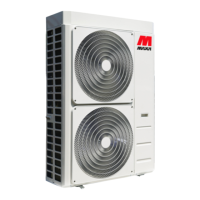
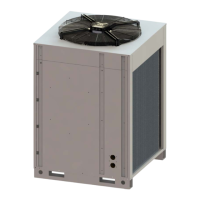
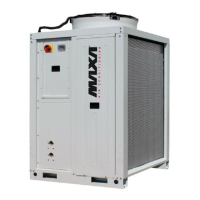
i-32V5 MIDI Chillers and Inverter Air/Water heat pumps with axial fan
Led KA resistors: is lit if the anfreeze resistors are acve.
The buons have the specic funcon described below
Select the operang mode and manually reset any alarms.
Each me you press the key you have the following sequence:
OFF -> COOL -> COOL+SAN* -> HEAT -> HEAT+SAN* -> OFF (*= if sanitary mode is enabled)
While seng the parameters, this key has the funcon of sending BACK by one level.
Allows you to enter the selected menu to view sub-folders or to set a value (e.g. summer, winter and DHW set-points or various
parameters).
The UP key is used to move to a higher menu or to increase the value of a parameter.
The DOWN key is used to move to a lower menu or to decrease the value of a parameter.
In standard operaon, the display shows the water outlet temperature in tenths of Celsius degrees or the alarm code if at least one is acve. If
several alarms are triggered, the rst one is displayed while the second one will be displayed as soon as the rst one is reset. In menu mode, the
display depends on the current posion
MENU
The following are the main features for navigang the menus, especially describing funcons which are not obvious. The main menu has the
following items:
MENÙ LABEL LIVELLO PASSWORD ALTRE CONDIZIONI
Setpoint Set User Not accessible if connected to Hi-t2
Probes tP Installer ---
Alarms Err User Only if acve alarms
Digital inputs Id Installer ---
Parameters Par Installer ---
Password PSS User ---
Hours of operaon oHr Installer ---
USB USb Installer
Only with pen drive with relevant
update les
Firmware Version Fir Installer Version,revision and Sub
Alarm log Hist Installer Only if the log contains data
The PSS menu is accessed to enter the service password and to enable access with a higher user permission. When you have exited the menus,
the password must be entered once again to re-enter.
SETPOINT MENU
The various setpoints can be viewed and edited.
SETPOINT DESCRIPTION UNIT DEFAULT RANGE
Coo First summer setpoint °C 7,0 5 ÷ Co2
Hea First winter setpoint °C 45,0 25 ÷ 60
*San Sanitary setpoint °C 48,0 25 ÷ 60
Coo2 Second Summer setpoint °C 18,0 Coo ÷ 25
Hea2 Second Winter setpoint °C 35,0 25 ÷ Hea
**rCoo Mixing valve summer setpoint °C 15,0 0.0 ÷ 80
**rHEA Mixing valve winter setpoint °C 30,0 0.0 ÷ 80
(*)If the DHW funcon is enabled
(**) If Gi module is included, access is only possible with installer password.


 To Next Page
 Loading...