19
QM00991-1
Setting up
Arrangement
Refer to table T-1 to T-3 in the end of User's Manual (concise) to determine the
screen size and projection distance.
The values shown in the table are calculated for a full size screen.
The values may be dierent slightly.
(continued on next page)
• The screen position may shift after installation if the projector is
suspended from the ceiling or other location due to the exibility of the plastic
projector body. If readjustment is necessary, consult with your dealer or service
personnel.
NOTE
Setting up
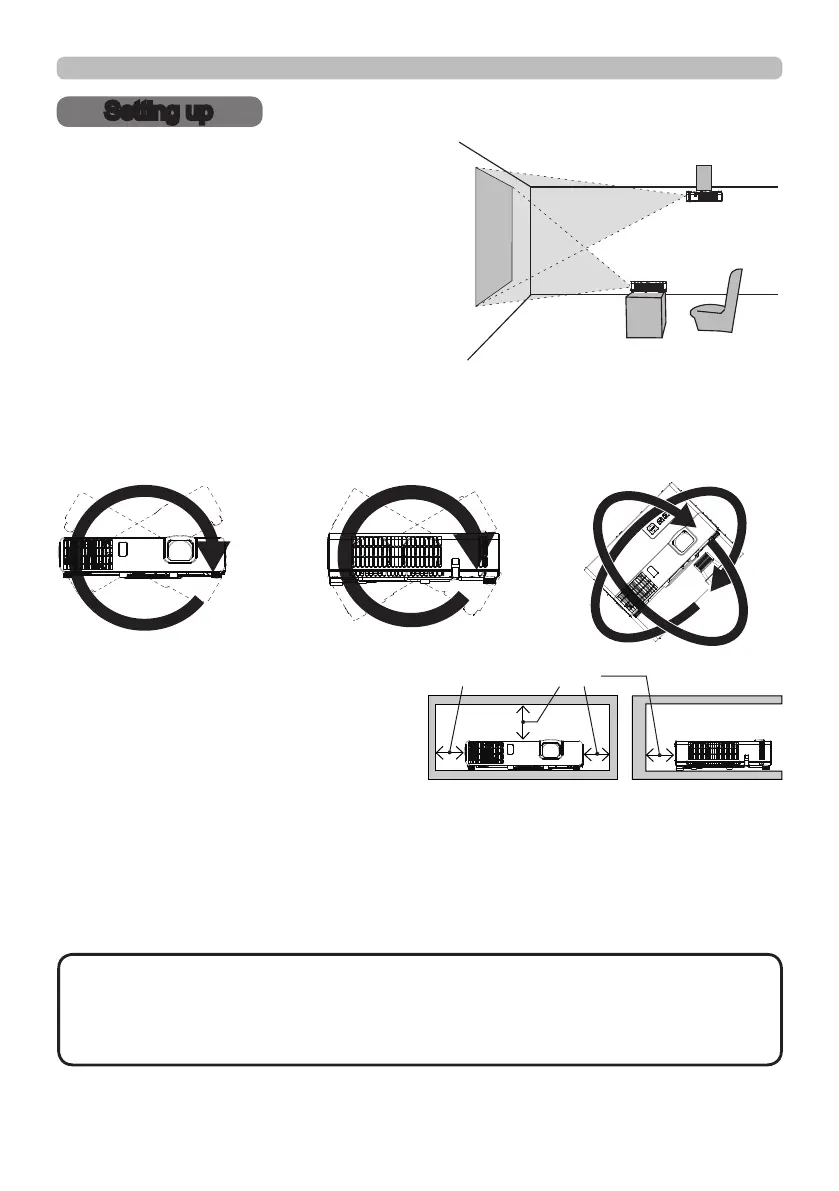
Install the projector according to the
environment and manner the projector will be
used in.
This projector will perform in a free tilt
angle, as shown in the gures below.
For the case of installation in a special
state such as ceiling mount, the specied
mounting accessories and service may be
required. Before installing the projector,
consult your dealer about your installation.
Tilt 360°
Horizontal 360° Vertical 360° (combination of
horizontal and vertical)
50cm or greater
Install the projector away from walls or
other objects in a well-ventilated place.
Refer to the gures.



 To Next Page