50
QM00991-1
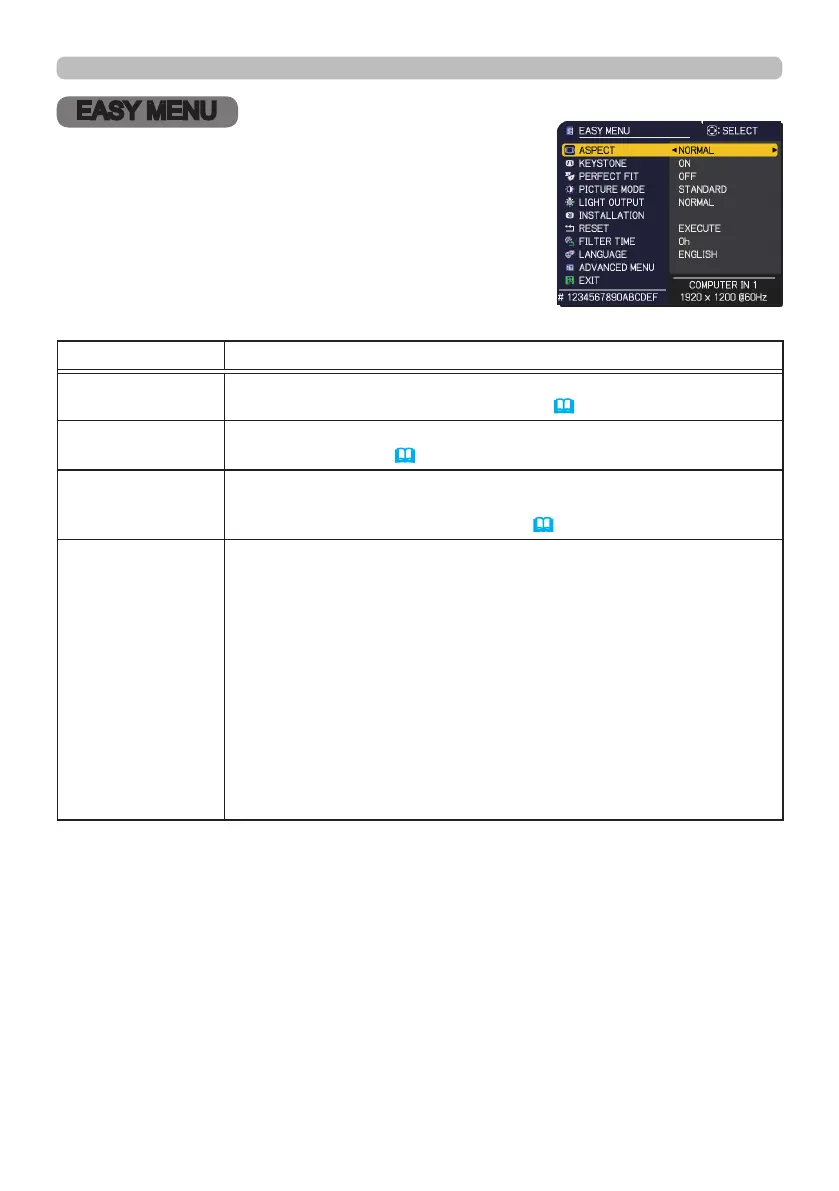
EASY MENU
EASY MENU
From the EASY MENU, items shown in the table
below can be performed.
Select an item using the ▲/▼ cursor buttons. Then
perform it according to the following table.
Item Description
ASPECT
Using the ◄/► buttons switches the mode for aspect ratio.
See the ASPECT item in IMAGE menu (
55).
KEYSTONE
Pressing the ► button displays the dialog for correcting the
keystone distortion (
42).
PERFECT FIT
Pressing the ► button displays the dialog for adjusting the shape
of the projected image in each of the corners and sides. See the
PERFECT FIT item in SETUP menu (
63).
PICTURE MODE
Using the ◄/► buttons switches the picture mode.
The picture modes are combinations of GAMMA and COLOR TEMP
settings. Choose a suitable mode according to the projected source.
• Lines or other noise might appear on the screen when this function
is operated, but it is not a malfunction.
• DICOM SIM. is the projector's DICOM
®
("Digital Imaging and
Communication in Medicine") simulation mode. This mode
simulates the DICOM standard, which is a standard applicable to
digital communications in medicine, and can be useful for displaying
medical images, such as X-rays photos. This projector is not a
medical device and is not compliant to the DICOM standard, and
neither the projector nor the DICOM SIM. mode should be used for
medical diagnosis.
(continued on next page)



 To Next Page