32
QM00991-1
Remote control
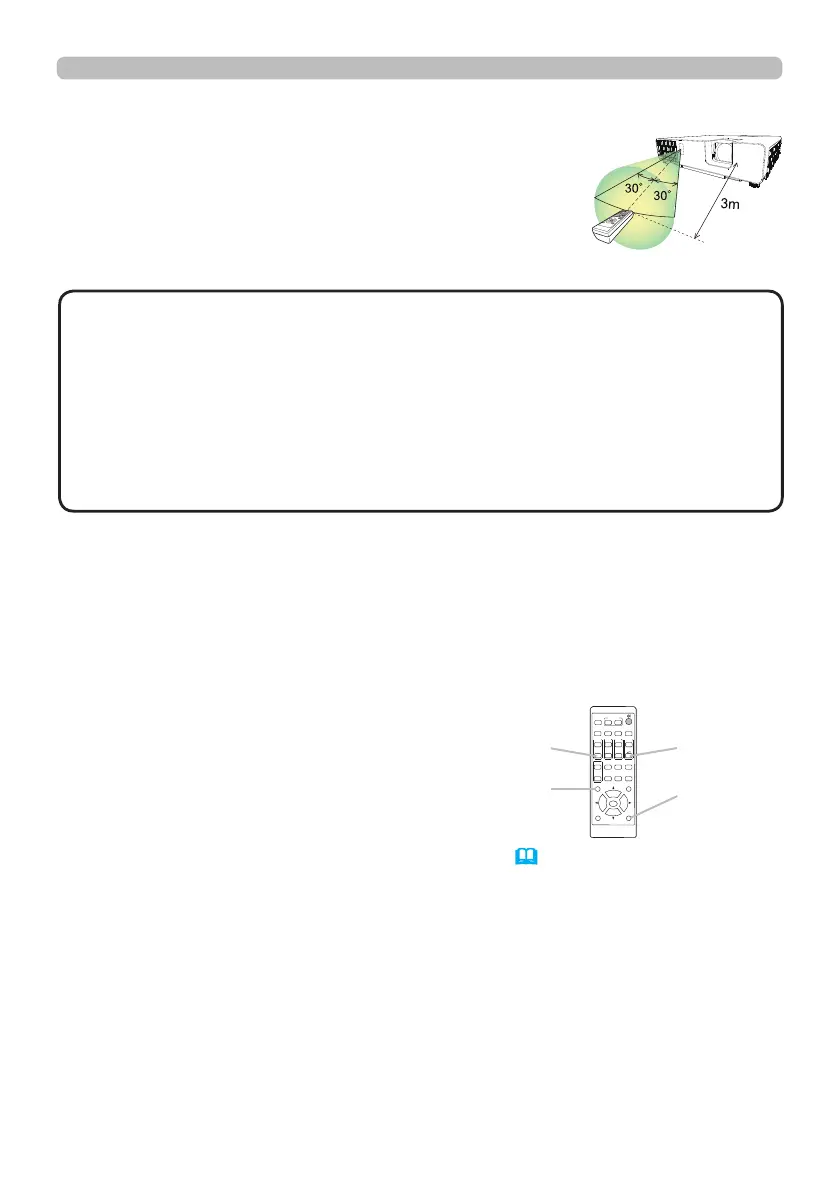
About the remote control signal
The remote control works with the projector’s remote
sensor. This projector has a remote sensor on the front.
The sensor senses the signal within the following range
when the sensor is active:
60 degrees (30 degrees to the left and right of the sensor)
within about 3 meters.
•
The remote control signal re ected in the screen or the like may be available.
If it is di cult to send the signal to the sensor directly, attempt to make the signal re ect.
• The remote control uses infrared light to send signals to the projector (Class 1
LED), so be sure to use the remote control in an area free from obstacles that
could block the remote control’s signal to the projector.
•
The remote control may not work correctly if strong light (such as direct sun
light) or light from an extremely close range (such as from an inverter uorescent
lamp) shines on the remote sensor of the projector. Adjust the position of
projector avoiding those lights.
NOTE
Changing the frequency of remote control signal
The accessory remote control has the two choices on signal frequency Mode
1:NORMAL and Mode 2:HIGH. If the remote control does not function properly,
attempt to change the signal frequency.
In order to set the Mode, please keep pressing the combination of two buttons
listed below simultaneously for about 3 seconds.
(1) Set to Mode 1:NORMAL
VOLUME - and RESET buttons
(2) Set to Mode 2:HIGH
MAGNIFY OFF and ESC buttons
Please remember that the REMOTE
FREQ. in the SERVICE item of the OPTION menu
(
86
)
of the projector to be
controlled should be set to the same mode as the remote control.
ASPECT
BLANK
ESC MENU
RESET
AUTO
PAGE
DOWN
ON
OFF
FREEZE
UP
ENTER
FOCUS
-
+
ZOOM
-
+
INPUT
INTERACTIVE
MYBUTTON
1 2
PbyP
MAGNIFY
VOLUME
-
+
GEOMETRY PICTURE MUTE
NETWORK
OSD MSG
(1)
RESET
button
VOLUME -
button
(2)
MAGNIFY
OFF button
ESC
button
(approx.)



 To Next Page