Comet Executive Gas Operating Guidelines
3-3
Both endframes and the rear of the unit are
covered with protective doors and panels to
prevent ngers or hands from coming into contact
with moving and heated parts. Removing the rear
panel immediately stops the heating system and
all rotating parts.
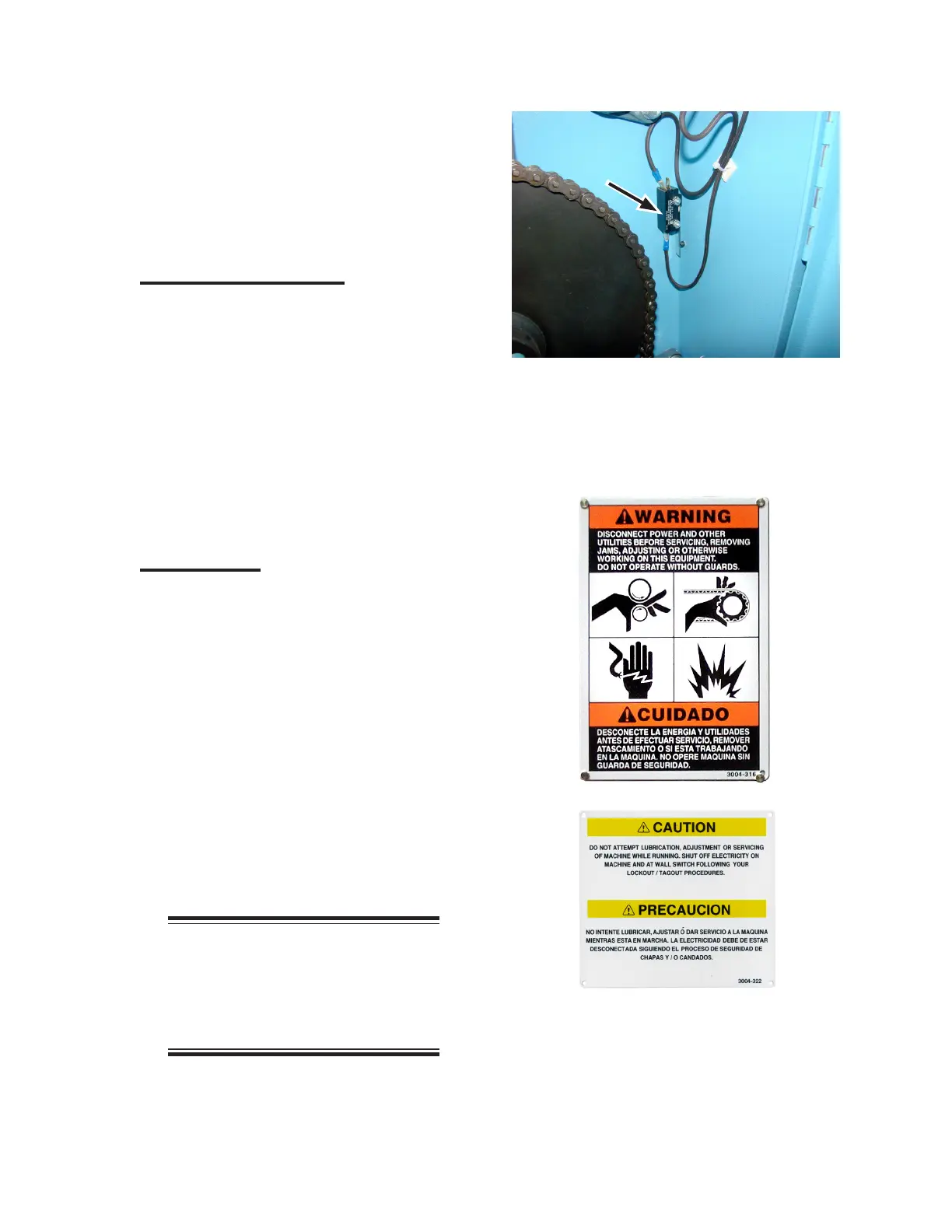
Safety Interlock Switch
A safety interlock switch is located behind
the protective backplate (Figure 3-4). If it is
removed, the interlock switch is disconnected,
all rotating parts stop moving, and the heating
system shuts o.
This safety interlock switch is not intended to
lockout the unit. Site management is responsible
for developing and implementing lockout/
tagout procedures that comply with government
standards for use when servicing the unit.
Safety Labels
WARNING (orange) and CAUTION (yellow)
labels are placed at locations around the unit to
keep operators and maintenance personnel alert
in particular areas (Figure 3-5).
WARNING labels alert personnel that
personal injury may result from not following
recommended procedures.
CAUTION labels alert personnel the unit
may be damaged if conditions, practices, or
procedures are not observed.
When training operators, take the time to
locate, review, and understand all areas where
labels are posted.
NOTE: Do not remove safety
labels at any time. If a label
needs to be replaced, contact
Chicago Dryer Company for free
replacements.
Figure 3-5: Safety labels remind operators and
maintenance personnel that care must
be taken when working near these
areas.
Figure 3-4: Never operate the unit unless all
safety interlock switches are working
correctly.



 To Next Page