USER Manual
39
Press the ▼ button to select ‘Expkey Set’ and the ▲ button to choose
‘Dual’ (exposure button enabled) or ‘Remote’ (exposure button disabled/
remote control use only).
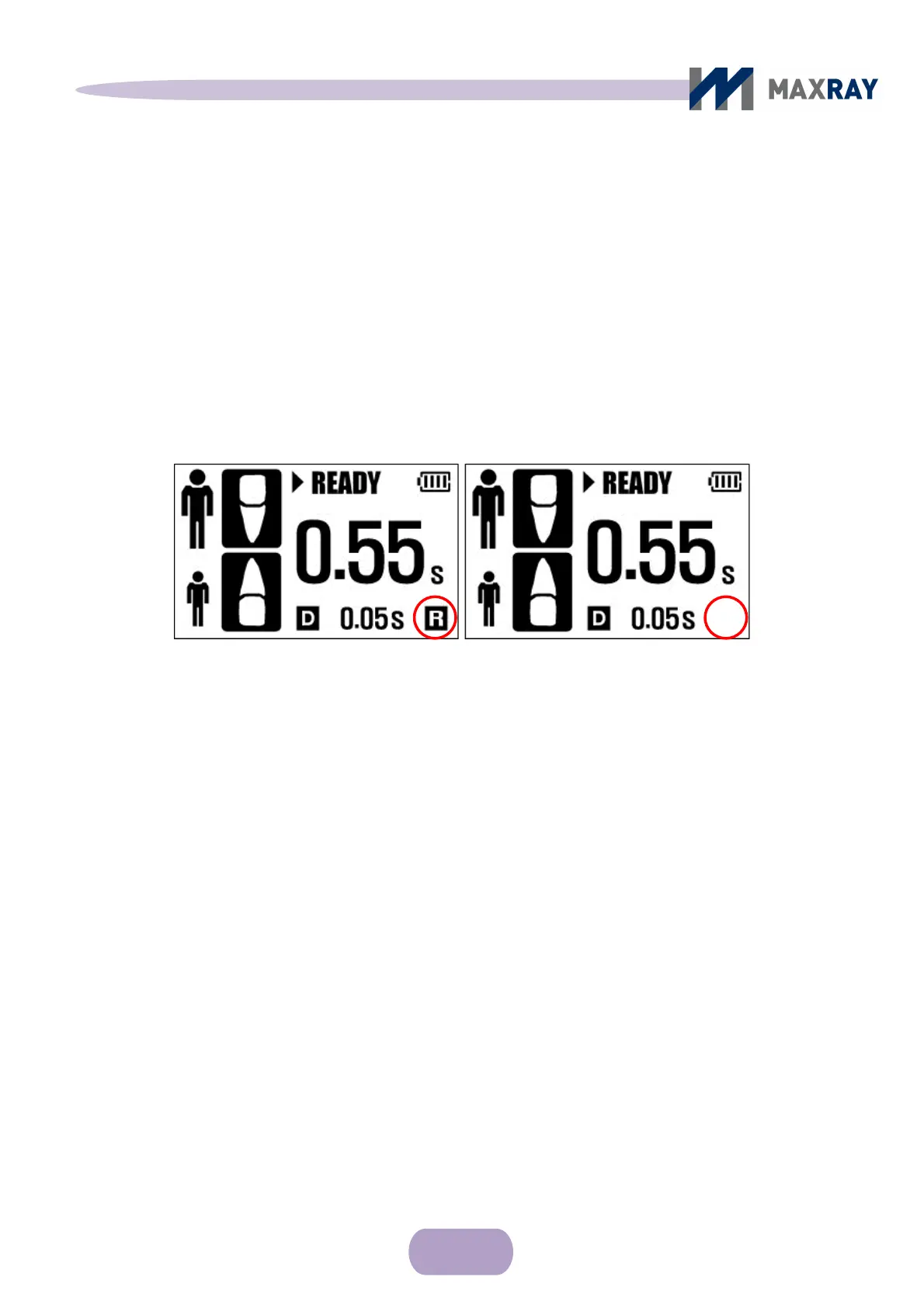
When selecting 'Remote', 'R' will appear on the main control display and will
disappear when selecting 'Dual' (see Figure 7.7).
Figure 7.7 X-ray exposure button use check
MaxExp Time
Changes the maximum exposure time. It is adjustable from 1 second to 2.5
seconds, by 0.05 second intervals.
Press the ▼ button to select ‘MaxExp Time’ and press the ▲ button to adjust
the value (returns to 1s after 2.5s).
InitExp Time
Changes the minimum exposure time. It is adjustable from 0.02 seconds to
0.1 seconds, by 0.01 second intervals.
Press the ▼ button to select ‘‘InitExp Time’ and press the ▲ button to adjust
the value (returns to 0.02s after 0.1s).
Remote controller use only
Exposure button enable



 To Next Page