USER Manual
52
9.2 Troubleshooting
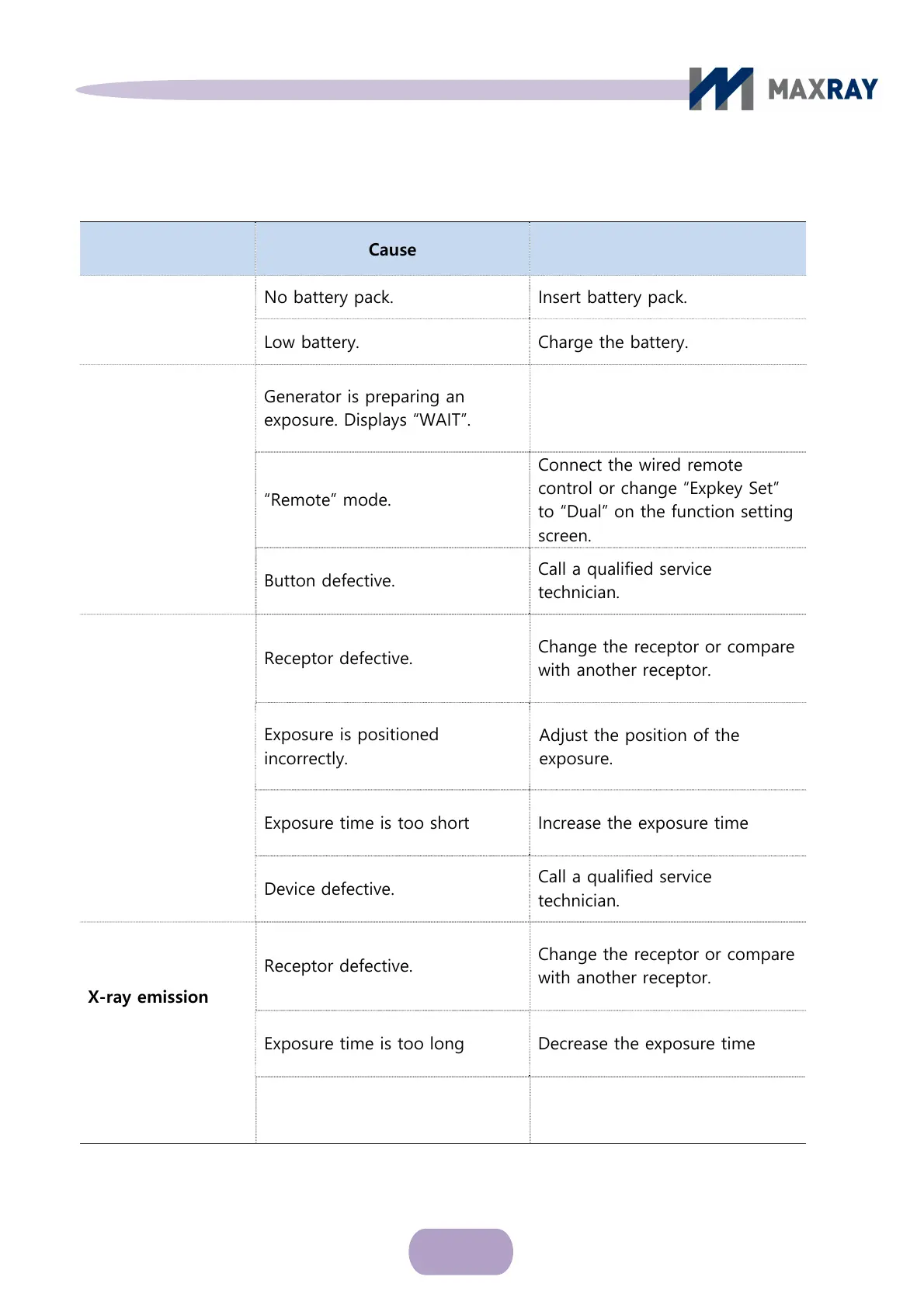
Problem Cause Solution
Nothing lights up
No battery pack. Insert battery pack.
Low battery. Charge the battery.
No X-ray emission
Generator is preparing an
exposure. Displays “WAIT”.
“Remote” mode.
Wait for X-ray exposure to be
ready (about 10 seconds).
Connect the
wired remote
control or change “Expkey Set”
to “Dual” on the function setting
screen.
Button defective.
Call a qualified service
technician.
X-ray emission
works, but
exposure is too
light or
co
mpletely
white
Receptor defective.
Change the receptor or compare
with another receptor.
Exposure is positioned
incorrectly.
Adjust the position of the
exposure.
Exposure time is too short Increase the exposure time
Device defective.
Call a qualified service
technician.
X-ray emission
works, but
exposure is too
dark
Receptor defective.
Change the receptor or compare
with another receptor.
Exposure time is too long Decrease the exposure time
Device defective.
Call a qualified service
technician.



 To Next Page