108
Controls in detail
Locking and unlocking
In the "Controls in detail" section, you
will find detailed information on how to
operate the equipment installed on your
vehicle. If you are already familiar with
the basic functions of your vehicle, this
section will be of particular interest to
you.
To quickly familiarize yourself with the
basic functions of the vehicle, refer to
the "Getting started" section of this
manual. The corresponding page num-
bers are given at the beginning of each
segment.
For more information on locking and un-
locking, see "Getting started"
(
page 52) and ( page 74).
Your vehicle comes supplied with two
SmartKeys, each with remote control
and a removable mechanical key.
The locking tabs for the mechanical key
portion of the two SmartKeys are a dif-
ferent color to help distinguish each
SmartKey unit.
The SmartKey provides an extended op-
erating range. To prevent theft, howev-
er, it is advisable to only unlock the
vehicle when you are in close proximity
to it.
The SmartKey centrally locks and un-
locks:
the doors
the trunk
the fuel filler flap
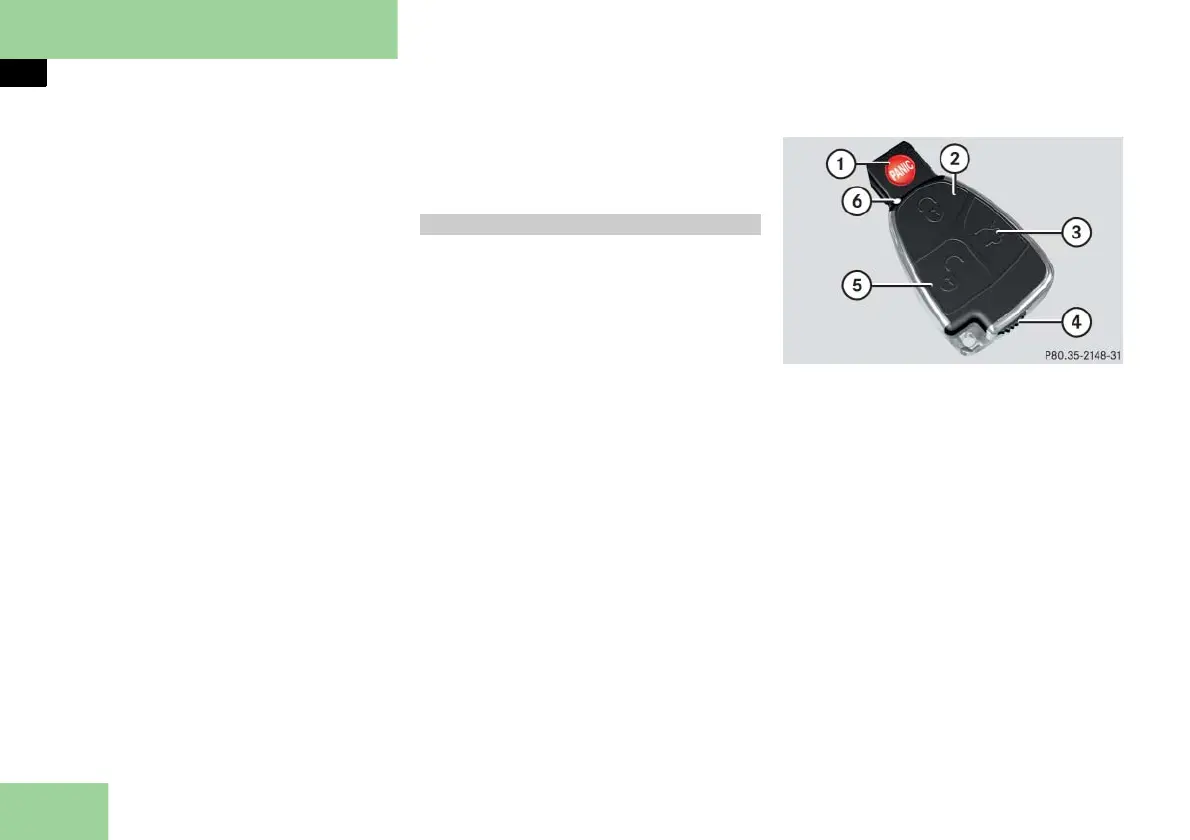
SmartKey with remote control
1 Â Panic button ( page 95)
2 ‹ Lock button
3 Š Opening button for trunk
4 Mechanical key locking tab
5 ΠUnlock button
6 Battery check lamp
SmartKey



 To Next Page