288
Controls in detail
Useful features
Adjusting the volume
Turn thumbwheel 1 until the de-
sired volume has been set.
Ending the voice connection
Press button 2 again in the rear pas-
senger compartment.
With the communication system, you can
communicate with persons outside the
vehicle over a loudspeaker and an out-
side microphone, without having to
open a door or window.
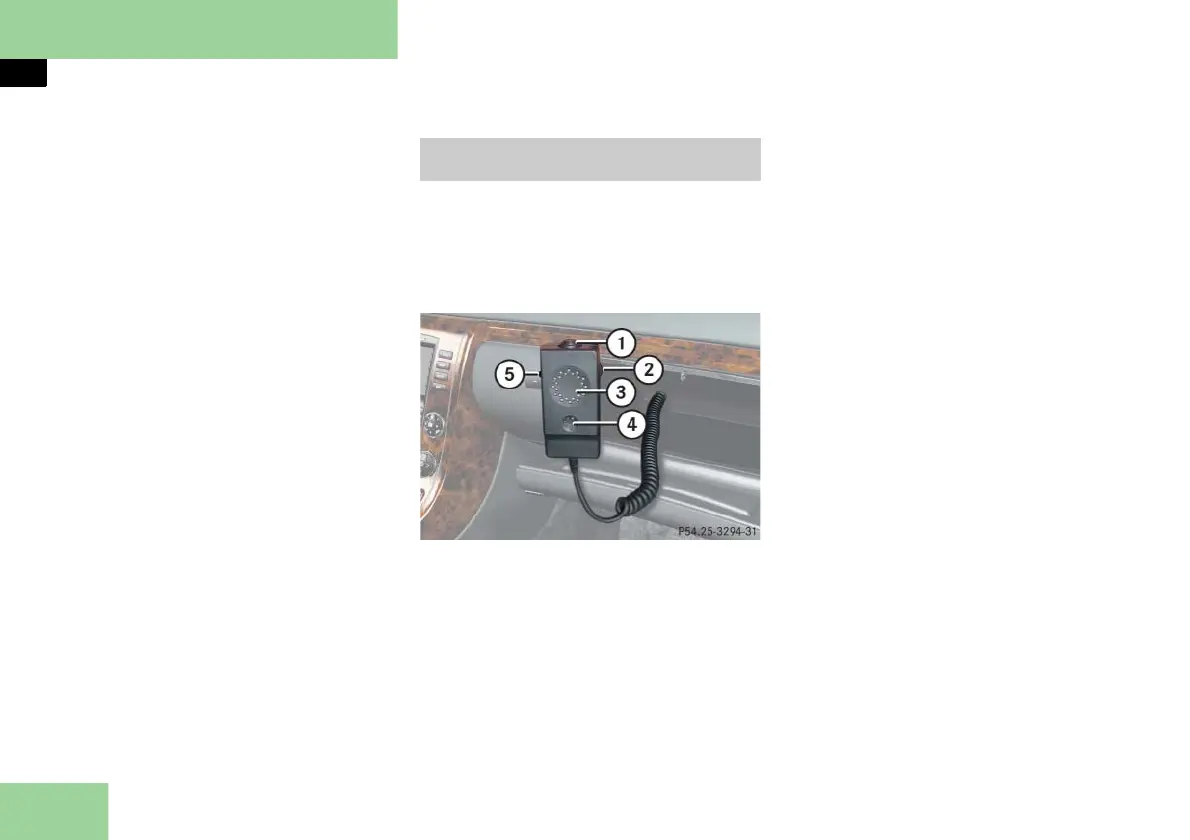
1 Speak button for inside microphone
2 Volume control
3 Loudspeaker for outside microphone
4 Inside microphone
5 Microphone switch-over
Take the control unit out of the glove
box.
Listening
Push microphone switch-over 5
downward.
You will hear what is being said out-
side of the vehicle.
Speaking
Press speak button 1 and keep it
pressed.
You can speak as long as you keep
button 1 pressed.
Adjust volume with the volume con-
trol button 2.
External communication (special
order equipment)



 To Next Page