74
Getting started
Parking and locking
You have now completed your first drive.
You have properly stopped and parked
your vehicle. End your drive as follows.
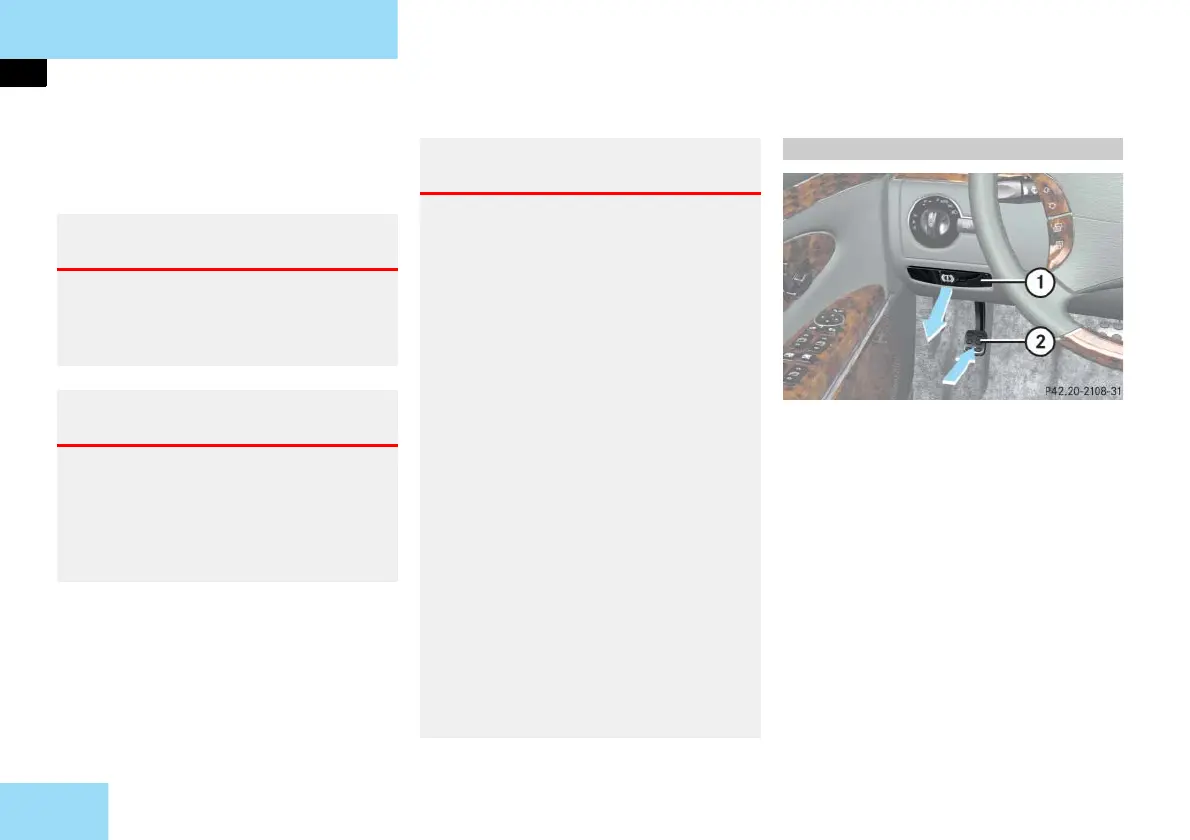
1 Parking brake release handle
2 Parking brake pedal
Step firmly on parking brake 2.
When the engine is running, the
warning lamp ; (USA only) or
3 (Canada only) in the instrument
cluster will be illuminated.
Warning! G
Wait until the vehicle is stationary before
removing the SmartKey from the starter
switch. The vehicle cannot be steered
when the SmartKey is removed.
Warning! G
With the engine not running, there is no
power assistance for the brake and steer-
ing systems. In this case, it is important to
keep in mind that a considerably higher
degree of effort is necessary to brake or
steer the vehicle.
Warning! G
Do not park this vehicle in areas where
combustible materials such as grass, hay or
leaves can come into contact with the hot
exhaust system, as these materials could be
ignited and cause a vehicle fire.
To reduce the risk of personal injury as a
result of inadvertent vehicle movement,
before turning off the engine and leaving
the vehicle always:
Keep right foot firmly on brake pedal.
Firmly depress parking brake pedal.
Move the gear selector lever to posi-
tion P.
Slowly release brake pedal.
When parked on an incline, turn front
wheels towards the road curb.
Turn the SmartKey in the starter switch
to position 0 and remove the SmartKey
from the starter switch, or press
KEYLESS-GO** start/stop button
( page 55).
Take the SmartKey or the SmartKey
with KEYLESS-GO** with you and lock
vehicle when leaving.
Parking brake



 To Next Page