237
Controls in detail
Driving systems
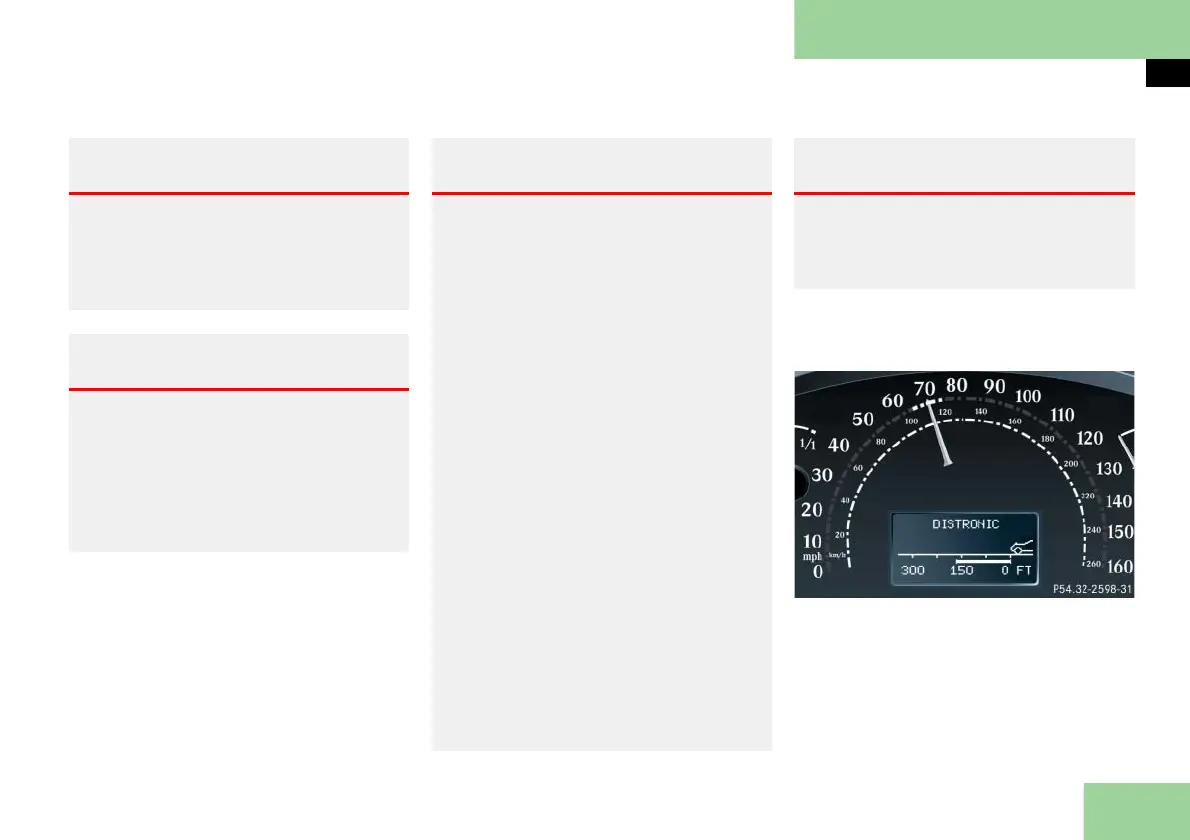
Distronic displays in the speedometer
dial
Set speed
If Distronic is activated, one or two seg-
ments come on around the set speed.
Warning! G
Distronic cannot take street and traffic
conditions into account. Only use Distronic
if the road, weather and traffic conditions
make it advisable to travel at a steady
speed.
Warning! G
Use of Distronic can be dangerous on slip-
pery roads. Rapid changes in tire traction
can result in wheel spin and loss of control.
Distronic does not act upon adverse sight
distance conditions. Do not use Distronic
during conditions of fog and heavy rain,
snow or sleet.
Warning! G
Close attention to road and traffic condi-
tions is imperative at all times, regardless
of whether or not Distronic is activated.
Use of Distronic can be dangerous on
winding roads or in heavy traffic because
conditions do not allow safe driving at a
steady speed.
Distronic will not react to stationary ob-
jects in the roadway (e.g. a stopped vehicle
in a traffic jam or a disabled vehicle). Dis-
tronic will also not respond to oncoming
vehicles.
Switch off Distronic:
when changing from the left to the
right lane if vehicles are moving more
slowly in the left lane
when entering a turn lane or highway
off ramp
in complex driving situations, such as in
highway construction zones
In these situations, Distronic will continue
to maintain the set speed unless deactivat-
ed. Distronic is designed and intended only
to maintain a set speed and keep a set dis-
tance from moving objects in front of it.
Warning! G
The "Resume" function should only be op-
erated if the driver is fully aware of the
previously set speed and wishes to resume
this particular preset speed.



 To Next Page