293
Controls in detail
Useful features
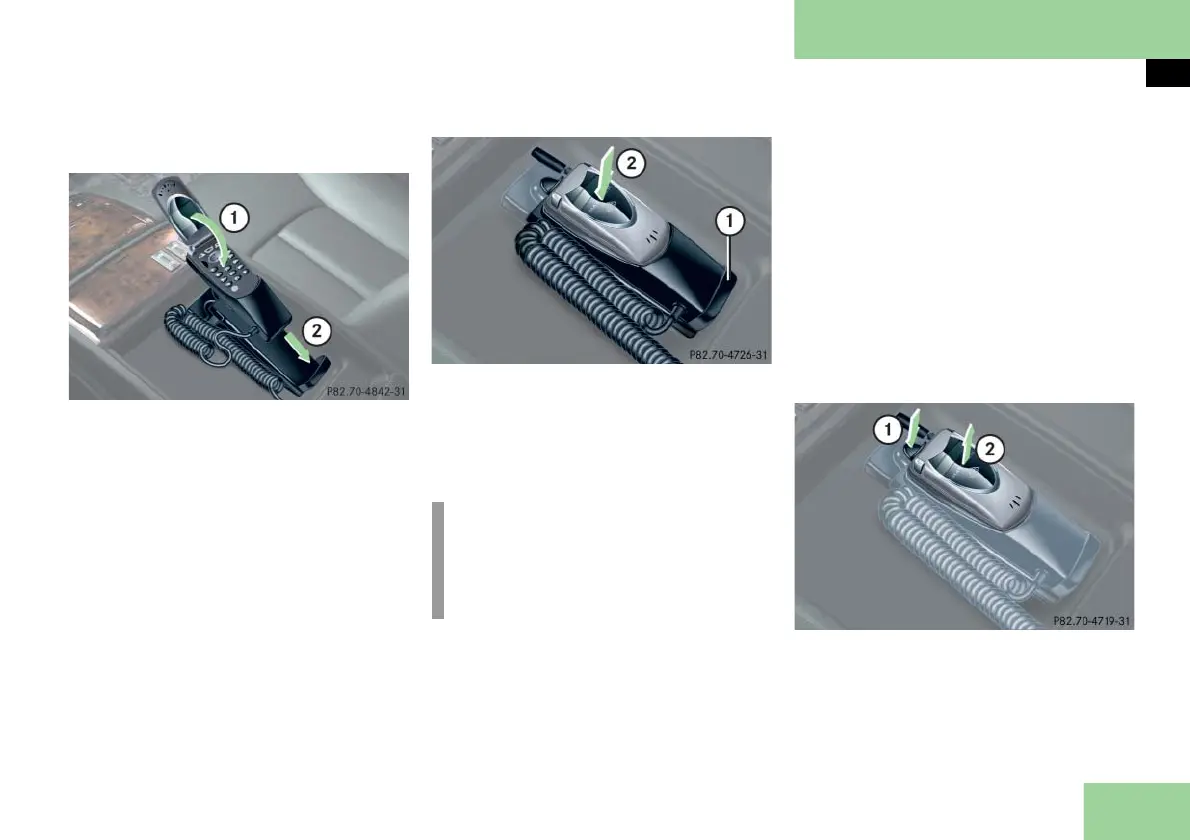
Re-inserting the cellular phone
1 Fold the cellular phone flap down
2 Insert the cellular phone and cradle
Fold the cellular phone flap 1 down.
Guide the cellular phone, together
with the cradle, into the holder 2.
1 Holder
2 Engage holder
Push the top of the cellular phone in
direction of arrow 2, until the
holder 1 engages.
Making calls in hands-free mode
Open the cellular phone flap.
Either accept the call or dial the de-
sired number.
Close the cellular phone flap.
Hands-free mode is selected.
If you wish to change back to private
mode:
Open the cellular phone flap.
Remove the cellular phone from the
holder (
page 292).
Removing the cellular phone from the
cradle
1 Release button
2 Remove the cellular phone
Press the release button 1 and re-
move the cellular phone from the cra-
dle.
!
To prevent any damage, the cellular
phone flap must be folded down be-
fore closing the telephone compart-
ment.



 To Next Page