299
Controls in detail
Useful features
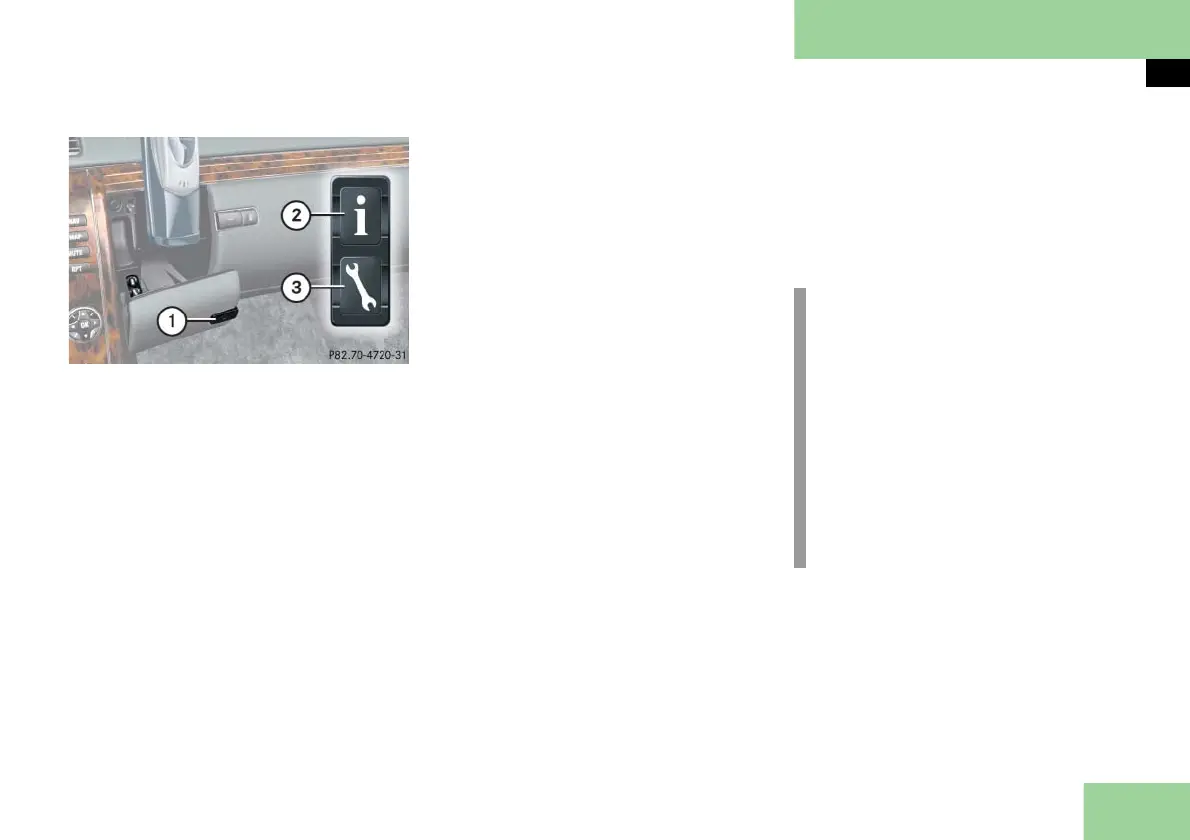
1 Compartment lid release
2 Information button ¡
3 Roadside Assistance button •
Press and hold Roadside Assistance
button • (for longer than
2 seconds).
A call to a Maybach Roadside Assis-
tance dispatcher will be initiated. The
button • flashes while the call is in
progress. The message
ROADSIDE ASSISTANCE
CONNECTING CALL
will appear in the multifunction dis-
play.
When the connection is established, the
message
ROADSIDE ASSISTANCE
CALL CONNECTED
appears in the multifunction display. The
Tele Aid system will transmit data gener-
ating the vehicle identification number,
model, color and location (subject to
availability of cellular and GPS signals).
A voice connection between the Road-
side Assistance dispatcher and the occu-
pants of the vehicle will be established.
Describe the nature of the need for
assistance.
The Maybach Roadside Assistance dis-
patcher will either dispatch a qualified
Maybach technician or arrange to tow
your vehicle to the nearest authorized
Maybach Studio. For services such as la-
bor and/or towing, charges may apply.
Refer to the Roadside Assistance manual
for more information.
The following is only available in the
USA:
Sign and Drive services: Services such
as a jump start, a few gallons of fuel
or the replacement of a flat tire with
the vehicle spare tire are obtainable.
i
The indicator lamp on the Roadside
Assistance button • remains illu-
minated in red for approximately
10 seconds during the system
self-check after switching on ignition
(together with the SOS button and
the Information button ¡).
See system self-check (
page 295)
when the indicator lamp does not
come on in red or stays on longer
than approximately 10 seconds.



 To Next Page