311
Controls in detail
Pocket PC remote control*
Maybach 62
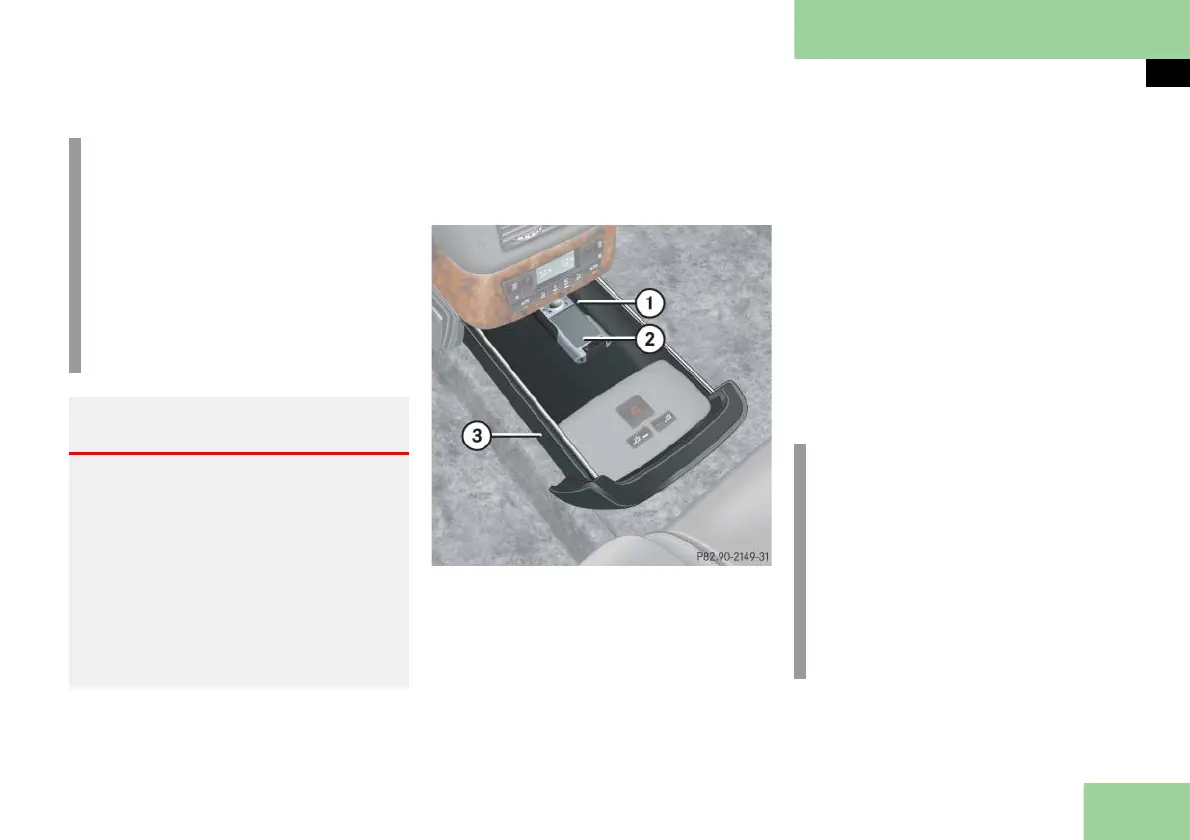
The Pocket PC is in the storage compart-
ment/drawer in the rear center console.
Pocket PC 1 shown; Pocket 2 varies slightly
1 Cradle
2 Pocket PC
3 Storage compartment/drawer
You can operate the Pocket PC without
having to remove it from cradle 1.
Removing the Pocket PC
Open the storage compartment/
drawer 3 fully (
page 263).
Remove Pocket PC 2 from cradle 1.
Inserting the Pocket PC
Guide Pocket PC 2 into cradle 1.
Close storage compartment/drawer
(
page 263).
i
If you aren’t using the Pocket PC 3,
always insert it into cradle 4. This
helps reduce the possibility that the
battery will become completely dis-
charged.
After the ignition has been switched
off, the battery will continue to be
charged for a maximum of ten min-
utes.
Warning! G
Always make sure the Pocket PC in the cra-
dle and the holder are securely engaged
while the vehicle is in motion and when
the Pocket PC is not being used. Otherwise,
the Pocket PC could be thrown around in
the vehicle interior and cause injury to you
and others during
braking
vehicle maneuvers or
an accident.
i
If you aren’t using the Pocket PC 2,
always insert it into cradle 1. This
helps reduce the possibility that the
battery will become completely dis-
charged.
After the ignition has been switched
off, the battery will continue to be
charged for a maximum of ten min-
utes.



 To Next Page