1
CLASSIC 15+ Robotic Pool Cleaner | User Instructions
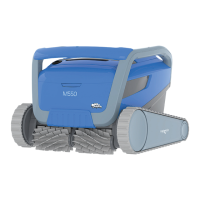
M550
Robotic Pool Cleaner
User Instructions
EN
Contents
1. INTRODUCTION ......................................................................................................................................................2
2. SPECIFICATIONS .....................................................................................................................................................2
3. WARNINGS AND CAUTIONS ..............................................................................................................................2
3.1 Water conditions ...........................................................................................................................................3
4. ROBOTIC POOL CLEANER PARTS ................................................................................................................... 4
5. USING THE ROBOTIC POOL CLEANER ............................................................................................................5
5.1 Setup .................................................................................................................................................................5
5.2 Operating the robot without using your smartphone ............................................................... 6
5.3 Using the power supply ........................................................................................................................... 6
5.4 Removing the robot from the pool .....................................................................................................7
6. CARE AND MAINTENANCE................................................................................................................................ 8
6.1
Quick rinse after each use
........................................................................................................................ 8
6.2
Periodic filter cleaning
............................................................................................................................... 9
6.3
Cleaning the impeller
................................................................................................................................10
6.4
Periodic general maintenance
...............................................................................................................11
7. OFFSEASON STORAGE .......................................................................................................................................11
8. USE THE
MyDolphin™ Plus
IOT MOBILE APP ............................................................................................ 12
8.1
Getting started with the MyDolphin™ Plus App
............................................................................. 12
8.2
Prepare the pool cleaner for connection
.......................................................................................... 12
8.3
Activate the pool cleaner using your mobile smart device
......................................................... 12
8.4
Led lights on the power supply
.............................................................................................................13
9. TROUBLESHOOTING ...........................................................................................................................................14
10.
MyDolphin™ Plus
TROUBLESHOOTING ....................................................................................................16









 To Next Page