7
CLASSIC 15+ Robotic Pool Cleaner | User Instructions
Place the robotic pool cleaner on the edge of the pool
and let the water drain out.
5.4.3
5.4.2
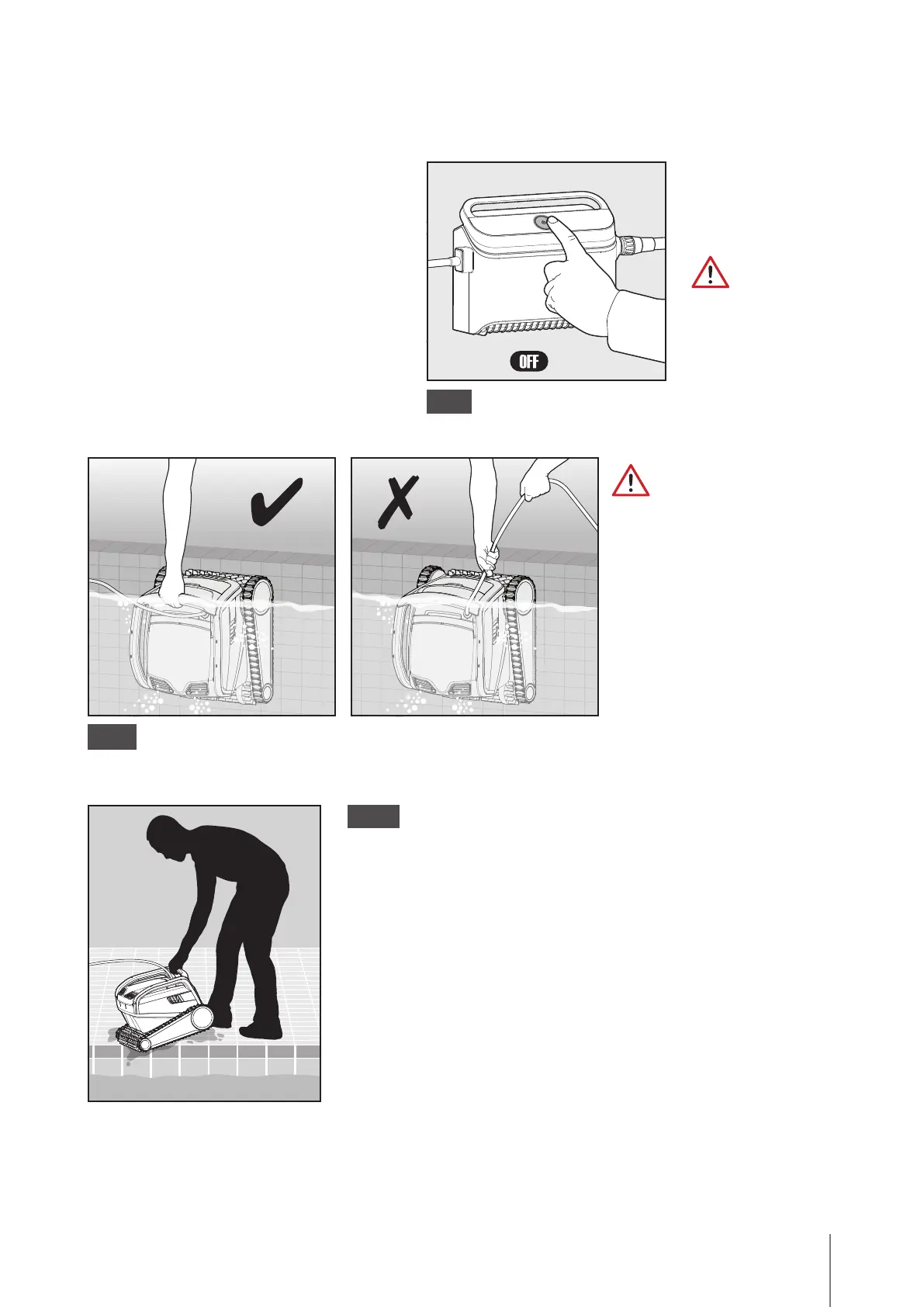
Turn OFF the
power supply.
Use the blue cable to pull
the robot as far as the water
surface, then use the handle.
Using the cable to pull it above
the waterline could damage
the connection.
5.4.1
5.4 Removing the robot from the pool
Option A - MyDolphin™ Plus app
The easiest and most fun way to get the
robot out of the water:
1. Log into the MyDolphin™ Plus app and
click "Pick-up mode".
2. The robot will reach the wall closest to
it and will rise to the water surface.
3. Grab the robot by the handle and pull it
out the water.
Option B - Turn OFF and pull robot to waterline









 To Next Page