How to Use the Selector Lever (Automatic
Transmission)
Operating the Selector Lever
1. Start the engine.
2. Operate the selector lever.
Selector lever operation Operation condition
Shift from P position to R position
Depress the brake pedal and press the selector lever but-
ton to operate.
Shift from R position to N position
Shift the lever without pressing the selector lever button.
Shift from N position to D position
Shift from D position to M position
Shift from M position to D position
Shift from D position to N position
Shift from N position to R position
Press the selector lever button to shift the lever.
Shift from R position to P position
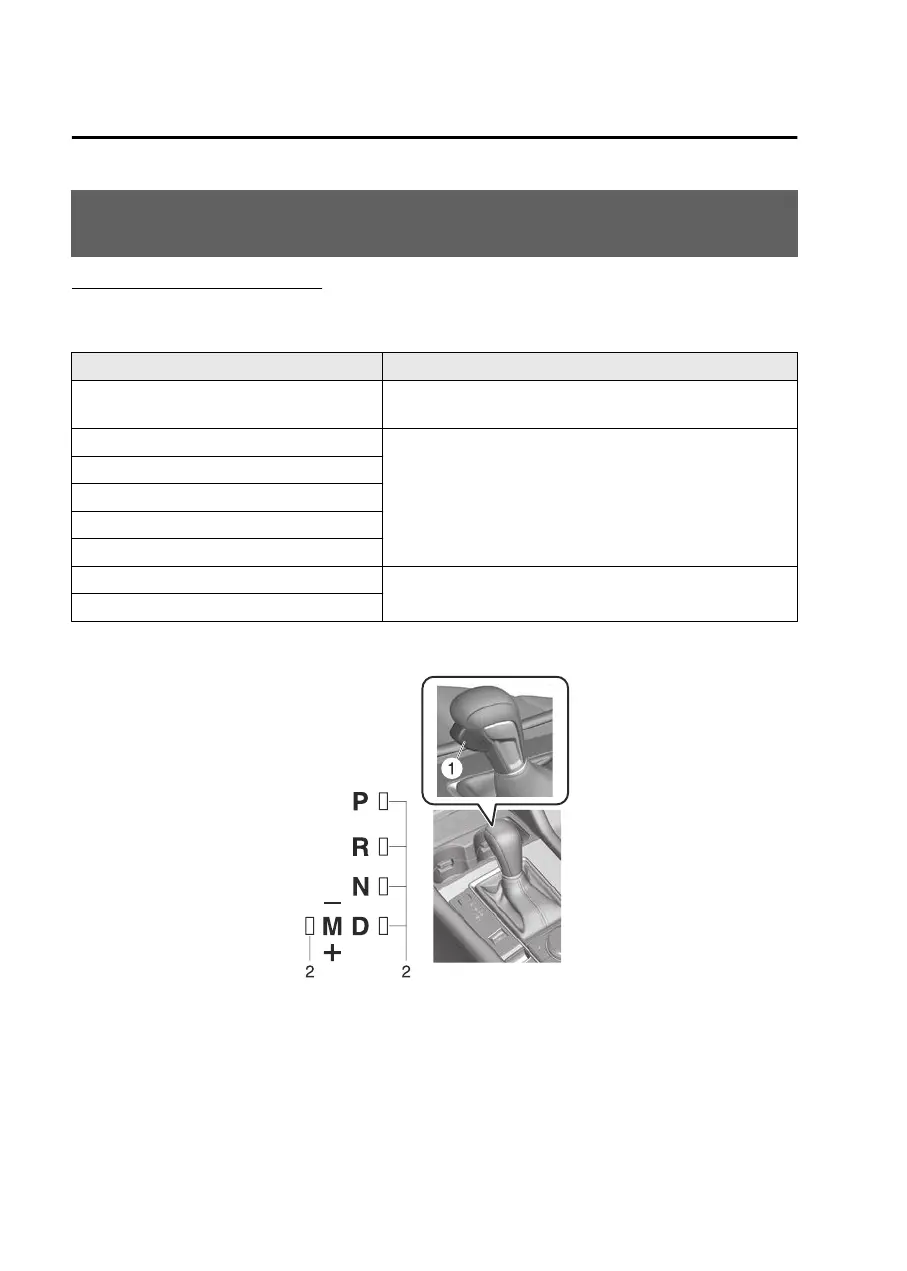
The shift indicator turns on at the same position as the shift position displayed in
the instrument cluster.
1. Selector lever button
2. Shift indicator
Driving
Selector Lever
5-44
Mazda3_8LX5-EA23E_Edition2_new 2023-4-17 20:22:43



 To Next Page