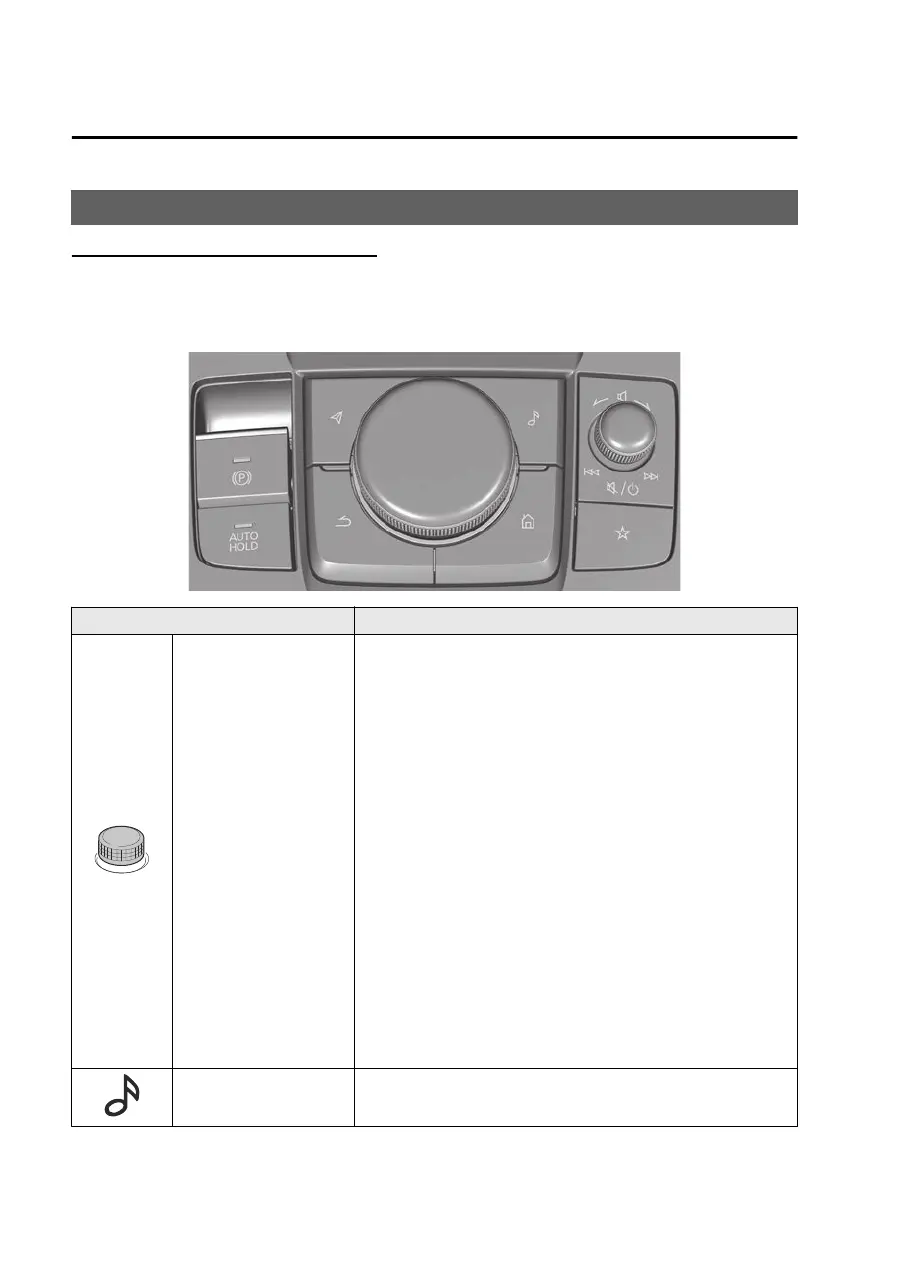
How to Use the Mazda Connect
Mazda Connect operation method
You can operate Mazda Connect when the vehicle power is switched to ACC or ON.
There are 4 ways to operate Mazda Connect.
Commander switch operation
Buttons Explanation
Volume knob
Adjusting the volume
You can adjust the volume by turning the volume knob.
Press and release the volume knob immediately to mute
the audio. Press and release the volume knob immediately
again to cancel the mute.
Switching radio stations/music
You can switch between radio stations and audio tracks by
sliding the volume knob left or right.
Selecting a radio station automatically
Slide and hold the volume knob to start automatic radio
station selection. Automatic radio station selection stops
when a broadcast is received.
Turning the power off/on
You can turn off Mazda Connect by pressing and holding
the volume knob.
You can turn on Mazda Connect by pressing the volume
knob again.
Entertainment button
Press the entertainment button to display the most recently
played audio source screen.
Other Equipment
Mazda Connect
7-8
Mazda3_8LX5-EA23E_Edition2_new 2023-4-17 20:22:43



 To Next Page