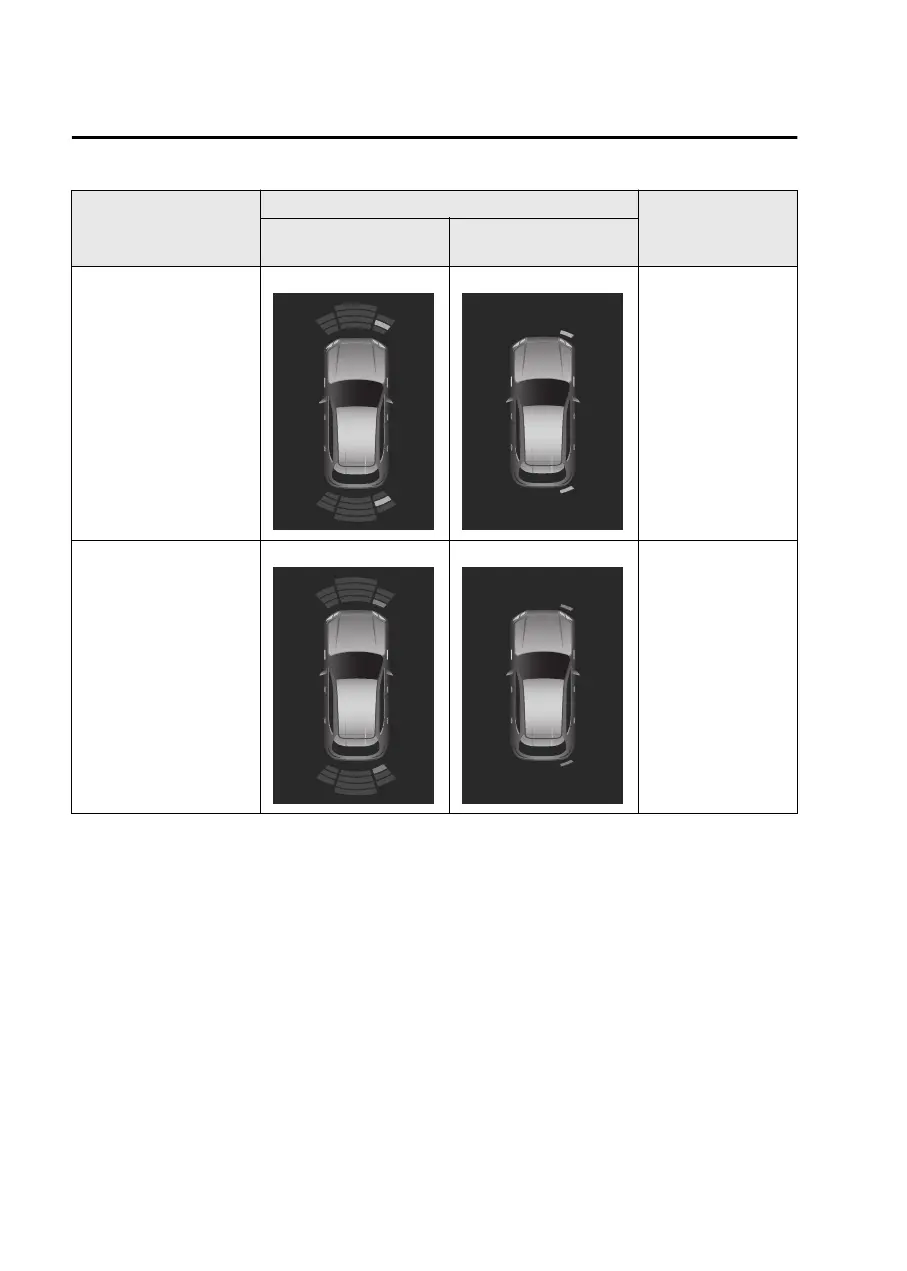
Distance between vehi-
cle and obstruction
Display
Warning sounds
Vehicles without 360°
View Monitor
Vehicles with 360° View
Monitor
About 40 cm to 30 cm
(16 in to 12 in)
Amber
Amber
Fast intermittent
sound
Within about 30 cm (12
in)
Red
Red
Continuous sound
NOTE
If ultrasound sensors cannot detect an object correctly, the system may not
operate normally.
Refer to Ultrasonic Sensors on page 5-116.
The screen display can be switched between display and non-display and the
volume of the warning sound can be changed.
Refer to the Settings section in the Mazda Connect Owner's Manual.
(Vehicles with 360° View Monitor)
When the screen display is set to be displayed, the display automatically switches
to the 360° View Monitor display when the sensor detects an obstruction. When
an obstruction is no longer detected, the display switches to the display before the
obstruction was detected. However, when the 360° View Monitor is displayed in
advance, it continues to be displayed no matter if an obstruction is detected or
not.
Driving
Parking Sensor
5-206
Mazda3_8LX5-EA23E_Edition2_new 2023-4-17 20:22:43



 To Next Page