27
1
2
3
4
5
6
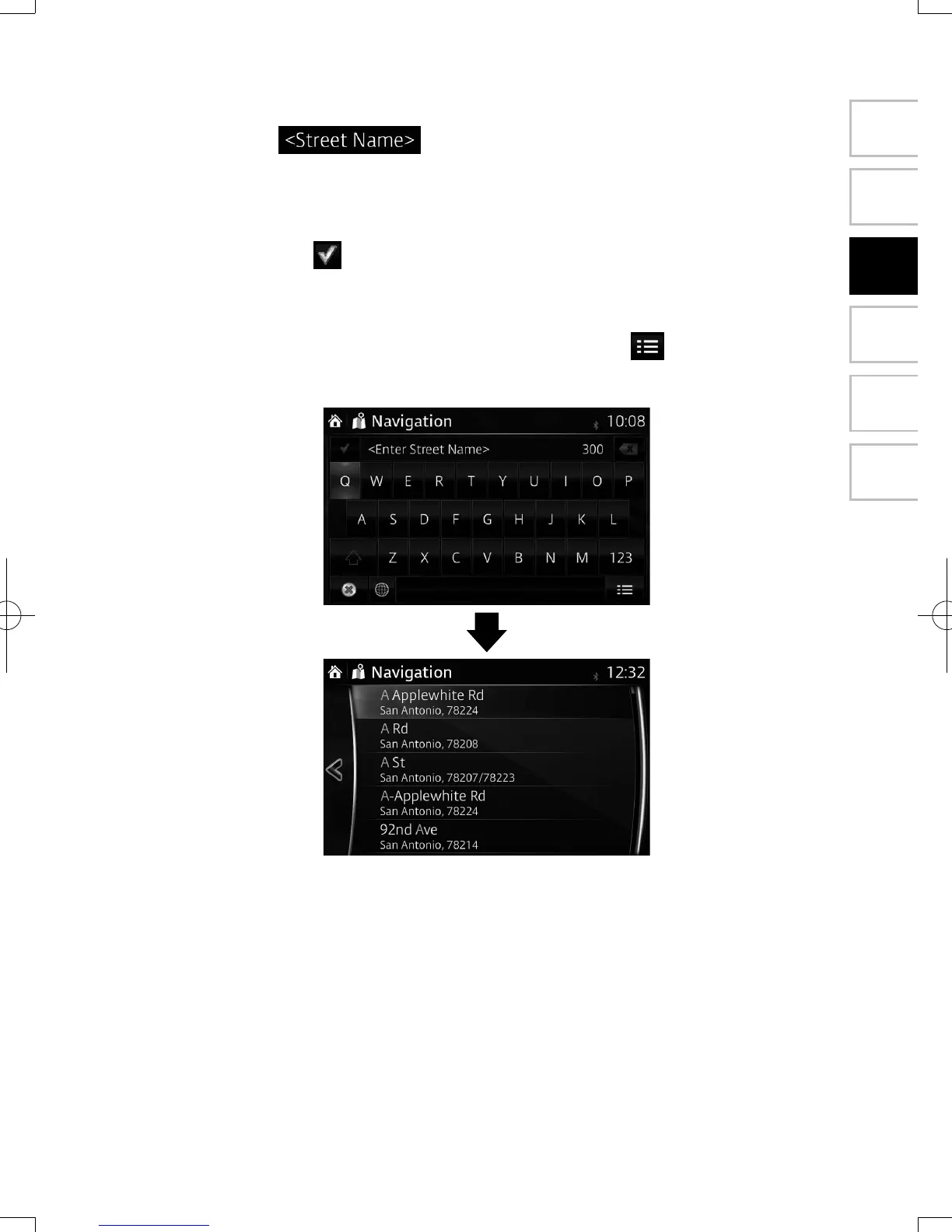
5. Enter the street name:
a. Select .
b. Start entering the street name on the keyboard.
c. Find the street you need:
• The most likely street name is always shown in the input eld. To accept
it, select .
• If the desired name does not show up, the names that match the string
appear in a list after entering a couple of characters (to open the list
of results before it appears automatically, select ). Select the street
from the list.
NAV-12AVUAE.indb 27 2015/02/20 15:09:09



 To Next Page