65
1
2
3
4
5
6
3.3.2 Editingthelistofdestinations(EditRoute)
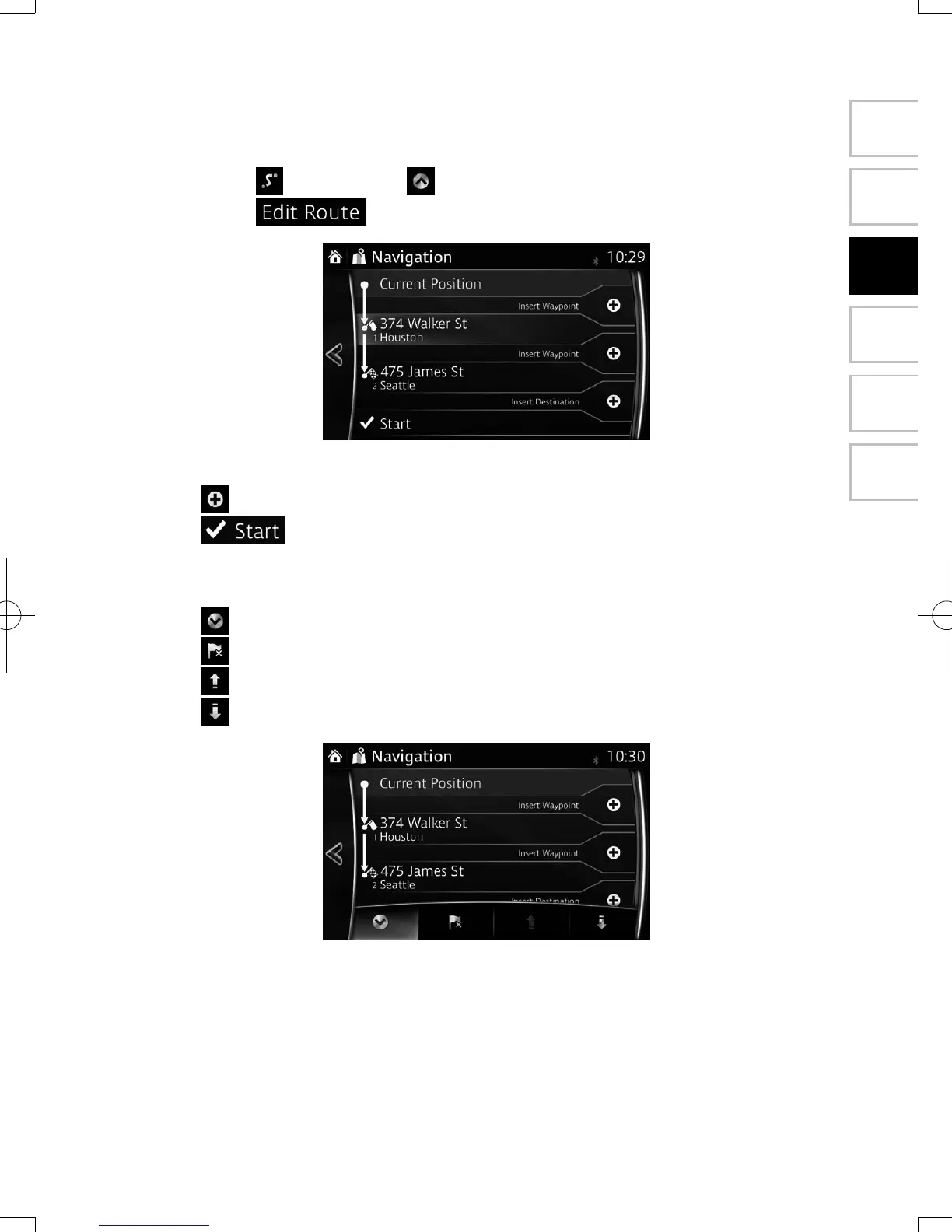
You can edit the route by modifying the list of destinations.
1. Select
after selecting on the MAP screen.
2. Select .
3. Edit the destination or waypoint.
: Add the new destination or waypoint.
: Start the route plan in consideration of the selected destination or
waypoint.
4. Select the destination or waypoint to display the menu.
: Close the menu.
: Delete the selected destination or waypoint from the list.
: Move the selected destination or waypoint forward one by one.
: Move the selected destination or waypoint rearward one by one.
NAV-12AVUAE.indb 65 2015/02/20 15:09:14



 To Next Page