56
3.1.5 SelectingthedestinationfromyourFavorites
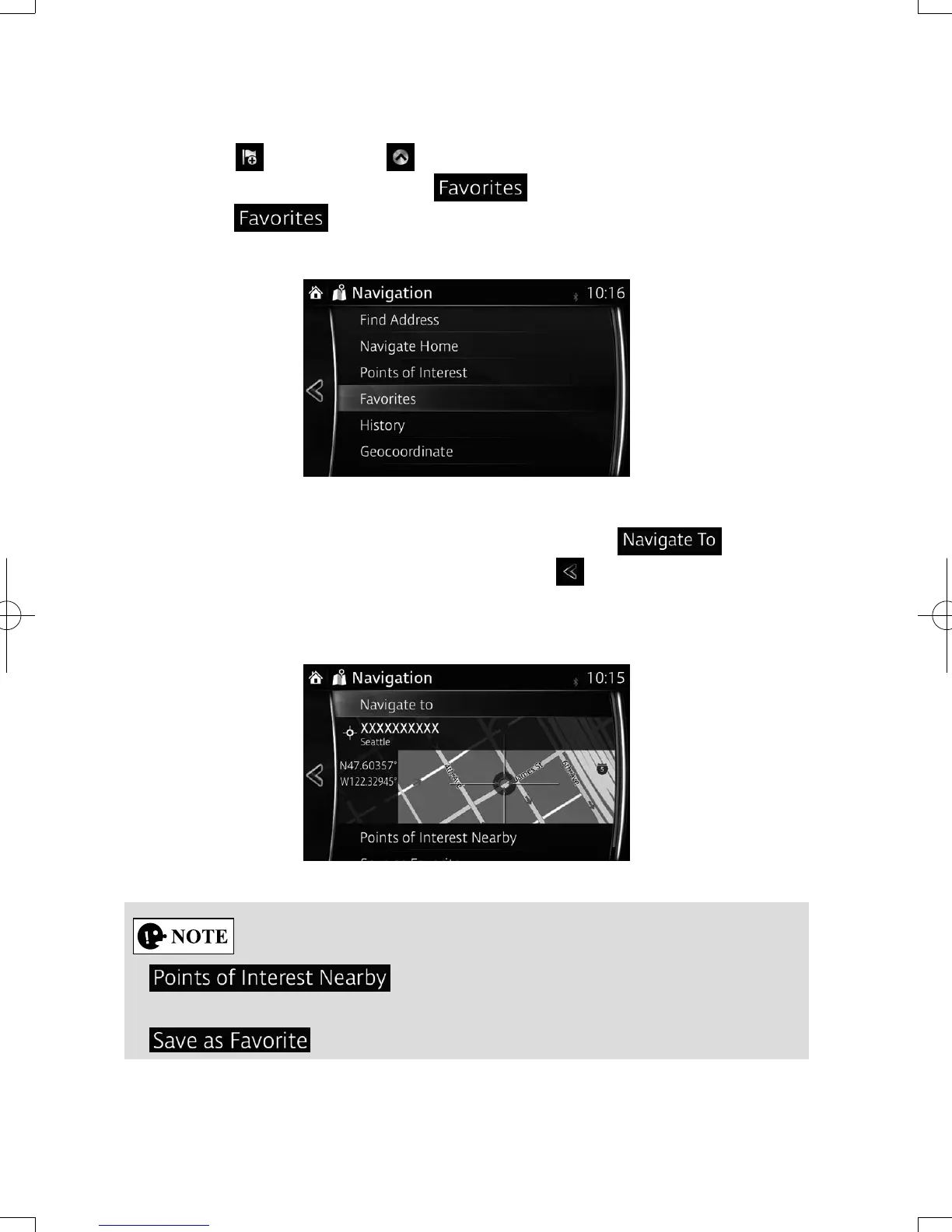
1. Select
after selecting on the MAP screen.
2. In the Navigation menu, select .
When is selected, the screen transfers to the Favorites screen.
Select your registered favorite.
3. The selected location is shown on the map.
The system transitions to the next screen by selecting , or it
returns to the previous screen by selecting the button. By touching the
location displayed on the screen, you can change the destination to anywhere
on the map.
• : You can search for POI (point of interest) around
the selected location.
•
: The selected location can be registered to Favorites.
NAV-12AVUAE.indb 56 2015/02/20 15:09:13



 To Next Page