McHale F5500 Baler
47
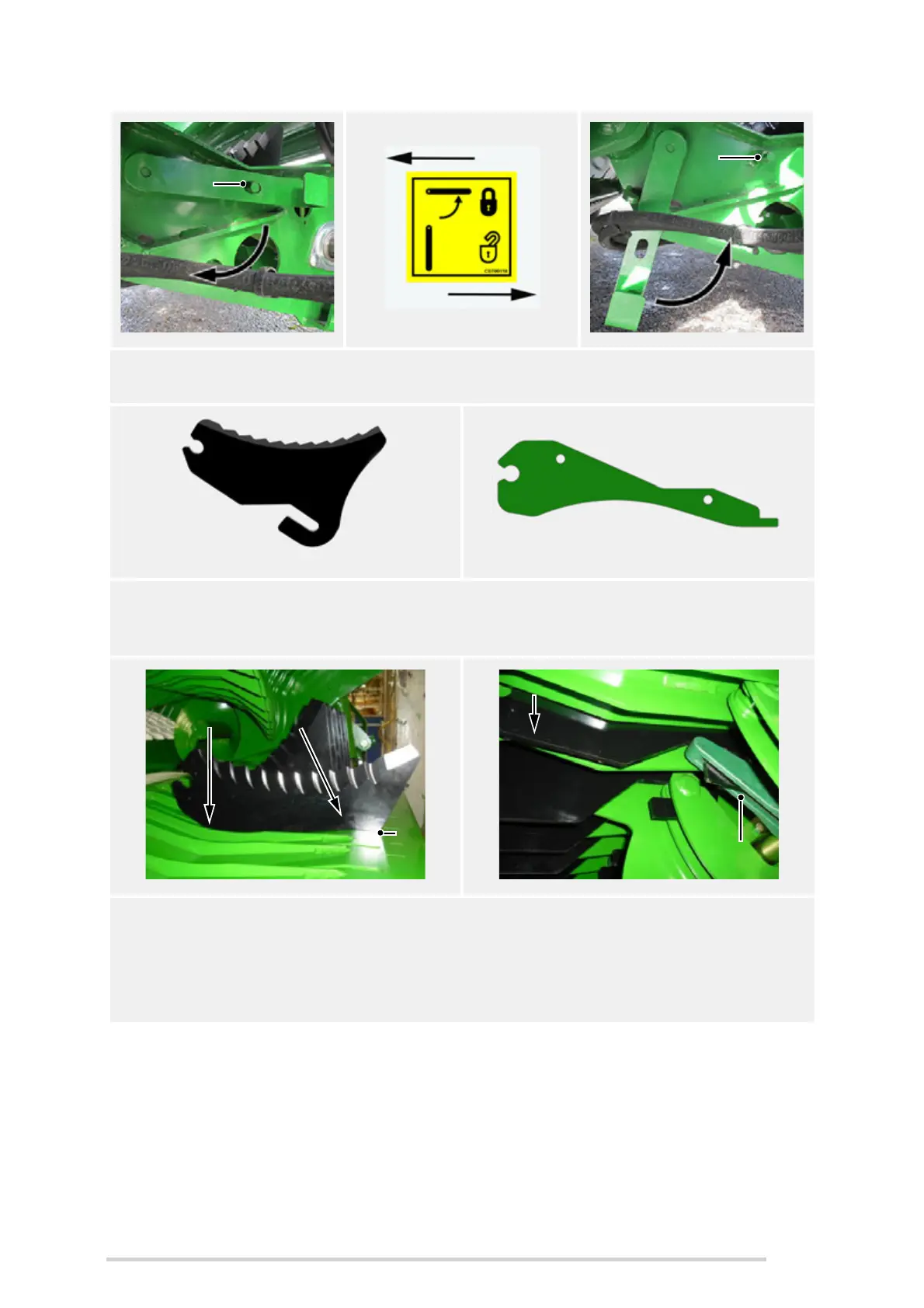
6. Removal of knives/blanks is the reverse of the following installation procedure.
Pay particular attention to all decal warnings and safety advice.
Knife Knife blank
7. Rotating the knife lock/unlock lever (B) exposes ‘flats’ on the lock shaft, which
allows either knives or knife blanks to be added or removed. Remove old knives
with a pair of pliers.
8. A new knife (C) can be installed by inserting it into the back of the slot in the drop
floor (D), so it engages with the raised actuator arm (E). Next rotate the knife
downwards (F), whilst continuing to hold it towards the back of the slot (D), until
the front toothed area looks like it will clear the front end of the slot by 5 -10 mm
(G), as shown below.
Locked ‘closed’ position
Unlocked ‘open’ position



 To Next Page