McHale F5500 Baler
74
7.3 Menu structure
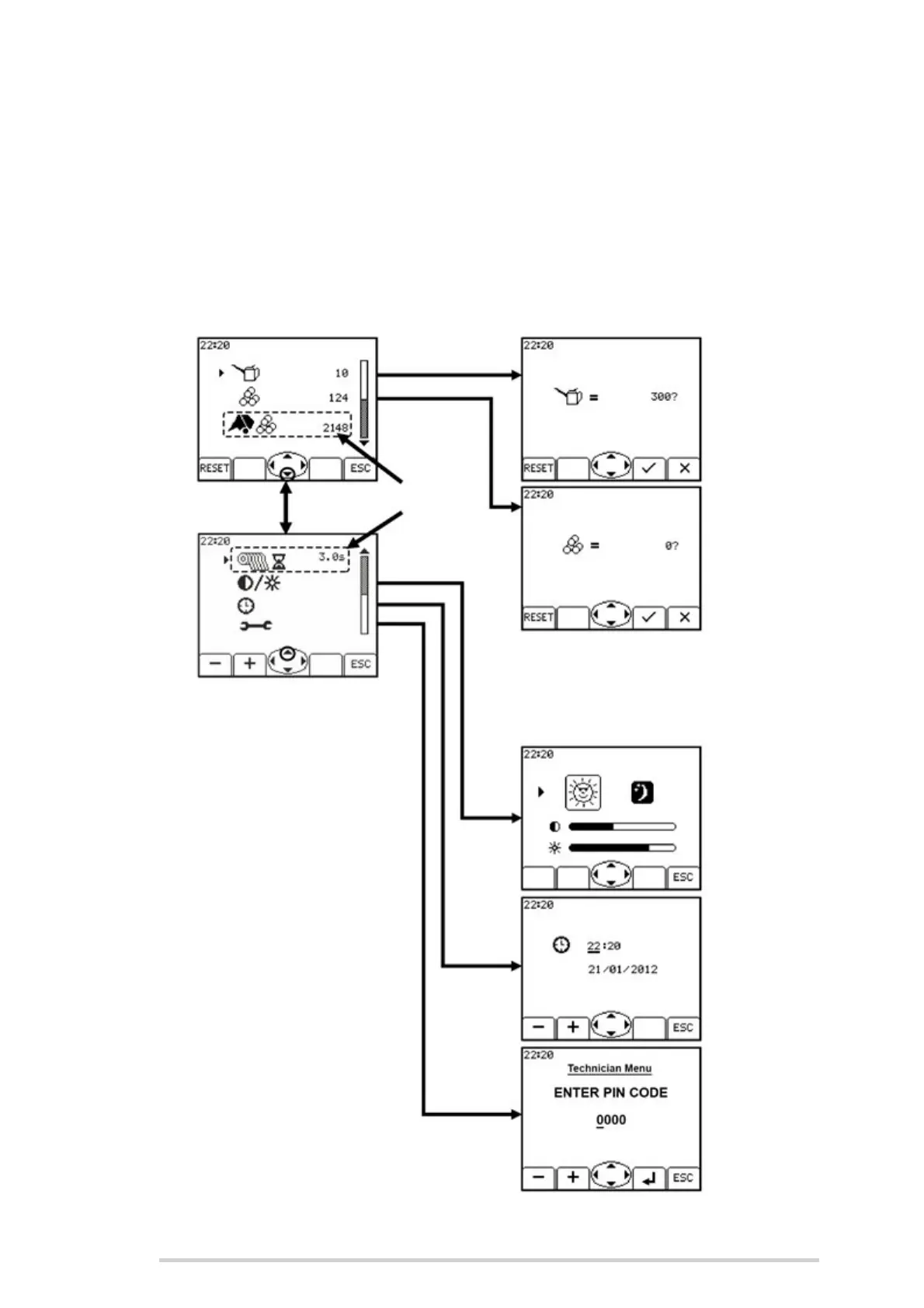
Hold the down arrow (Button 6) for 1 second to access the Control unit menu.
7.3.1 Control unit menu
Below is a navigation map for the menu layout which has seven settings, over two main
screens. All settings, except for 3 & 4, have a sub screen. Detailed descriptions of each
setting’s function are on the following pages.



 To Next Page