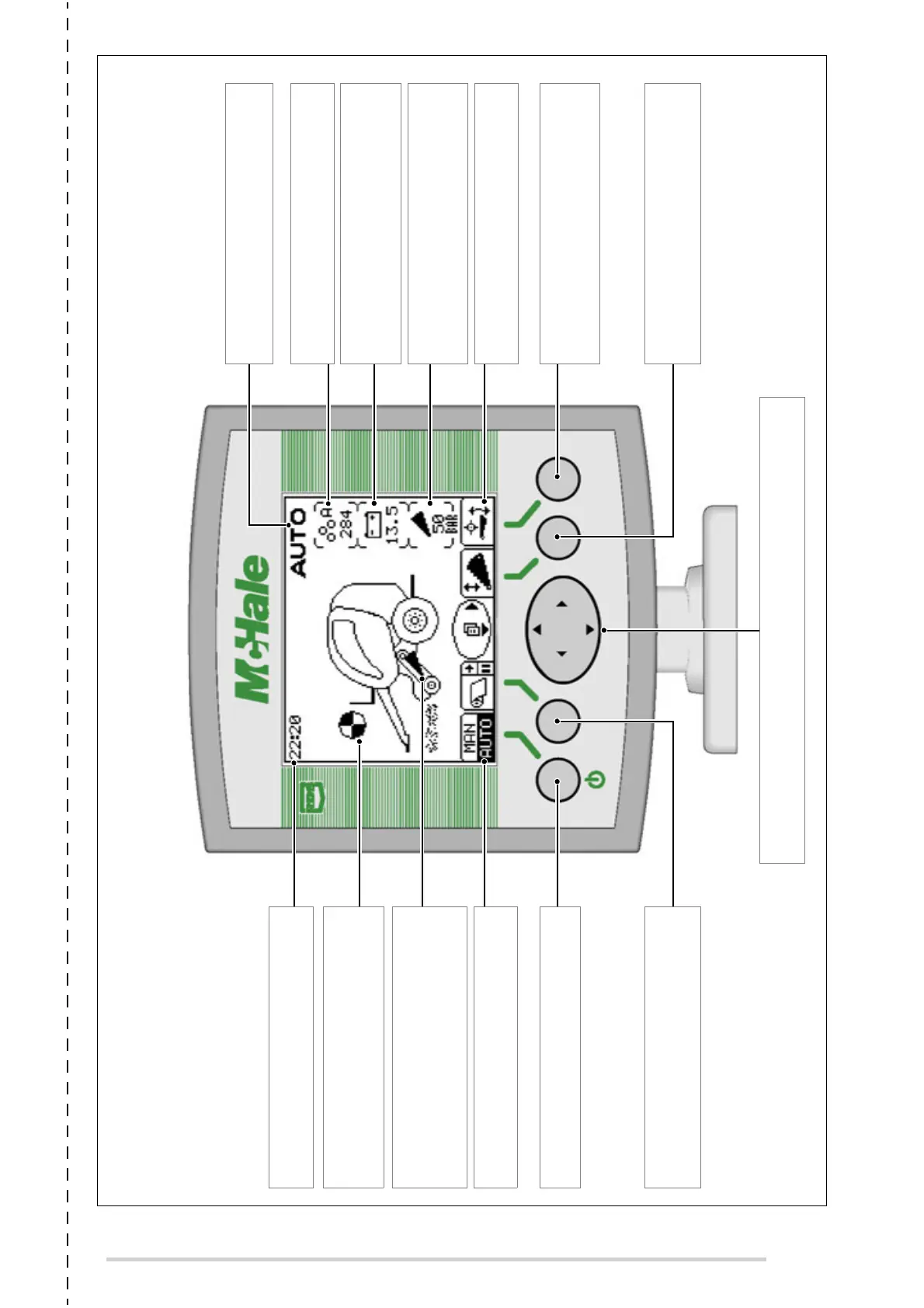
F5500 CONTROL UNIT OVERVIEW
NAVIGATION BUTTON: Press right arrow to access bale counter options.
Hold the down arrow for 1 second to enter the menu.
VOLTAGE SUPPLY: Displays the
tractor battery supply voltage.
(Should be between 12.0 V & 14.5 V)
KNIFE PRESSURE: Displays the current
knife pressure (bar) with knives up.
(50 to 60 bar when knives are up)
BALE TOTAL: Displays the active
customer counter and the total.
SYMBOLS: Displays the current
function of the buttons directly below.
SYMBOLS: Displays the current
function of the buttons directly below.
MANUAL/AUTO: Press to toggle between
Manual and Auto operating modes.
NETTING INDICATOR: Rotates during
netting. Turns white when the net knife
has tripped.
KNIFE UP INDICATOR: Appears when
the knives are fully raised into the
chopping position. The symbol will
disappear if knives drop even slightly.
CLOCK: Displays current time, which
can be adjusted from within the menu.
FLOOR DIVERTER: Press and hold while
operating the pick-up spool lever to raise/
lower the drop floor.
MODE: Displays whether in Manual
(MAN) or Automatic (AUTO) mode.
NET FEED: Press to start net feeding.
Press during bale full beeps in Auto to delay
netting.
KNIFE DIVERTER: Press and hold while
operating the pick-up spool lever to raise/
lower the knives.
(6RIWZDUH9HUVLRQ*:6UHY



 To Next Page