MultiTest-dV Operating Manual Mecmesin 17
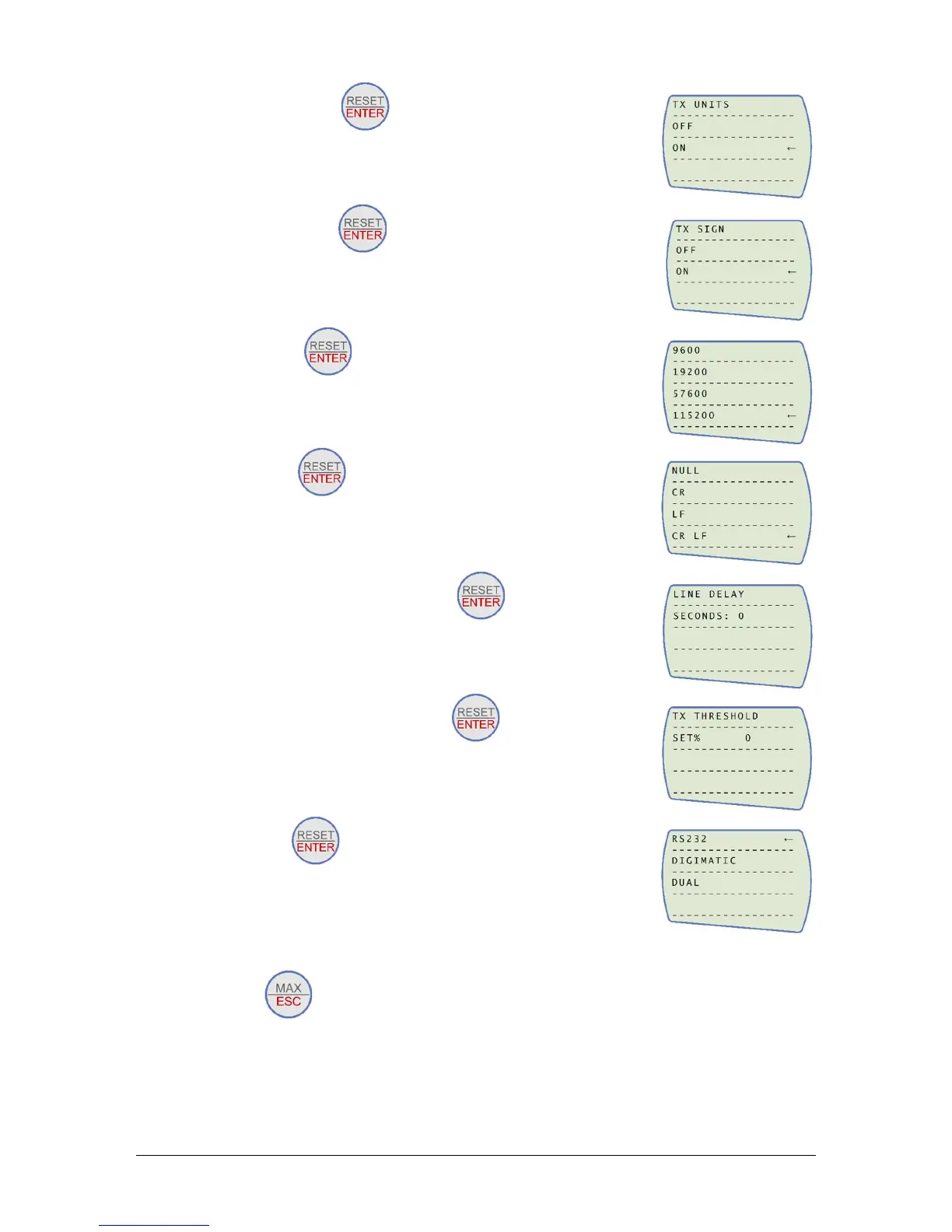
5. Set TX Units On press →
6. Set TX Sign On press →
7. Set 115200, press →
8. Set CR LF press →
9. Ensure the line delay is set to 0 press →
10. Ensure TX threshold is set to 0 press →
11. Set RS232 press →
12. Then press twice to return to the primary measurement screen.
Note: If using the stand in conjunction with VectorPro please ensure that the units
selected on the gauge match the unit selected within the software.


 To Next Page