16 Mecmesin MultiTest-dV Operating Manual
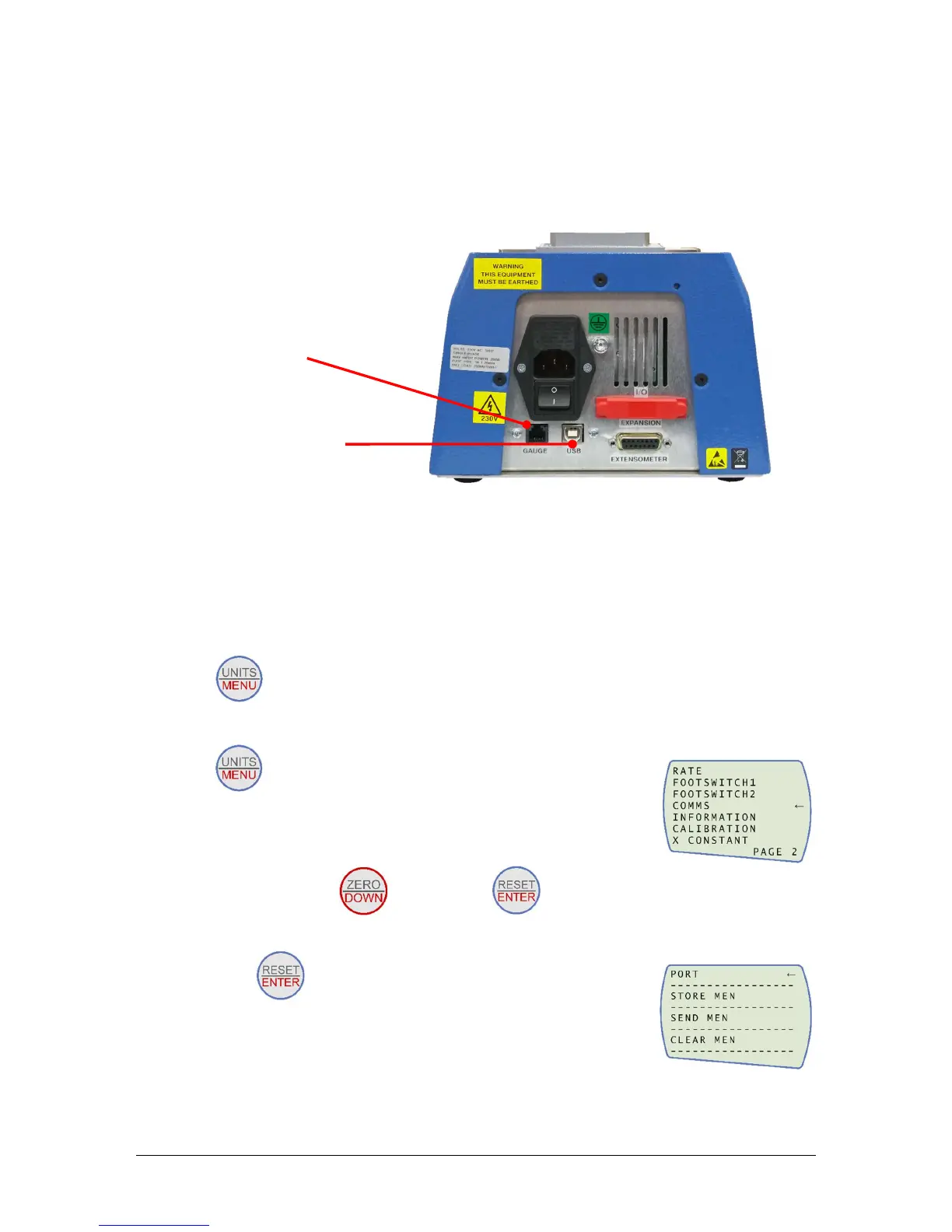
Connecting an AFG to the MultiTest-dV
A Mecmesin AFG digital force gauge is connected to the test stand using cable part no.
351-092. Connect the 15-pin D connector to the top socket of the AFG, and the opposite
end of the cable to the RJ11 plug located on the rear of the stand:
AFG communication settings
To achieve communication between a MultiTest–dV test system and an AFG gauge you
need to apply the correct settings within the AFG’s communication menu. Use the
following steps to configure the AFG:
1. Hold on the AFG until the main menu is displayed →
2. Press once until you are on page 2 →
3. Scroll down using the button, then press to select the “COMMS”
menu →
4. Now press on port →


 To Next Page