MultiTest-dV Operating Manual Mecmesin 23
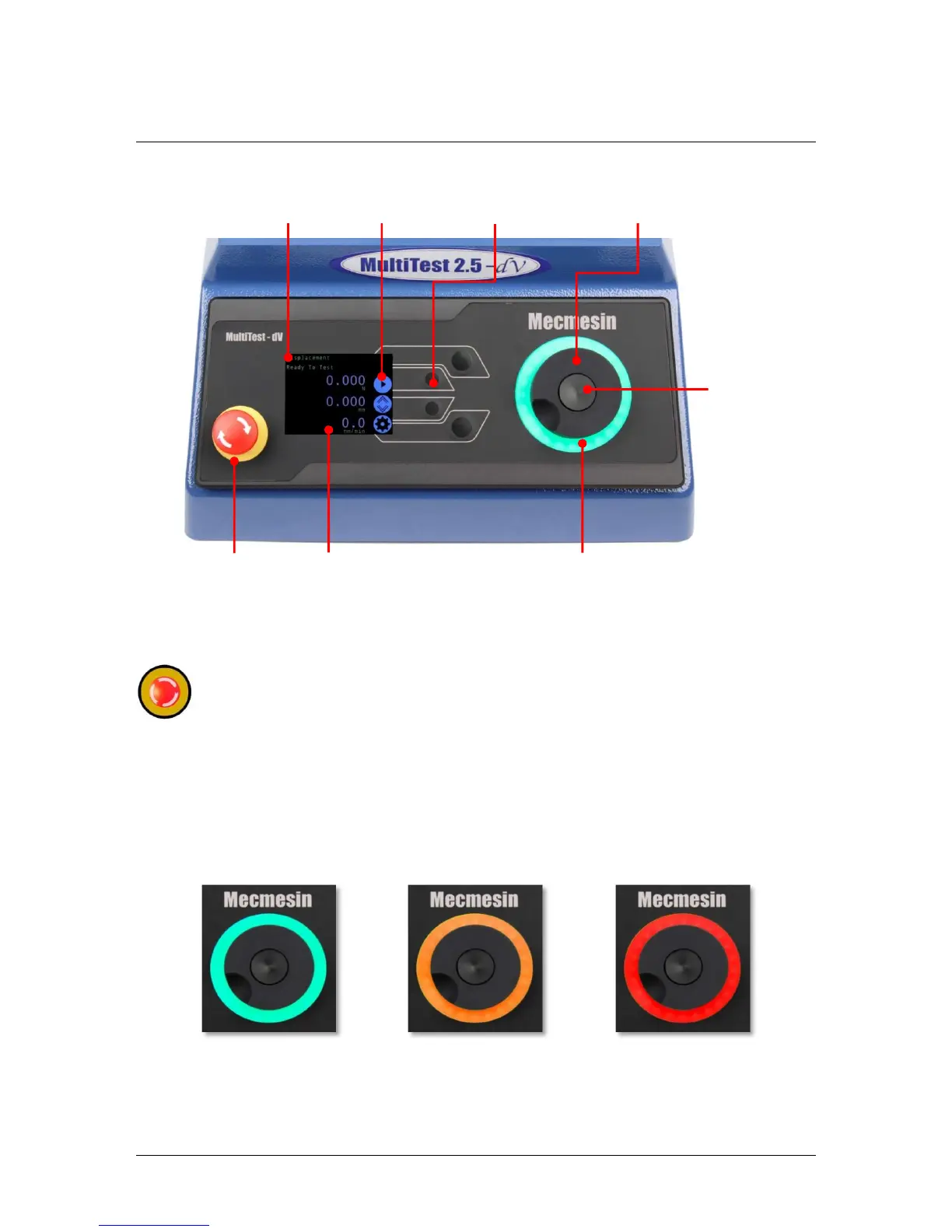
5. Front Panel Controls
Emergency Stop Button
Push to stop the crosshead movement. Rotate the button to release it and
resume crosshead control. If pressed during a test, do not restart a test, ensure
you remove any residual force using the test stand’s jog controls.
Multi-function Scroll Wheel Control
Scroll Wheel Colours
The lights surrounding the wheel illuminate in three colours, indicating the status of the
test stand:
LED dial ring


 To Next Page