Save
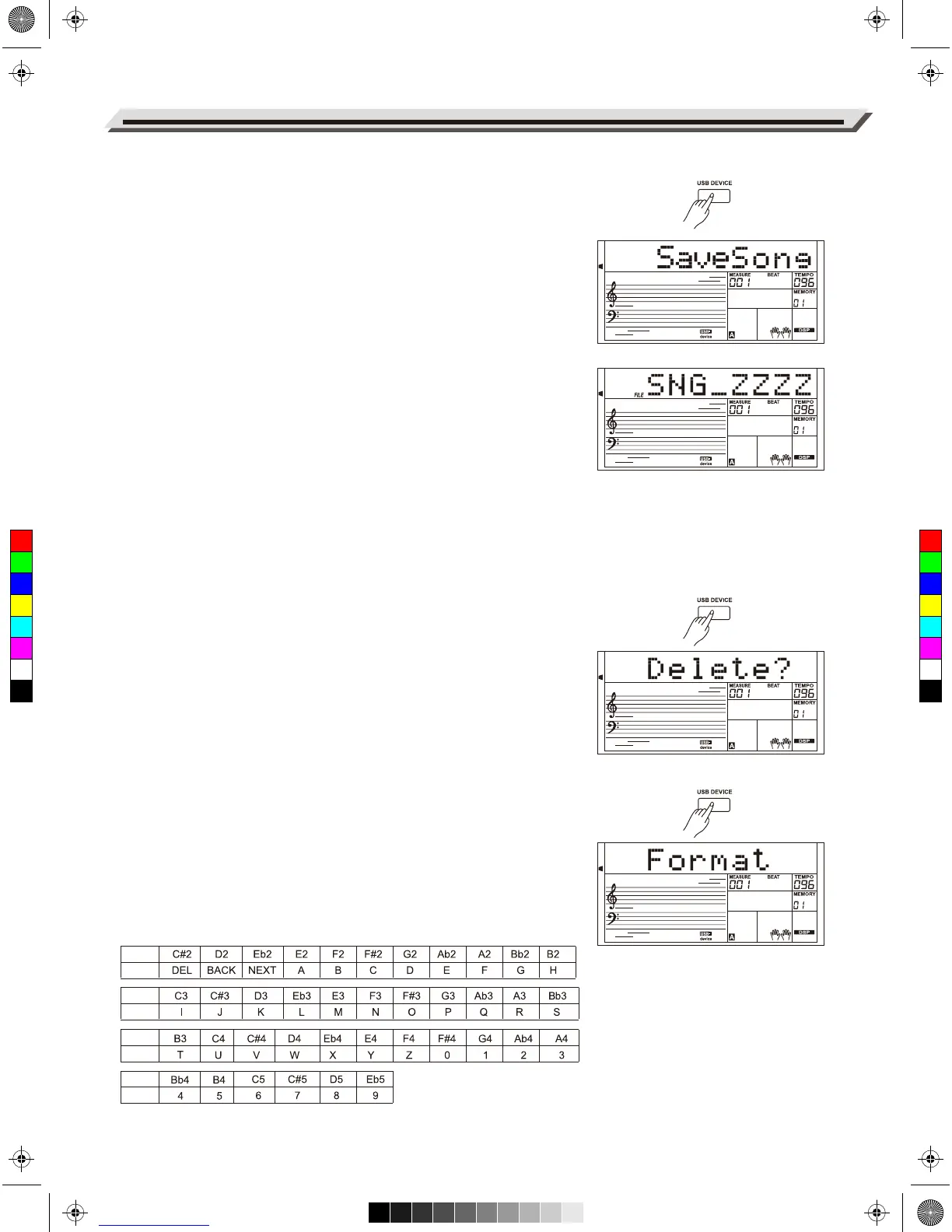
1. Press [USB DEVICE] button to enter USB Device mode, then use the
data dial to select the “Save” menu. Press [+/YES] button to enter
the sub menu, which includes “SaveSong”, “SaveSty”, “SaveMem”
and “SaveVoic”. Use the data dial to select one.
For example, saving a user song.
1. Select the “SaveSong” sub-menu, then press [+/YES] button to enter
the menu. LCD will show the current user song name and number.
Use the data dial to select a user song.
2. Press [+/YES] button and the LCD will prompt to enter a file name
“SNG_”. Use the keyboard to enter an 8-digit file name. Please refer to
the Keyboard and ASCII Character Relative Table at the back of this
chapter.
3. After entering the file name, press [+/YES] button. LCD will show
“Sure?”. Press [+/YES] button to confirm saving, or press [-/NO] to
cancel.
4. If the name you enter is the same as an existing song, LCD will
prompt “SameName”. You need to enter a different name to save
the file.
Note:
Please follow the steps above to save a user style or a a user memory.
Delete
1. Press [USB DEVICE] button to enter USB Device mode, then use the
data dial to select the “Delete” menu. Press [+/YES] button to enter
the sub menu, which includes “UserSong”, “UserSty”, “UserMem” and
“UserVoic”. Use the data dial to select one.
2. Select a sub menu and then press [+/YES] button. Use the data dial to
select a file you want to delete.
3. Press [+/YES] button, “Sure?” will be displayed on LCD, press [+/YES]
button to delete the file, or press [-/NO] button to cancel.
Format
Press [USB DEVICE] button to enter USB Device mode, then use the
data dial to select the “Format” menu. Press [+/YES] button and the LCD
prompts “Sure?”
Press [+/YES] button to format the USB flash drive, or press [-/NO] button
to cancel.
Note: Formatting will delete all data in the USB flash drive!
Keyboard and ASCII Character Relative Table
Connecting USB Flash Drive
36
Note
Letter
Note
Letter
Note
Letter
Note
Letter
C
M
Y
CM
MY
CY
CMY
K
AW_AW830_Manual_G03_171207.pdf 36 17/12/12 17:59



 To Next Page