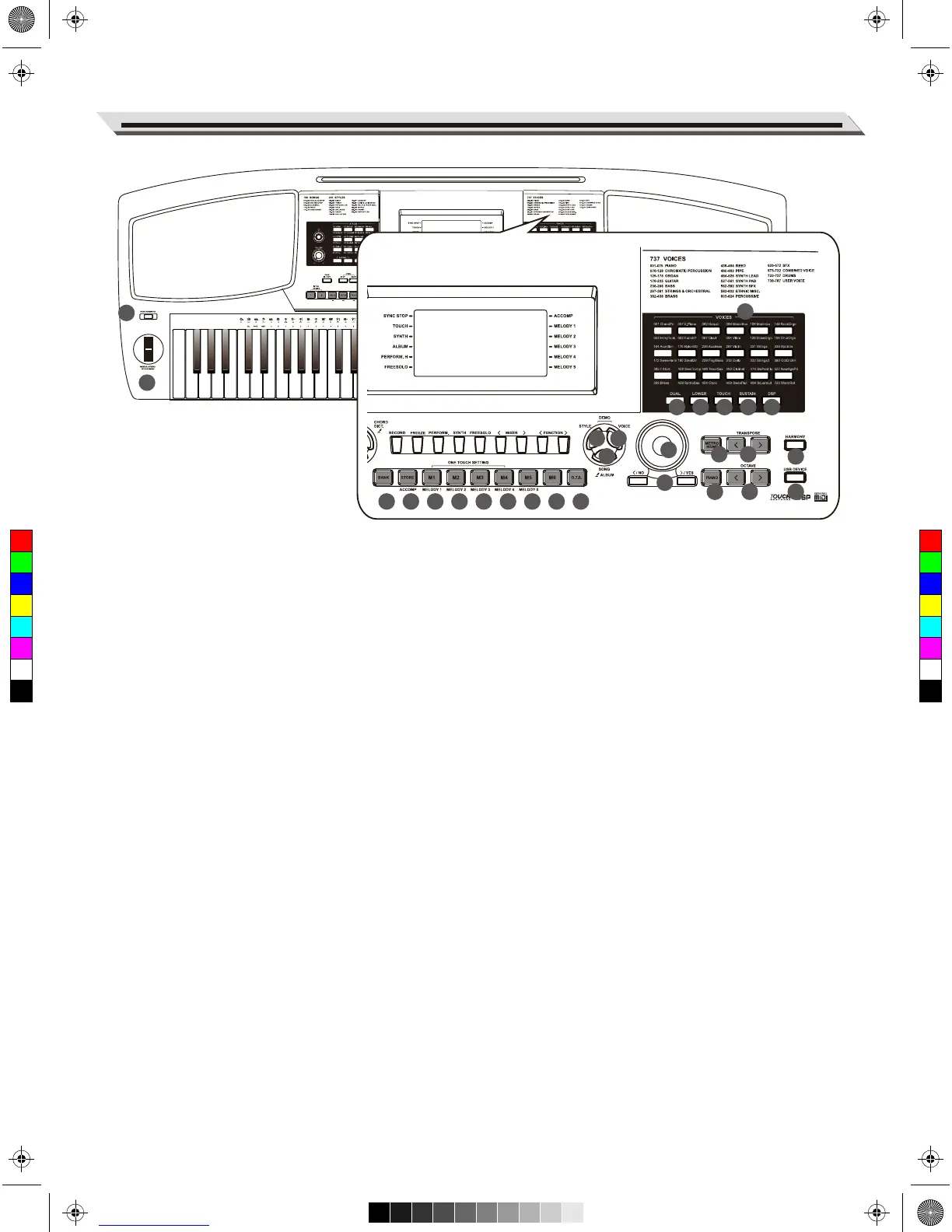
Panel & Display Description
05
36 37 38 39
40
41 42 43 44 45
46
47
48
49
50
51 52 53
54
55
30
31
33 34
35
29
32
28. STYLE Button
Press to enter Style Mode.
29. VOICE Button
Press it to enter Voice Mode.
Press STYLE Button and VOICE
Button at the same time to enter
Demo Mode.
30. SONG Button
Press it to enter Song Mode.
ALBUM Button
Hold it to turn on the Album function.
31. BANK Button
Press it to select a bank.
32. STORE Button
Save current panel settings to one
of the memories.
Press [STORE] and [M1] together
to save the settings to M1.
ACCOMP Button
In Record mode, press it to select
the accompaniment track for
recording.
33~38. M1-M6 Buttons
In Memory mode, recall panel
settings from one of the memories.
M1-M4 Buttons
In O.T.S. mode, recall voice settings
that match the current style.
MELODY 1-MELODY 5 Buttons
In Record mode, select the melody
1-5 track for recording.
39. O.T.S. Button
Press it to turn the One Touch
Setting function on or off.
40. VOICE SELECT Buttons
Directly set a preset voice.
41. DUAL Button
Press it to turn the Dual function
on and off.
42. LOWER Button
Press it to turn the Lower function
on and off.
43. TOUCH Button
Press it to edit the Touch
Response setting.
44. SUSTAIN Button
Press it to turn the sustain function
on and off.
45. DSP Button
Press it to turn the DSP effect on
and off.
46. DATA DIAL
Adjust the parameters.
47. METRONOME Button
Press it to turn the metronome on
and off.
48. TRANSPOSE +/- Buttons
Press to edit the transpose value.
49. HARMONY Button
Press it to turn the harmony effect
on and off.
50. +/YES, -/NO Buttons
Adjust the parameters.
51. PIANO Button
Press it to turn the Piano Mode
on and off.
52. OCTAVE+/- Buttons
Press to edit the octave value.
53. USB DEVICE Button
Press it to enter USB Device mode.
54. PORTAMENTO Button
Press and hold it when playing the
keyboard to apply portamento effect
to the notes.
55. PITCH BEND/MODULATION
Bend notes left or right (pitch bend).
Apply a vibrato effect (modulation).
28
C
M
Y
CM
MY
CY
CMY
K
AW_AW830_Manual_G03_171207.pdf 5 17/12/12 17:59



 To Next Page