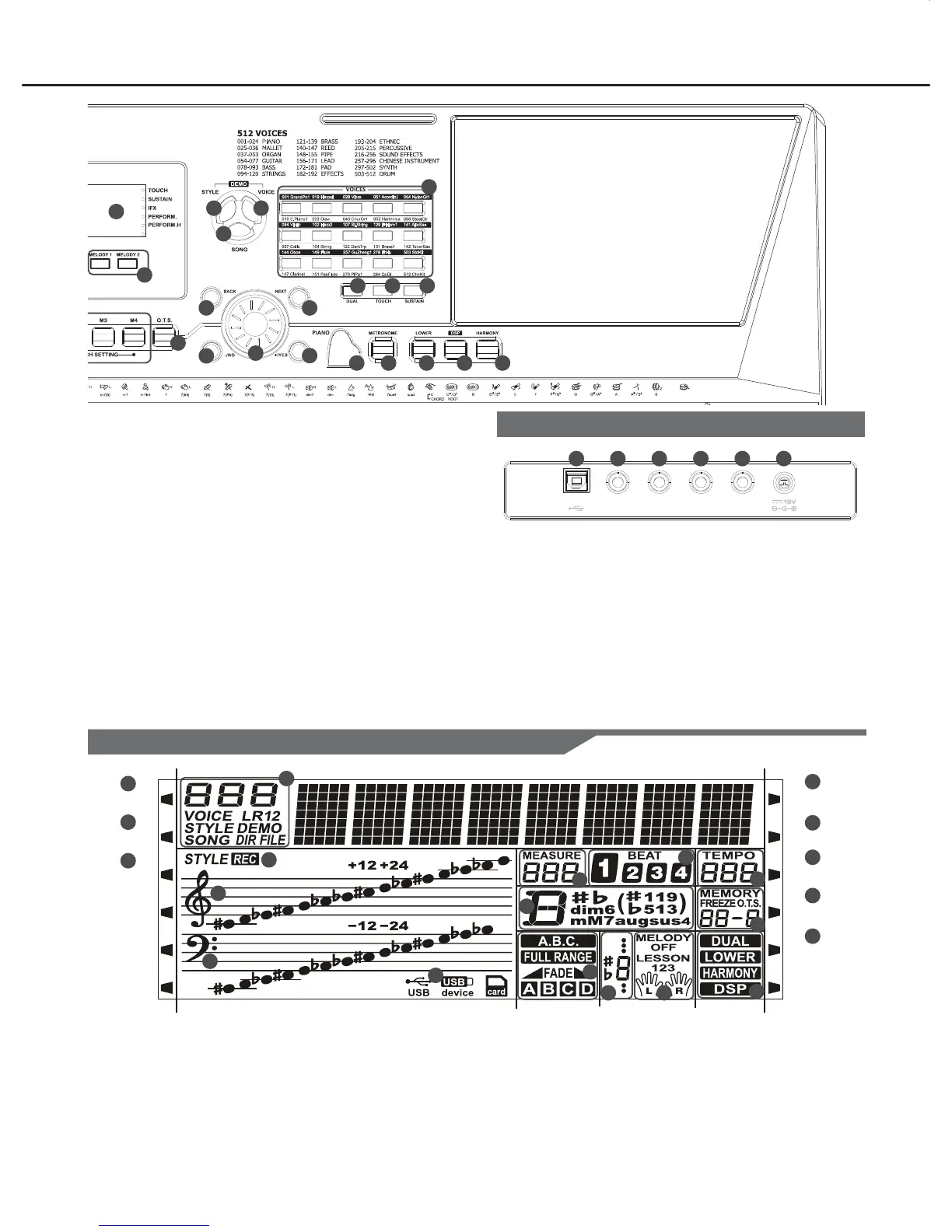
Panel & Display Description
43
38...- / NO
Decrease the displayed
value by 1.
39...+ / YES
Increase the displayed
value by 1.
40...DATA DIAL
Increase and decrease the
value.
41...MELODY 1,
MELODY 2
Select the melody1, melody
2 track to record.
42...VOICE DIRECT
SELECT BUTTON Select a
direct voice.
43...LCD DISPLAY
Show all important settings
for the instrument.
44...MODULATION
Apply a vibrato effect.
45...PITCH BEND
Bend notes up or down.
46...PHONES
Connect headphones to the
unit.
47...USB JACK
Connect to a computer.
48...MIC IN
Connect a microphone.
49...SUSTAIN
Connect a sustain pedal.
50...AUX.OUT
Connect the audio equipment.
51...AUX.IN
Connect the audio equipment.
52...DC 12V
Connect DC 12V power
adapter. (Optional)
5
25
26 27
24
28 29 30
31 32 33 34 35
36
38
37
39
41
42
40
USB
MIC IN SUSTAIN AUX.OUT AUX.IN
47 48 49 50 51 52
Rear Panel
Display
ACCOMP
MELODY1
MELODY2
TOUCH
SUSTAIN
IFX
PERFORM.
PERFORM.H
1
2
3
8
4
6
7
5
18
19
20
21
22
9
11
10
12
14
13
1516
17
1...ACCOMP
2...MELODY 1
3...MELODY 2
4...TOUCH
5...SUSTAIN
6...IFX
18...CHORD
19...RECORD
20...TREBLE CLEF
21...BASS CLEF
22...USB
7...PERFORM.
8...PERFORM.H
9...VOICE/STYLE/DEMO/SONG
10...MEASURE
11...BEAT
12...TEMPO
13...STORE M1-M6/ONE TOUCH SETTING
14...DUAL/LOWER/HARMONY/DSP
15...LEFT/RIGHT HAND LESSON MODE
16...NOTE INDICATION
17...A.B.C./FULL RANGE/FADE/A/B



 To Next Page