Safety Connecting Operation Help Appendix
S
S
E
E
T
T
T
T
I
I
N
N
G
G
U
U
P
P
&
&
G
G
E
E
T
T
T
T
I
I
N
N
G
G
S
S
T
T
A
A
R
R
T
T
E
E
D
D
9
Ergonomics
Note
Ensure that the monitor is set up in such a way that
reflections, glare and light/darkness contrast are
avoided.
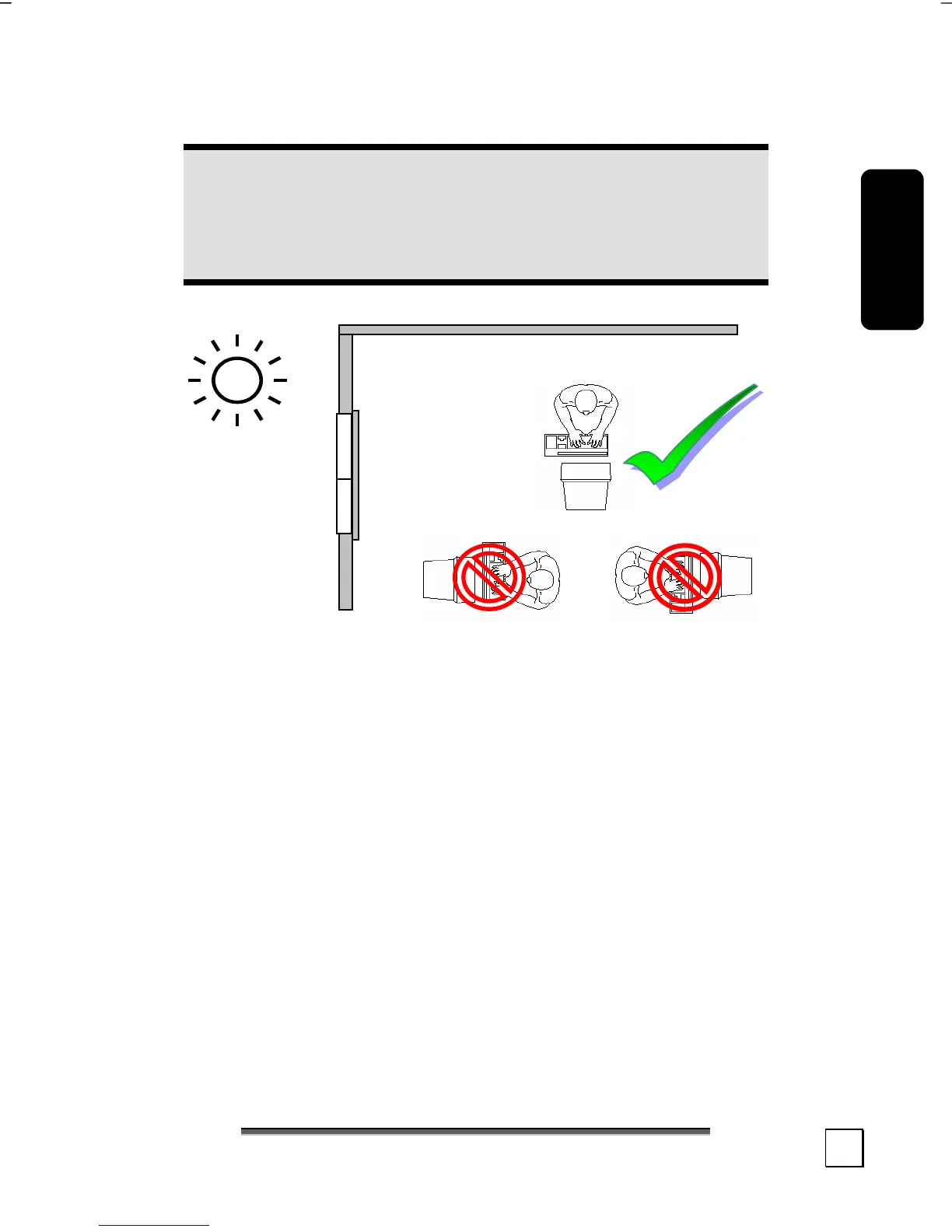
You should not position the monitor in close proximity to a win-
dow, because this is the brightest area of the room because of
daylight. This brightness impedes the adjustment of the eyes to
the darker monitor.
Always position the monitor in a line of sight that runs parallel to
the window front (see picture).
You should also apply a parallel line of sight with respect to artifi-
cial lighting. This means that in a room lit by artificial light essen-
tially the same criteria and objectives apply. Should it not be pos-
sible to arrange the monitor as outlined above, the following
measures might be helpful:
• Turn, lower or incline the monitor.
• Place horizontal or vertical shades at the windows.
• Working in Comfort



 To Next Page