S
S
O
O
F
F
T
T
W
W
A
A
R
R
E
E
58
This is how to install your software:
Please follow the instruction of the software vendor. We will de-
scribe a typical installation. Once you insert a CD, the installation
menu is started automatically.
Run the Program Compatibility Assistant under Programs,
Accessories, if you are not sure about the compatibility of the
Program to be installed.
Note
If the automatic start does not work, it is likely that
the so-called Autorun function has been deactivated.
Read the respective chapter in Windows Help on how
to activate this function.
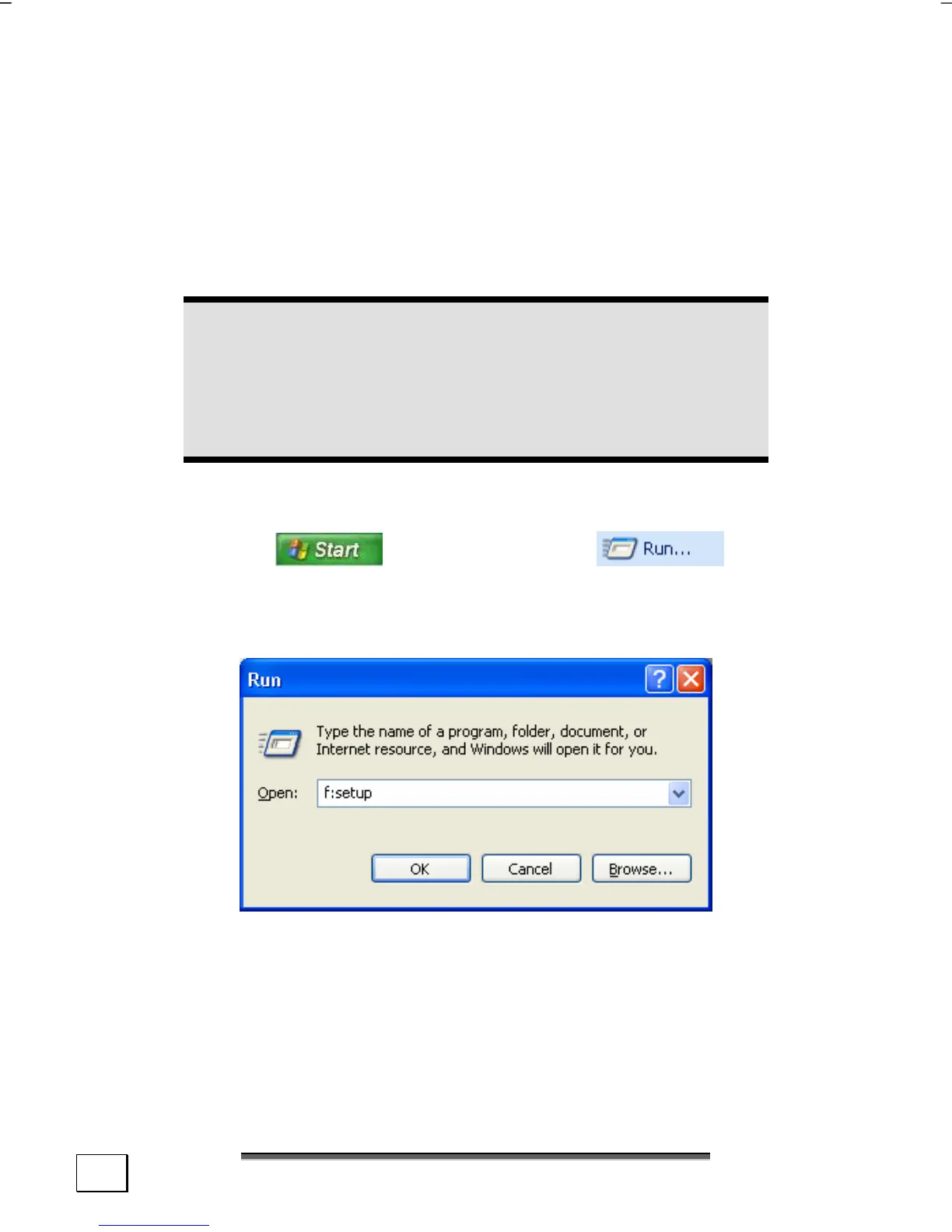
An example for the manual installation without the autorun func-
tion:
1. Click on
and select the item (or hit
á + R to launch the corresponding dialog).
2. Now enter the letter of the CD-ROM drive followed by a co-
lon and the program name setup:
3. Click on “OK“.
4. Follow the instruction given by the program.



 To Next Page