5 Frequently Asked Questions (FAQ)
23
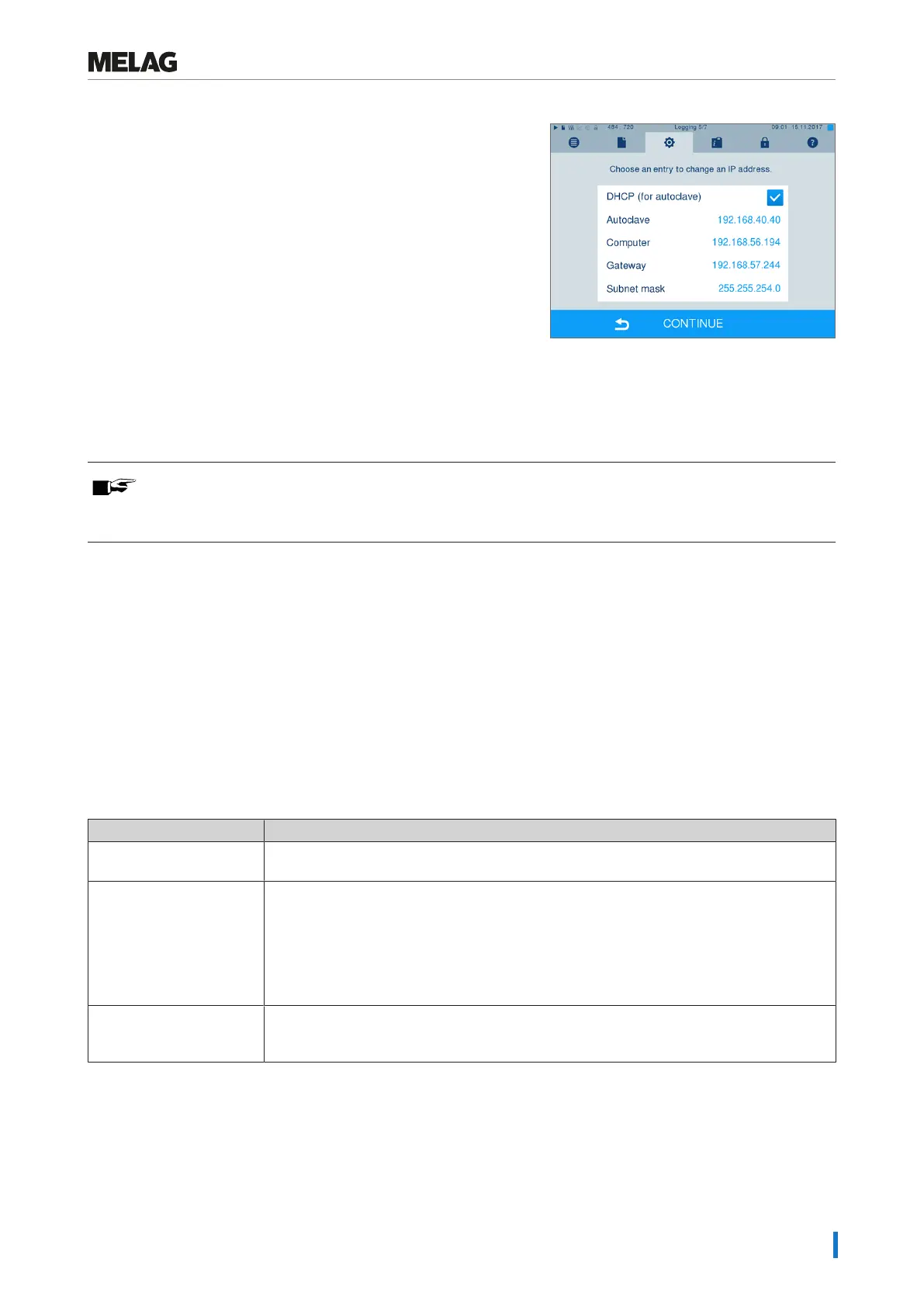
1. Working in theSettings menu >Logging, set the IP address of
the steam sterilizer to DHCP.
2. Check whether the IP address of the computer set in the steam
sterilizer is correct.
Ê If the IP address of the practice computer deviates from the IP
address set in the steam sterilizer, adapt the IP address of the
computer in the steam sterilizer.
PLEASE NOTE
If a DHCP server cannot be located in the (practice) network, the steam sterilizer will automatically
receive the pre-set static IP address.
How do I determine the IP address or network setting of a computer
(Windows 7/10)?
1. Open “Network and Sharing Center” or the network and internet settings.
2. Open the Properties window under “Local Area Connection” > right-click on “Properties”.
3. Working in the Properties window, select “Internet Protocol Version 4 (TCP/IPv4)” and click on push-button
“Properties”.
Ê If “Obtain the IP address automatically” is selected in the opening dialogue window, the computer is addressed
dynamically in the (practice) network i.e. via DHCP.
What do the terms IP address, subnetwork and DHCP mean?
Term Meaning
IP address The IP address is a identifier of the computer or device expressed in numbers in a network.
It serves to identify the computer or device with four number blocks (e.g. 192.168.88.8).
Subnetwork Every IP address is divided into a network and a device (host) section. The division is per-
formed via the subnetwork mask (also: subnet/sub-net mask). The network section of the
IP addresses must be identical so that the devices can communicate with each other. With
a network entry mask = 255.255.255.0 (the most often) the first three numbers (e.g.
192.168.88.x) must be the same. The device part of the IP address is assigned individually
and only once. The first (network itself) and the highest (broadcast) device address may
not be issued.
DHCP The IP addresses are automatically issued in a computer network via DHCP (=Dynamic
Host Configuration Protocol) i.e. the IP addresses need not be entered manually in every
device in the network. The precondition is the presence of a DHCP server in a network.













 To Next Page