Malfunctions, Warning and Error Messages
39 D39303 02/2024
Description Cause Action
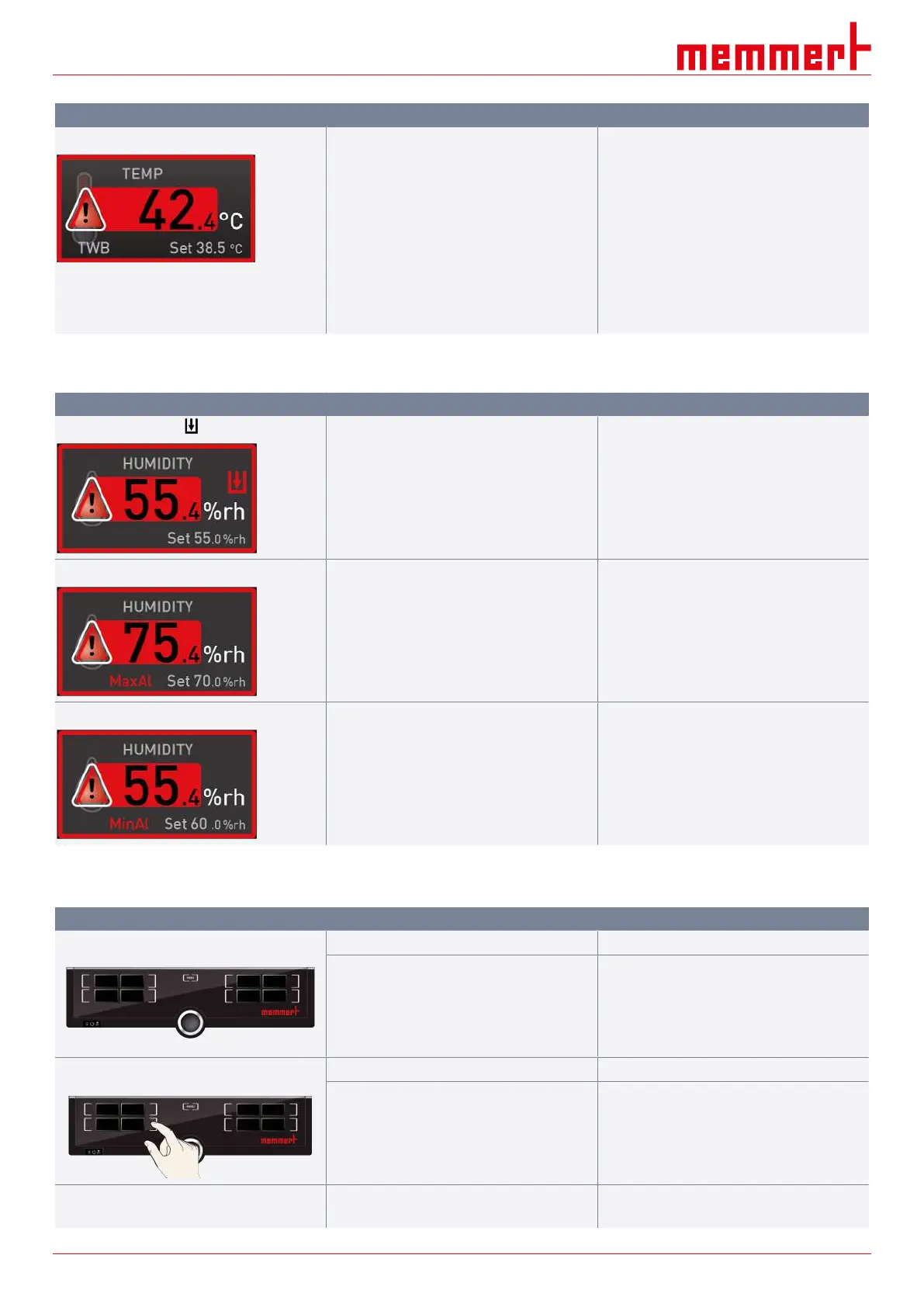
Temperature alarm and TWB is displayed Temperature selector limiter (TWB) has
switched off the heating permanently.
■ Switch off the alarm by pressing the
confirmation button
■ Increase the difference between the
monitoring temperature and the set
point temperature – i.e. either increase
the max. value of the temperature
monitoring or reduce the set point
temperature
■ If the alarm persists: Notify customer
service
7.1.2 Humidity Monitoring
Error description Cause Remedy
Error display symbol
Water tank empty.
■ Fill the water tank with water and press
the confirmation key
Alarm display MaxAl Upper humidity limit exceeded.
■ Open the door for 30 sec. and wait to
see if the appliance stabilises and
regulates with reference to the setpoint
■ If the error persists, contact customer
service
Alarm display MinAl Humidity below lower limit.
■ Check whether the door is closed
■ Check the water supply and level of the
water tank
■ If required, replenish water
■ If the error persists, contact customer
service
7.2 Malfunctions, Operating Problems and Unit Errors
Error description Cause of errors Rectifying errors
Displays are dark External power supply was interrupted.
■ Check the power supply
Miniature fuse, appliance fuse or power
module faulty.
■ Notify customer service
Displays do not activate Appliance locked by USER ID.
■ Unlock with USER ID
Appliance is in programme, timer or remote
control mode (“Write” or “Write + Alarm”
mode).
■ Wait for the programme or timer to end
or switch off the remote control
Appearance of displays suddenly changes Appliance is in the “wrong” mode.
■ Press the MENU key to switch to the
operating or menu mode


 To Next Page