Menu Mode
50 D39303 02/2024
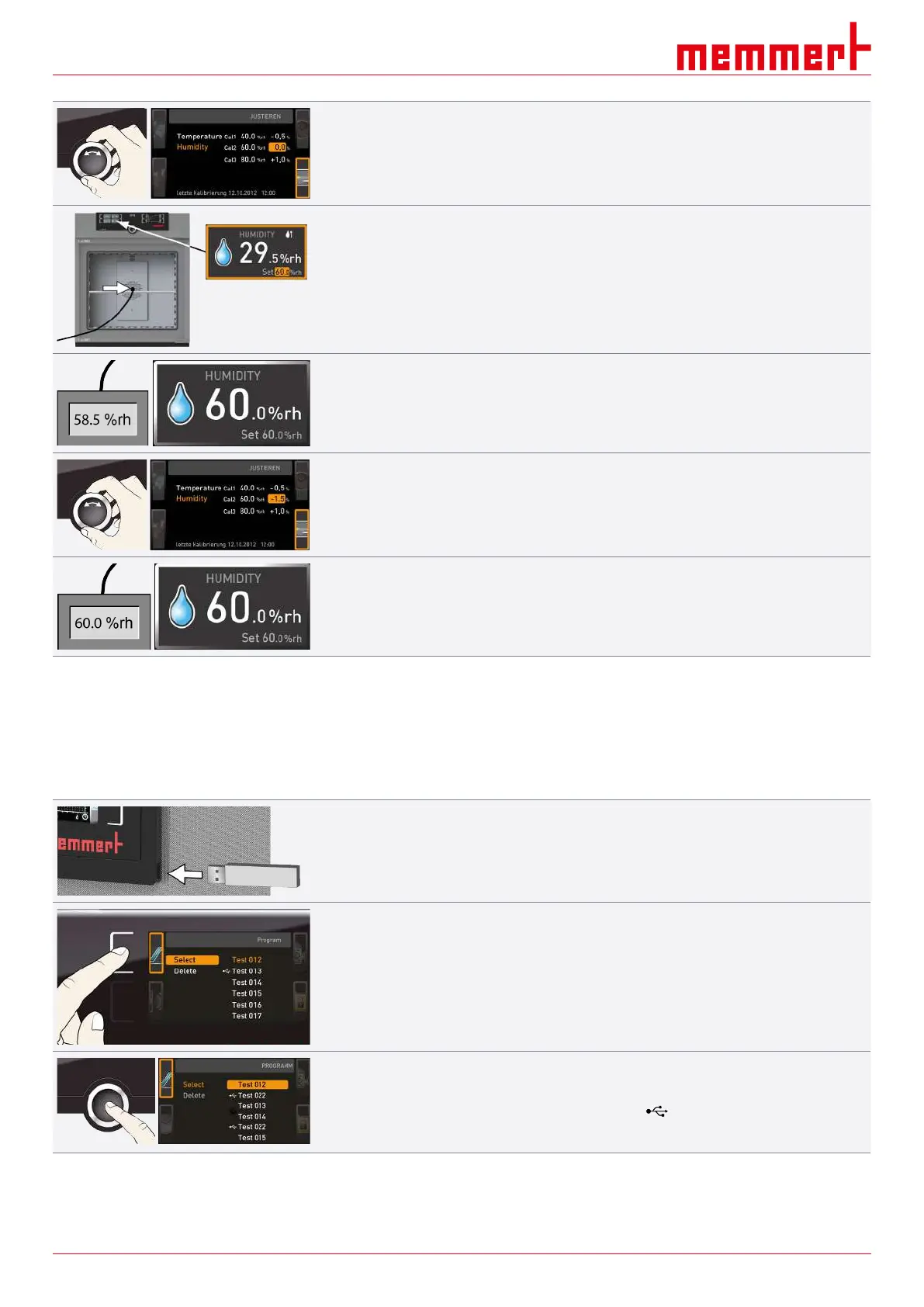
6. Set the calibration correction value to 0.0%.
7. Save the setting by pressing the confirmation key.
8. Position the sensor of the calibrated reference instrument centrally in the working
chamber of the appliance.
9. Close the door.
10. In manual mode, adjust the set humidity to 60% rh.
11. Wait until the appliance reaches the set humidity and displays 60% rh.
■ Assuming the reference instrument displays 58.5% rh,
12. in the SETUP, adjust the calibration correction value Cal2 to –1.5% (actual value
measured minus setpoint value).
13. Save the setting by pressing the confirmation key.
After the calibration procedure, the humidity measured by the reference instrument should
now also be 60% rh.
8.6 Programme
In the Programme display, programmes created using the AtmoCONTROL software can be
transferred to the appliance and saved on a USB storage medium. Here, you can also
select the programme you wish to run (see }6.5.3 Programme Mode) and delete
programmes.
1. Insert the USB storage medium on the right side of the ControlCOCKPIT.
ð You can now use one of the programmes saved on the USB storage medium.
2. Press the activation key on the left of the Prog display.
ð The display is enlarged and the Select entry is automatically highlighted.
ð The programmes available for activation are shown on the right.
ð The programme currently available for use – in this example Test 012 – is
highlighted in orange.
3. Press the confirmation key to access the Select function.
ð All available programmes are displayed, including the ones saved on the USB data
storage medium (identified by the USB symbol ).
ð The programme currently available for use is highlighted in orange.


 To Next Page