Menu Mode
48 D39303 02/2024
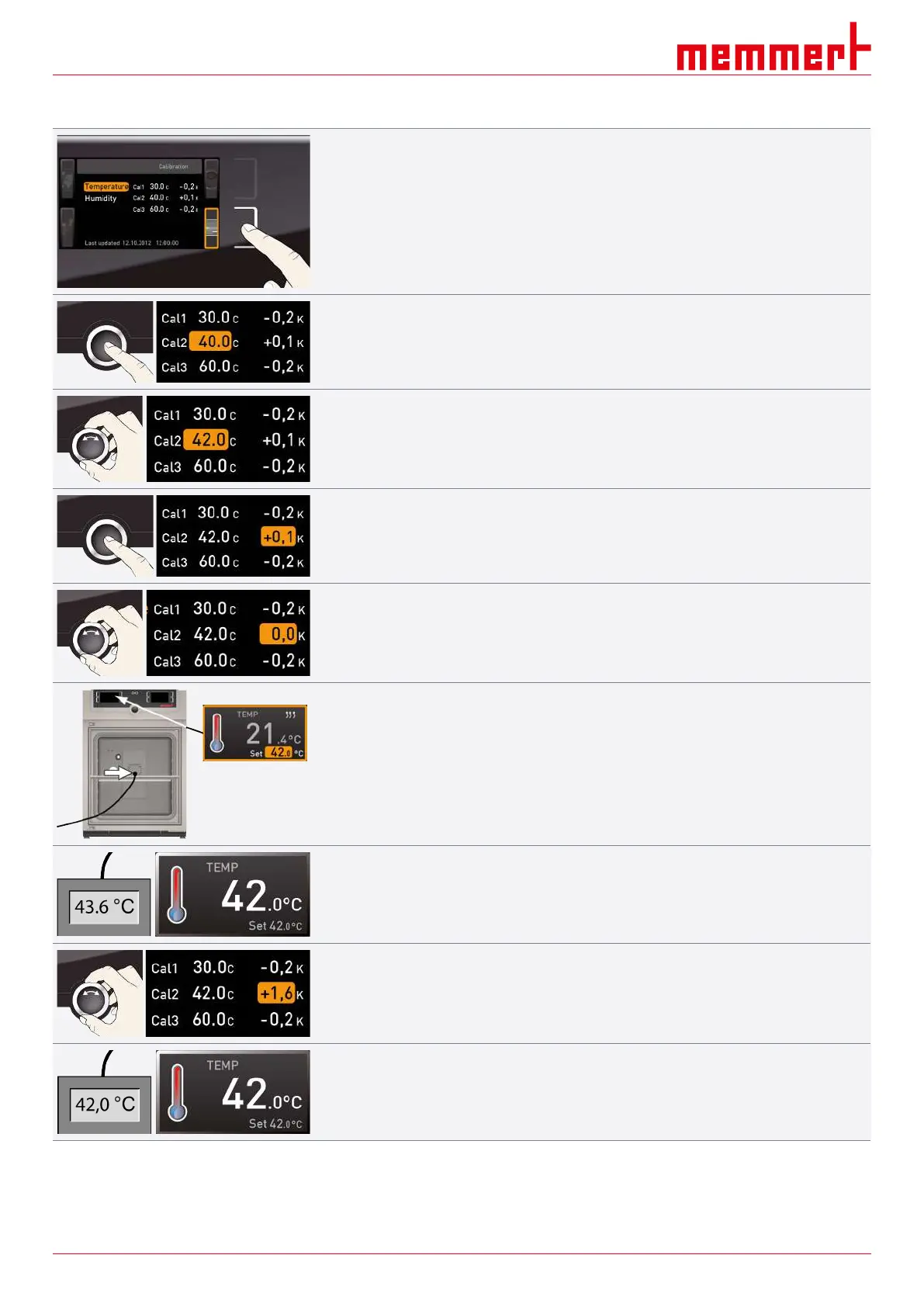
Example: Temperature deviation should be corrected
1. Press the activation key to the right of the CALIB display.
ð The display is enlarged and the temperature adjustment option is automatically
highlighted.
2. Press the confirmation key repeatedly, until the calibration temperature Cal2 is
highlighted.
3. With the turn control, set the calibration temperature Cal2 to the specified
temperature.
4. Save the setting by pressing the confirmation key.
ð The corresponding calibration correction value is automatically highlighted.
5. Set the calibration correction value to 0.0 K.
6. Save the setting by pressing the confirmation key.
7. Position the sensor of a calibrated reference instrument centrally in the working
chamber of the appliance.
8. Close the door.
9. In manual mode, adjust the setpoint temperature.
10. Wait until the appliance reaches and displays the setpoint temperature.
■ The reference instrument will display the corresponding deviation.
11. In the SETUP, adjust the calibration correction value Cal2 to the deviation temperature
(actual value measured minus setpoint value).
12. Save the setting by pressing the confirmation key.
13. Compare the temperature measured by the reference measurement instrument with
the temperature displayed on the appliance.
ð After the calibration procedure, the temperature measured by the reference instrument
should now also be the setpoint temperature.
With Cal1, a further calibration temperature below Cal2, and with Cal3 a temperature
above, can be programmed in the same manner. The minimum difference between the Cal
values is 10K.


 To Next Page